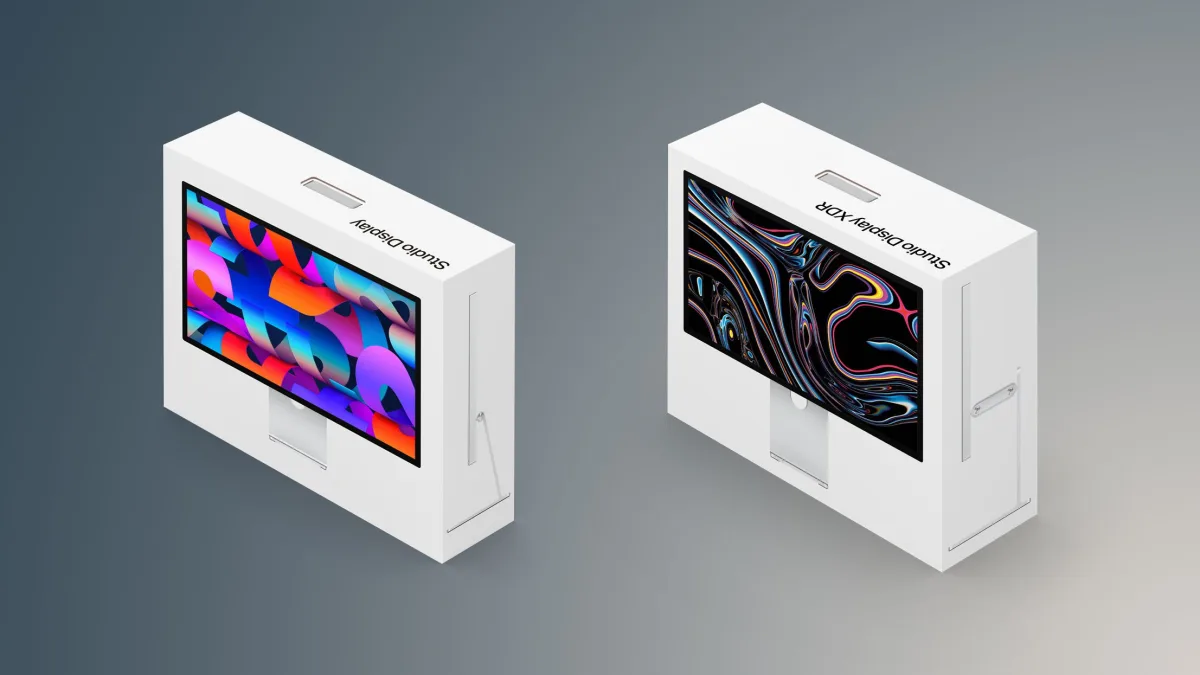
Apple has officially launched the 2026 Studio Display alongside the high-end Studio Display XDR, replacing the older Pro Display XDR. Deciding which 27-inch 5K monitor fits your Mac setup requires understanding the massive price gap and underlying panel technologies. For creative professionals and everyday Mac users alike, selecting the right monitor ensures you get the best value without overspending on unnecessary features.
While both monitors share an identical aluminum enclosure and a 27-inch 5K resolution with a high pixel density of 218 ppi, the internal hardware targets vastly different audiences. The standard model is ideal for general productivity, while the XDR variant is engineered for reference-grade HDR workflows. Follow these steps to determine which Apple display is the right investment for your specific needs.
Step-by-Step Guide to Choosing Your Display
- Assess Your Professional Workflow Requirements: Determine if your daily tasks require standard dynamic range (SDR) or high dynamic range (HDR). If you primarily work in software development, office productivity, or web content creation, the standard model's P3 wide color gamut is more than sufficient. If your work involves HDR video editing, color grading, or 3D rendering, you will need the advanced color accuracy of the XDR model.
- Review the Shared Core Features: Recognize what you get with both models to avoid paying for features you already have. Both displays feature a 12-megapixel Center Stage camera with Desk View, a studio-quality three-mic array, and a six-speaker sound system with Spatial Audio. They also both include one upstream Thunderbolt 5 port, one downstream Thunderbolt 5 port, two USB-C ports, True Tone, anti-reflective coating, and options for nano-texture glass or a VESA mount adapter.
- Evaluate Panel Technology and Refresh Rates: Compare the visual performance metrics. The standard display uses an LCD panel with a 60Hz refresh rate powered by the Apple A19 chip. In contrast, the XDR model utilizes a Mini-LED panel with a 120Hz refresh rate, Adaptive Sync, and the Apple A19 Pro chip, providing smoother motion that matches the Liquid Retina XDR display found on modern MacBook Pro models.
- Factor in the Pricing and Stand Options: Calculate your total setup cost. The standard display starts at $1,599 and includes a tilt-adjustable stand, with a tilt- and height-adjustable stand available as a $1,999 option. The XDR model costs $3,299 but includes the tilt- and height-adjustable stand by default.
Technical Specifications Comparison
To fully understand the $1,700 price difference, it is crucial to examine the exact hardware distinctions. There are 10 major differences between the two monitors that dictate their performance capabilities.
| Feature | Studio Display (2026) | Studio Display XDR (2026) |
|---|---|---|
| Processor | Apple A19 chip | Apple A19 Pro chip |
| Panel Type | LCD panel | Mini-LED panel |
| Refresh Rate | 60Hz refresh rate | 120Hz refresh rate |
| Adaptive Sync | Not supported | Supported |
| Dimming Zones | None | 2,304 dimming zones |
| SDR Brightness | 600 nits brightness | 1,000 nits brightness |
| HDR Brightness | Not applicable | 2,000 nits peak HDR brightness |
| Color Gamut | P3 wide color | Adobe RGB wide color gamut |
| Included Stand | Tilt-adjustable stand | Tilt- and height-adjustable stand |
| Starting Price | $1,599 | $3,299 |
My Take
The introduction of the Studio Display XDR perfectly bridges the gap left by the discontinued Pro Display XDR, offering a true reference monitor for high-end creatives. However, the standard Studio Display remains the undisputed champion for 95% of Mac users. The inclusion of Thunderbolt 5 across both models is a massive win for future-proofing, but unless your daily workflow explicitly demands 2,000 nits of peak HDR brightness or Adobe RGB color spaces, spending $3,299 is unnecessary. The standard $1,599 model delivers an exceptional 5K experience that pairs perfectly with a Mac mini or MacBook Air.
Frequently Asked Questions
Does the standard Studio Display support 120Hz ProMotion?
No, the standard 2026 Studio Display features a 60Hz refresh rate. Only the Studio Display XDR supports a 120Hz refresh rate with Adaptive Sync.
Are the ports the same on both monitors?
Yes, both models feature one upstream Thunderbolt 5 port, one downstream Thunderbolt 5 port, and two standard USB-C ports.
Which stand comes with the Studio Display XDR?
The $3,299 Studio Display XDR includes the premium tilt- and height-adjustable stand by default, whereas the standard model only includes a tilt-adjustable stand at its base price.