Most AI tools effectively stop at conversation, requiring you to manually copy and paste results into your actual work files. The new Claude Cowork mode changes this dynamic by allowing the AI to plan steps, access local files, and write finished outputs directly to your system.
This guide is designed for professionals, content creators, and researchers who need to move beyond prompt-and-response workflows. By following these steps, you can transition from being an AI operator to an AI manager, enabling Claude to handle multi-step agentic tasks while you focus on high-level decision-making.
Getting Started: Setup and Configuration
To begin using Cowork, you must download the Claude desktop application, which is available with full feature parity for both macOS and Windows. Once installed, log in and locate the mode selector at the top of the interface, where you can choose between Chat, Code, and Cowork modes.
Note that Cowork requires a paid subscription, starting at $20 per month for the Pro plan, or higher tiers like Max for increased usage limits. Because Cowork performs multi-step agentic tasks, it is more compute-intensive; a single session can consume as much quota as dozens of standard chat messages.
The most critical configuration step is setting up your Global Instructions in the settings menu. This allows you to define your identity and working style once, so Claude doesn't require constant re-explanation. You can also apply specific instructions to individual folders to maintain context for different projects.
I'm a professor and AI content creator. My viewers are general professionals.
Written outputs should be clear and jargon-free. Reports in Word format.
Default to landscape orientation for slides.
The Cowork Loop: From Plan to Execution
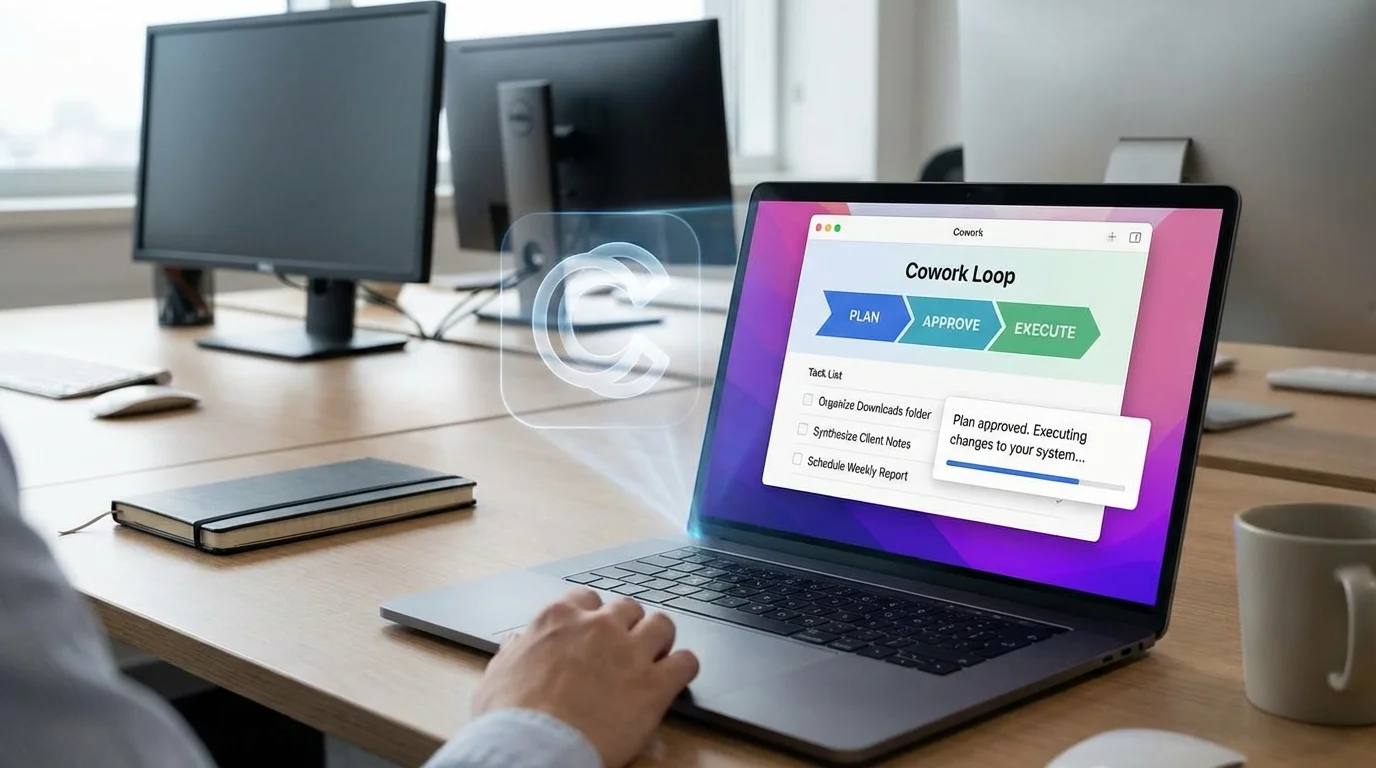
Every Cowork task follows a structured pattern: you describe the outcome, Claude plans the steps, you approve the plan, and Claude executes the work directly in your file system. This loop ensures that the AI never makes unauthorized changes to your local data without your explicit consent.
For a basic first task, you can ask Claude to organize a cluttered folder. By using a specific prompt, you can force the AI to show its logic before it moves a single file, reducing the risk of accidental data loss.
Help me organize my Downloads folder. Scan the contents and propose a plan:
categories and folders to create, how files should be sorted, and naming
conventions. Show me the plan before making any changes.
For more advanced users, Cowork can synthesize data across multiple documents. For instance, it can read three months of client meeting notes and generate a formatted Word report that highlights recurring pain points and action items, a task that would typically take a human several hours to complete.
Connecting External Services with MCP
Connectors link Claude to external platforms like Google Workspace, Slack, and Notion via the Model Context Protocol (MCP). Unlike standard chat connectors that only display data, Cowork connectors can save data locally, run cross-platform analysis, and push outputs back to those services.
A powerful example of this is the ability to pull project reports from Google Drive, summarize them, and draft personalized email updates directly in Gmail. If you use the Claude extension in Chrome, the AI can also browse the web to conduct competitive research and combine that data with your local files.
Pull the last 5 project status reports from my Google Drive.
Summarize the key milestones and blockers. Then draft individual
email updates for each project lead in Gmail.
Scheduling and Automation
You can automate repetitive workflows by using the /schedule command within any Cowork task. This allows you to set tasks to run daily, weekly, or monthly, provided the Claude desktop app remains open and your computer is awake.
Common automation scenarios include a Monday morning calendar pull to identify busy days or a Friday afternoon file cleanup to sort new downloads into project folders. Over time, Claude is designed to rewrite its own internal instructions based on previous runs, making the automation more efficient with each iteration.
Actionable Guide: How to Automate Your First Workflow
- Open the Claude desktop app and switch the top toggle to Cowork mode.
- Navigate to Settings > Connectors and link your Google Drive or Slack account to grant file access.
- Create a Global Instruction in settings detailing your preferred file formats (e.g., "Always save reports as.docx").
- Initiate a task using the
/schedulecommand to automate a recurring file cleanup or data synthesis. - Always include the phrase "Show me the plan before making changes" to maintain manual oversight.
My Take: The Rise of the AI File Manager
Claude Cowork represents a significant shift from AI as a chatbot to AI as a system-level agent. By granting Claude direct (yet controlled) access to the file system and external APIs via MCP, Anthropic is positioning the tool as a layer that sits on top of your entire operating system rather than just another tab in your browser.
This development is particularly important for the "AI Agent" market, as it solves the friction of moving data between tools. While the compute cost is currently high, the trade-off in human hours saved for tasks like folder organization and report synthesis is immense. I predict we will see more "Plugin" ecosystems emerge where specialist roleslike HR or Legalbecome pre-packaged agentic workflows.
However, users must remain cautious regarding data integrity. Because Cowork has real-world write access to your files, a misinterpreted prompt could lead to accidental deletions. The habit of "approving the plan first" is not just a tip; it is a mandatory safety protocol for anyone looking to integrate AI agents into their primary professional environment.