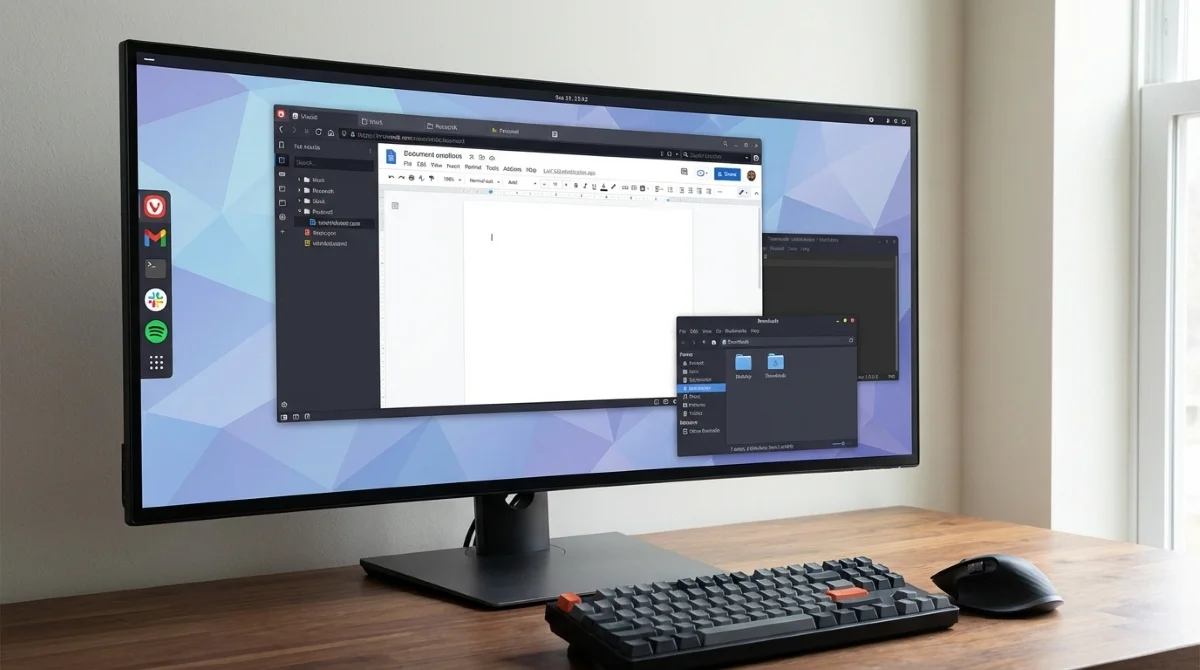
Building a browser-first Linux setup solves the ultimate power user dilemma: escaping desktop app clutter without suffering the restrictive limitations of ChromeOS. By transforming a highly customizable browser into your primary operating system interface, you can eliminate system drag while retaining the freedom to fix what breaks. This approach relies on treating tabs as dedicated tools and utilizing Progressive Web Apps (PWAs) instead of traditional local installations.
The Vivaldi Control Center Approach
Transitioning to a web-centric workflow requires a browser capable of acting like a standalone operating system. Using the Vivaldi browser, users can pin essential services like Gmail, Slack, and Spotify directly to the dock, ensuring they remain loaded and instantly accessible. This eliminates the need to hunt through system menus or manage multiple open application windows.
To fully commit to this minimalist environment, local utilities must be aggressively pruned. Removing heavy software suites like LibreOffice and local note-taking applications forces the user to rely entirely on web-based alternatives. By utilizing side panels, workspaces, and tab stacks, the browser interface transforms into a focused control center that mimics the calm, distraction-free environment of ChromeOS.
Overcoming File Handling and Offline Friction
Despite the streamlined aesthetic, forcing a traditional desktop to behave like a web-only terminal introduces immediate friction. File handling is often the first breaking point, as downloaded files land in local directories that feel entirely disconnected from the curated browser bubble. The underlying Linux file system expects user interaction, creating a jarring experience when the workflow attempts to ignore it.
Offline access and system notifications present similar inconsistencies. While some PWAs handle offline caching beautifully, others fail completely the moment the internet connection drops, leaving the user stranded. Furthermore, notifications can become chaotic, with alerts arriving simultaneously from both the browser and the native system, breaking the illusion of a cohesive, unified workspace.
How to Optimize Your Browser-First Linux Setup
Instead of abandoning the web-centric experiment when friction occurs, the open nature of Linux allows users to patch the weak points. Implementing a few strategic adjustments can bridge the gap between web apps and the local file system.
- Configure a dedicated downloads folder and pin it for instant access. This ensures that saving and opening files feels like a natural extension of the browser rather than a disruptive context switch.
- Master keyboard shortcuts for switching sessions and jumping between workspaces. This enables rapid navigation and reduces the friction of managing dozens of active web applications.
- Group active tabs using Vivaldi sessions based on specific contexts like work or personal research. This prevents tab hoarding and makes switching between different tasks feel intentional rather than chaotic.
- Reintegrate a lightweight native file manager and text editor. This provides a necessary fallback for offline tasks without cluttering the system with unnecessary background processes.
For those looking to replicate this highly customized environment, you can Download Vivaldi to begin structuring your own web-centric dashboard.
My Take: Why Flexibility Outweighs Forced Minimalism
The core realization from this workflow experiment is that ChromeOS is clean because it strictly limits user behavior, whereas a browser-first Linux setup gets clean because the user actively chooses what to keep. By stripping away background applications and visual noise, the operating system stops second-guessing the user. Distractions drop significantly when the workspace is confined to a single, highly controlled environment.
However, the absolute rigidity of a pure web-only system is ultimately a flaw for power users. As noted in the original workflow analysis, forcing every single task into the browser eventually feels just as restrictive as the locked-down nature of ChromeOS. The strategic reintegration of a few native apps proves that true productivity requires an escape hatch.
Looking at the broader desktop landscape, this hybrid approach represents the smartest path forward for older hardware. Instead of imitating the invisible leash of a Chromebook, Linux allows users to borrow the best parts of a web-first mindset while retaining the power to bend the system to their will. It is minimalism that actually serves a functional purpose, rather than just an aesthetic one.
This article was written by AI from reporting by makeuseof.com.