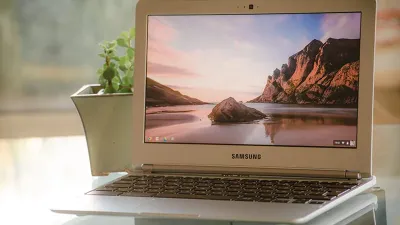
Figuring out how to repurpose an old Chromebook is a common frustration once Google's official support ends. When your device hits its Auto Update Expiry (AUE) date, it stops receiving critical security patches and software updates, leaving it vulnerable and sluggish. Instead of tossing it into a recycling bin or letting it gather dust, you can transform that aging hardware into a dedicated smart home device or a lightweight Linux machine.
Every Chromebook has a built-in expiration date. Post-AUE, the browser struggles with modern web apps, and the lack of security updates makes daily browsing risky. However, the physical hardware usually remains perfectly functional. By pivoting its primary function, you can reduce e-waste and save money on standalone smart devices.
Here are three practical ways to give your expired device a second life:
- Build a DIY Home Security Camera: You can avoid the high costs of premium smart security systems by turning your laptop into a surveillance monitor. Your best bet is to use a web-based security service that works directly in Google Chrome, or utilize Android apps like Camy. If your laptop's built-in camera is low quality, simply plug in a standalone webcam.
- Create a Digital Photo Frame: Premium digital frames like the Skylight Frame can cost anywhere from $134 to $300. You can replicate this experience for free by creating specific albums in Google Photos and running them as a full-screen slideshow. Just ensure the device has a consistent internet connection to load cloud-based images.
- Install a Lightweight Linux Distribution: To bypass ChromeOS update limits entirely, you can replace the operating system with a lightweight Linux distribution like Lubuntu. This grants you access to a secure, up-to-date environment, though the installation process requires a comfortable level of technical expertise.
How to Prepare Your Device for Repurposing
- Perform a Powerwash: This acts as a factory reset, deleting all user data except operational diagnostics to clear out system clutter.
- Optimize Performance: Uninstall unnecessary applications and remove unused browser extensions to free up memory and processing power.
- Clear Storage: Delete local files and rely entirely on cloud storage to ensure the system runs as smoothly as possible in its new role.
The E-Waste Solution Hidden in Plain Sight
The AUE policy has long been a point of contention for ChromeOS users, effectively forcing perfectly good hardware into early retirement. By converting these laptops into single-purpose tools like security monitors or photo frames, consumers can bypass the artificial software limitations imposed by Google.
Furthermore, the option to install a Linux distribution like Lubuntu highlights a critical shift toward open-source sustainability. As cloud-based computing continues to dominate, extending the lifecycle of local hardware through alternative operating systems is not just a cost-saving measure - it is a necessary step in combating the tech industry's growing e-waste crisis.