A highly sophisticated fake Zoom SDK update is currently targeting macOS users, bypassing Apple’s built-in security protections to steal cryptocurrency and sensitive data. Orchestrated by the North Korean threat actor Sapphire Sleet, this campaign relies heavily on social engineering rather than traditional software exploits to compromise fully patched systems. According to a recent report by Microsoft Threat Intelligence, attackers are approaching victims through fake recruiter profiles on professional networking platforms.
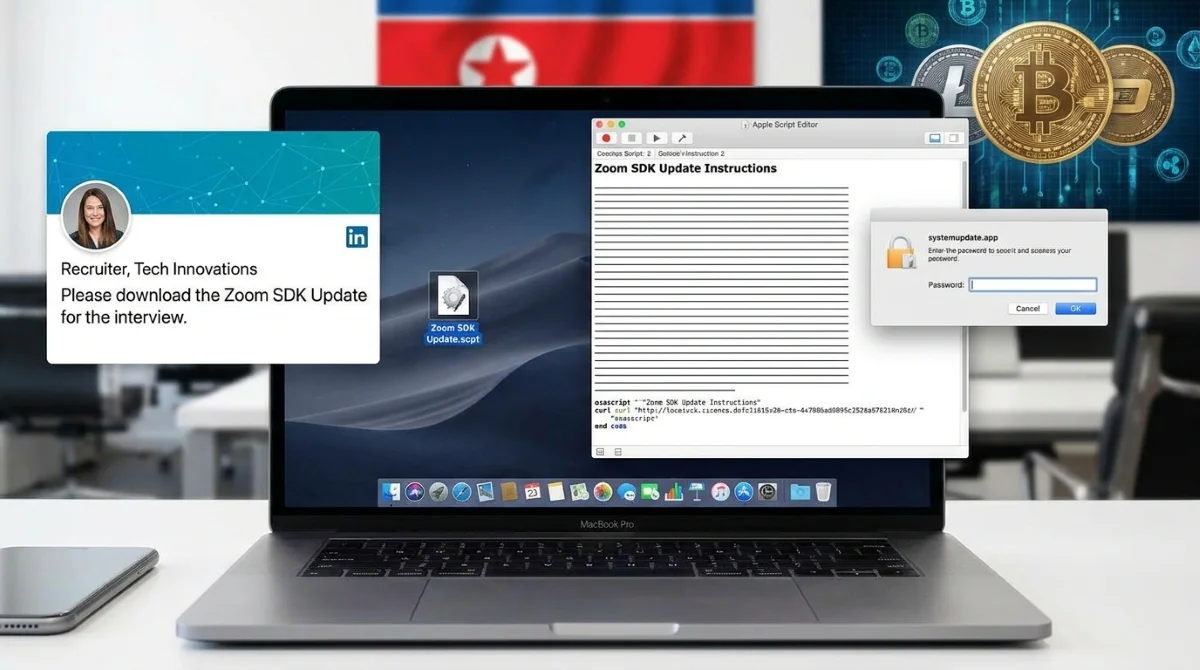
During a staged interview process, targets are instructed to download a file named "Zoom SDK Update.scpt". This compiled AppleScript launches in Apple's native Script Editor, a trusted application capable of executing system-level commands. To avoid immediate detection, the script uses thousands of blank lines to hide its malicious code beneath decoy update instructions. Once executed, it uses command-line tools like curl to silently download payloads and runs them in memory via osascript, leaving no trace on the disk.
The Infection Chain and TCC Manipulation
The malware establishes persistence using launch daemons and deploys a backdoor disguised as a system process named com.apple.cli. This process continuously gathers system information, including the device's universally unique identifier (UUID) and serial number, communicating with attacker-controlled infrastructure. To expand its reach, the malware manipulates the macOS Transparency, Consent, and Control (TCC) database.
Altering the TCC database allows unauthorized AppleScript operations to access sensitive components without triggering user prompts. The attackers then deploy a fake macOS password prompt via a malicious application named "systemupdate.app". Once the user enters their credentials, the data is validated locally and immediately exfiltrated via the Telegram API, granting the attackers verified access to browser data, SSH keys, and cryptocurrency wallets.
How to Protect Your Mac from Sapphire Sleet
Because this attack relies on user interaction and trusted native tools, even fully updated Macs remain vulnerable if a user is deceived. Follow these steps to secure your system against this specific intrusion chain:
- Verify Recruiter Identities: Be highly skeptical of unsolicited job offers or interview processes that require downloading third-party scripts or SDKs.
- Avoid Running Unknown Scripts: Never execute.scpt files from untrusted sources, even if they appear to be legitimate software updates or interview materials.
- Update macOS Security: Ensure your Mac is connected to the internet to receive Apple's latest background XProtect signatures and Safe Browsing updates, which have been updated to block this infrastructure.
- Monitor Password Prompts: Be cautious of unexpected system password requests, especially those originating from unfamiliar applications like systemupdate.app.
My Take: The Shift Toward Social Engineering
The success of the Sapphire Sleet campaign highlights a critical shift in the macOS threat landscape. As Apple continues to harden macOS against traditional zero-day exploits, state-sponsored actors are pivoting to social engineering. By weaponizing native tools like the Script Editor and manipulating the TCC database, attackers can achieve deep system access without writing traditional malware to the disk.
This intrusion chain proves that platform protections are no longer sufficient on their own. The specific targeting of cryptocurrency wallets and SSH keys indicates that financial gain and lateral movement remain top priorities for North Korean threat actors. Moving forward, organizations must prioritize strict execution controls and user awareness training, as human error remains the most effective bypass for modern operating system security.
This article was written by AI from reporting by gbhackers.com.