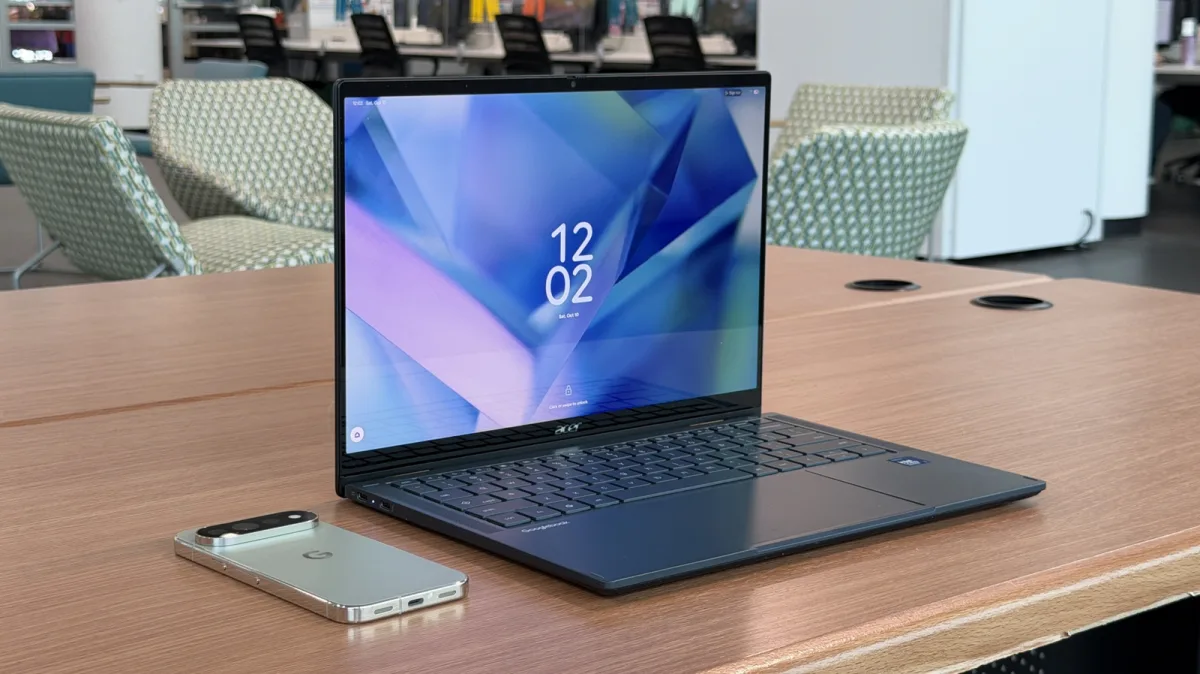
In a review for SlashGear, writer Adam Doud concludes that he cannot recommend the Acer Googlebook 14 in its current state, arguing that the new line of Googlebooks launched weeks or even months too early. While the 2-in-1 laptop delivers solid hardware, the Acer Googlebook 14 review highlights persistent software bugs, unoptimized Android apps, and extra friction during everyday tasks.
Testing the laptop alongside a Pixel 11 Pro during a drive from the suburbs into Chicago, Doud found that connecting to the phone's internet required manually opening phone settings to turn on the hotspot a week earlier. Throughout the review period, features worked, but rarely as expected and often with more friction than anticipated.
Why Googlebook OS leans closer to Android than Chrome OS
The Acer Googlebook 14 is part of the first wave of devices running Googlebook OS, the official name for Google's latest operating system. Doud, who occasionally uses an Acer Chromebook and works mostly in a browser, notes that while a Chromebook feels like an emulation layer for Android apps, Android feels more native on a Googlebook.
According to the reviewer, that native Android foundation is both a positive and a negative. Google's initial plan for Googlebook OS is not overly ambitious, though the company appears committed to the operating system for now.
Acer Googlebook 14 hardware, specs, and battery life
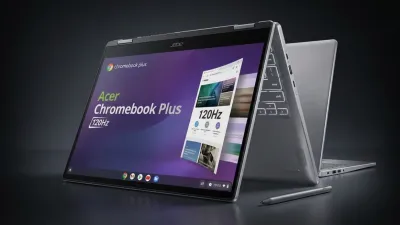
Asus, Dell, HP, Lenovo, and Acer built the initial lineup of Googlebooks, each powered by either an Intel or Qualcomm chipset. The Acer Googlebook 14 is the only model in the lineup with a 360-degree hinge that converts into a tablet, and it features an aluminum-magnesium chassis with slight deck flex.
- Processor: Intel Core Ultra 5 processor 325
- Display: 3K OLED touchscreen with a 120Hz refresh rate, 500 nits peak brightness, and Bluetooth stylus support (stylus not included)
- Memory and storage: 16GB of RAM and 512GB of storage
- Battery: 71 Wh battery, delivering barely eight hours during a typical workday in SlashGear's testing
Like all Googlebooks, the Acer model includes an LED bar on the cover that lights up when opening the lid, glows during Gemini interactions like the back of a Pixel phone, and indicates battery charge levels when plugged in. Doud calls these effects nice rather than mind-blowing, and notes that the power button's integrated fingerprint scanner worked only about 70% of the time - though he is unsure whether the sensor or the software was to blame.
Software bugs and usability glitches in Googlebook OS
Doud describes the software on the Googlebook as feeling “half baked,” citing several errors that temporarily made the laptop unusable during his testing. While writing the review, the screen periodically flashed white and redrew itself.
He also encountered a virtual keyboard bug where the on-screen keyboard appeared and stuck to the display, requiring him to fold the 2-in-1 all the way into tablet mode and back into laptop mode to clear it. On his trip into Chicago, every click registered as a right-click until he rebooted the laptop, after which the automatic instant hotspot failed to reconnect on its own.
Launch features: Instant Hotspot, Continue On, and Magic Cursor
Googlebook OS introduces several cross-device and AI tools, including Instant Hotspot, which is designed to detect and use a Pixel phone's hotspot much like a Mac connects to an iPhone. Another feature, Continue On, places an app icon on the Googlebook taskbar when a task is started on a Pixel phone, allowing the user to click it and resume right where they left off.
In Doud's testing, Continue On worked well for picking up a Google Doc from his phone, but support was limited to Google apps and a few third-party apps; YouTube, Threads, and the United app did not work for him. Meanwhile, wiggling the cursor summons Magic Cursor, which lets users select text, a window, or part of the screen - such as a chart to extrapolate or a movie scene to identify an actor - and send it to Gemini.
App casting vs. native Android apps and large-screen scaling
Googlebook OS also supports app casting to stream apps from a phone to the desktop, which Doud found extremely slow and laggy at first before improving slightly over the past week. He questions the need to stream Android apps from an Android phone to a laptop that already runs Android, noting he preferred installing frequently used apps like Slack, Messenger, and Threads natively.
Even then, many Android apps remain unoptimized for large screens. According to the review, Slack was unusable both as a native Googlebook app and when streamed from a Pixel phone, working properly only when installed as a progressive web app (PWA) - a long-standing multi-screen Android issue that Doud attributes to both app developers and Google.
Building custom desktop AI widgets
Users can also create custom desktop widgets in Googlebook OS using natural language prompts. Doud built four widgets during his testing and found that only one - a widget predicting the next time it would rain in his city, which suited his e-bike and e-scooter riding - was genuinely useful.
Two of the other widgets acted merely as wrappers for Gemini queries. For example, a widget requested to show new streaming shows from the past week simply opened a window asking Gemini, “what new movies debuted on streaming services this past week?”
Final Verdict
Ultimately, Doud views Googlebooks as more-expensive Chromebooks built on Android, making them easier for Google to update - as shown by the constant stream of updates during his review period. However, given the screen, Wi-Fi, and app issues, along with a starting price of $899 and way up, he writes that he cannot recommend buying one as-is.
So, I'm happy that Google wants to build this; I'm just not satisfied with what it launched. There's very little here that a high-end Chromebook wouldn't also provide except for a couple of party tricks that not even all of Google's apps support.
Adam Doud, Reviewer, SlashGear
This article was written by AI from reporting by slashgear.com.