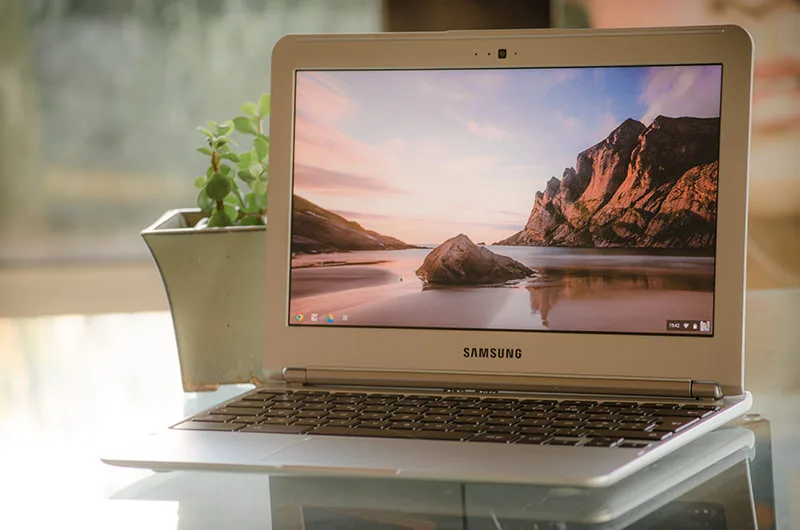
For users seeking a lightweight web machine, the €299 Samsung Chromebook offers a radically minimalist alternative to traditional laptops. Designed entirely around Google's web-based ecosystem, this 11.6-inch ultraportable strips away local storage in favor of cloud computing. It bridges the gap between a standard laptop and a netbook, weighing just 1.1Kg (2.4lbs) with a thickness of 1.8cm.
Under the hood, the hardware is strictly tailored for the Chrome OS experience. The device is powered by an Exynos 5 Dual Core 1.7Ghz processor, paired with 2GB DDR3 RAM and a highly restricted 16GB SSD. This minimal local storage is intentional, as Google expects users to store their files on Google Drive. The benefit of this low-power architecture is a completely fanless, silent design that boots to the desktop in just 6 seconds.
However, the aggressive €299 price point comes with noticeable hardware compromises. The 11.6-inch display features a 1366x768 resolution and utilizes a lower-end panel with poor viewing angles, making it adequate for web browsing but less ideal for media consumption. Audio quality also suffers, as the two bottom-firing speakers become easily muffled when resting on a lap or bed. Additionally, the device includes a basic 0.3 megapixels webcam for video calls.
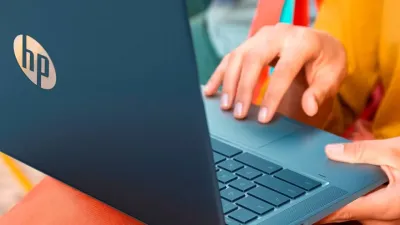
Despite these multimedia limitations, the input experience is surprisingly refined. The keyboard features large, smooth, and noiseless keys, with a unique layout optimized for web navigation. Traditional function keys are replaced by dedicated browser controls, the caps-lock is swapped for a search button, and all letter keys are playfully printed in lowercase. The trackpad supports advanced gestures, including a double-finger vertical swipe for scrolling and a triple-finger swipe to switch tabs.
How to Work Offline on Chrome OS
While the Samsung Chromebook is designed as a web-first device, it includes robust offline capabilities for times when Wi-Fi is unavailable.
- Open Google Drive to create and edit documents locally; changes will automatically sync once a connection is restored.
- Launch Gmail to read cached emails, organize your inbox, and draft new messages that will remain in the outbox until you reconnect.
- Browse the dedicated section of the Chrome Web Store to download offline-compatible applications and games before you travel.
- Connect external peripherals using the rear-mounted USB2, USB3, HDMI, or SD card reader ports, though an adapter is required for VGA monitors.
The Blueprint for Budget Cloud Computing
The Samsung Chromebook proves that raw specifications are no longer the sole metric for a successful laptop. By offloading heavy processing and storage to the cloud, Google has created a highly targeted machine that excels at basic tasks like writing, browsing, and managing emails. The impressive battery life - averaging 6.5 hours, and stretching up to 9 hours for casual browsing - makes it a reliable daily driver for students and writers.
While the rear-facing ports and subpar screen are undeniable drawbacks, the €299 price tag justifies these sacrifices. It cements Chrome OS as a viable alternative for users who live entirely inside a web browser, prioritizing speed and simplicity over traditional desktop bloatware.