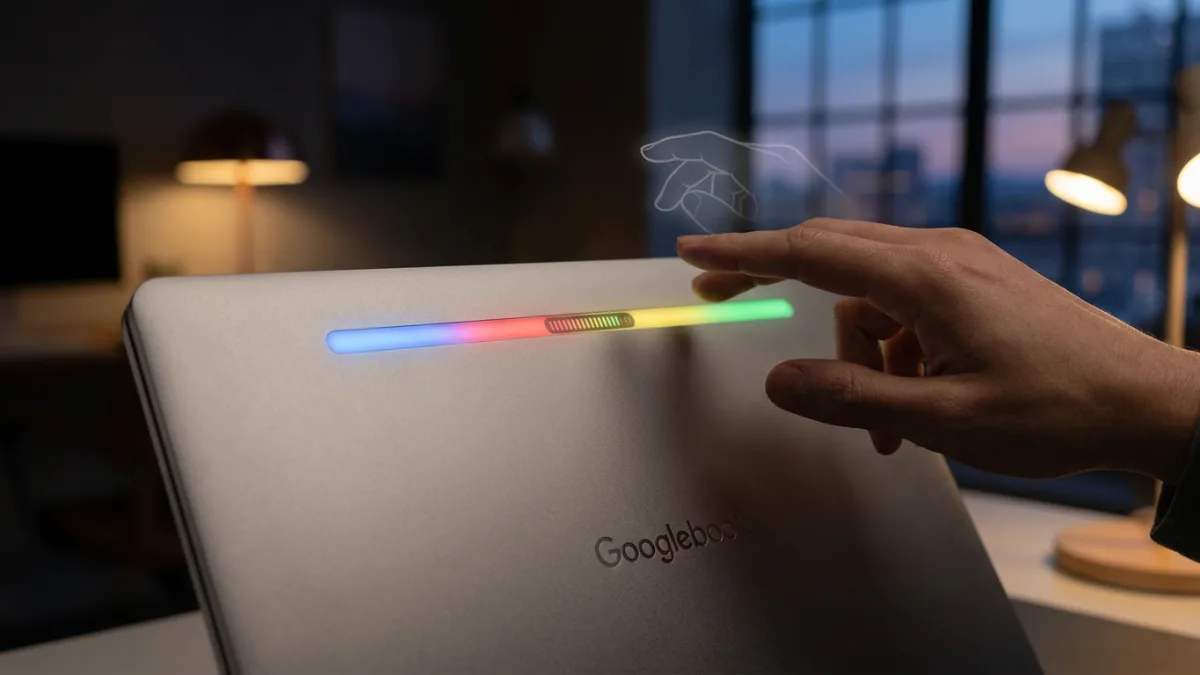
Google's new Googlebook is reviving a beloved hardware feature from the original Chromebook Pixel with its new Glowbar, but it feels like a hollow version of what came before. While the new light bar retains battery indicators and adds Gemini integration, it drops the classic "knock-knock" gesture that allowed users to check battery life with a simple tap.
The legacy of the light bar
The original Chromebook Pixel launched in 2013 as a launchpad for ChromeOS. Despite having what the source describes as an atrocious display, a sky-high price tag, and a restricted operating system at the time, it featured an incredible hardware design. A follow-up model arrived in 2015 with key upgrades, and both versions included a signature four-piece light bar across the top of the lid. This design element matched the four colors of the Chrome and Google logos and later appeared on the short-lived Pixel C tablet.
On the older hardware, the light bar served a practical purpose. Plugging in the laptop provided a rough idea of the battery charge. More notably, users could tap the lid using a "knock-knock" gesture to check the battery status without opening the device or plugging it in, which was highly useful when laptop battery life was generally poor.
What the Glowbar can do
The new Googlebook Glowbar retains the ability to light up when the machine is plugged into power, showing the battery status whether it is plugged in or unplugged. This battery readout is now more granular than it was on the older Chromebook Pixel models. Additionally, the Glowbar features an animation when the lid is closed and interacts with Gemini. The source notes that the utility of this AI integration is questionable since the bar is located on the back of the display.
The Glowbar's new role
For users of the new Googlebook, the Glowbar serves primarily as a granular battery indicator and a visual companion for Gemini. While it loses the quick convenience of the knock-knock gesture that grabbed attention on the original Chromebook Pixel, it still provides essential power status updates without needing to open the lid.