Mastering these YouTube Music hacks is absolutely essential if you want to get the most out of your streaming subscription. While the platform excels at integrating music videos and user-generated content, many of its best features - like AI playlist generation and advanced equalizer settings - are hidden deep within the menus. Whether you are migrating from Spotify or just trying to avoid ads on the free tier, these actionable tips will instantly upgrade your daily listening experience.
- Transfer your existing playlists from Apple Music or Spotify using native integrations or third-party apps like TuneMyMusic and Soundiiz.
This ensures a seamless transition without losing your curated libraries; simply sign in to Apple Music, select Request to transfer a copy of your data, choose Apple Music playlists, and confirm the export to your Google account. - Upload up to 100,000 personal audio files (FLAC, m4a, mp3, OGG, or WMA) directly to your library by dragging them to music.youtube.com on your desktop.
This enables you to fill gaps in the streaming catalog with your own rare tracks, though note that uploaded songs cannot be shared in collaborative playlists or influence your algorithm. - Pause your watch history in the Privacy & location settings to prevent specific videos from ruining your personalized algorithm.
This prevents random YouTube video views from polluting your music recommendations, acting as a workaround for the lack of a dedicated "exclude from taste profile" button. - Maximize your audio quality by navigating to Data saving or Playback & restrictions, and setting Audio quality on Wi-Fi to High or Always High.
This guarantees the highest fidelity playback available, and Android users can further refine their sound by tweaking the nine-band Equalizer found in the Playback settings. - Disable video playback by toggling on the "Don't play music videos" and "Don't play podcast videos" options in the Data saving menu.
This saves massive amounts of mobile data when you have a poor connection, though this audio-only mode is restricted exclusively to Premium subscribers. - Enable Smart Downloads in the Background & downloads menu to automatically save recommended videos and up to 20 recently played songs for offline viewing.
This ensures you always have music available during commutes or flights without manually managing your device storage space. - Search for highly specific playlists and tracks by typing the # symbol followed by keywords like #newmusic or #live, or use the Sound Search microphone tool.
This allows you to bypass generic search results and instantly identify a song you are humming or hearing in the real world. - Invite friends to build shared mixes by tapping the pencil icon on a public or unlisted playlist, toggling the Collaborate feature, and sharing the link.
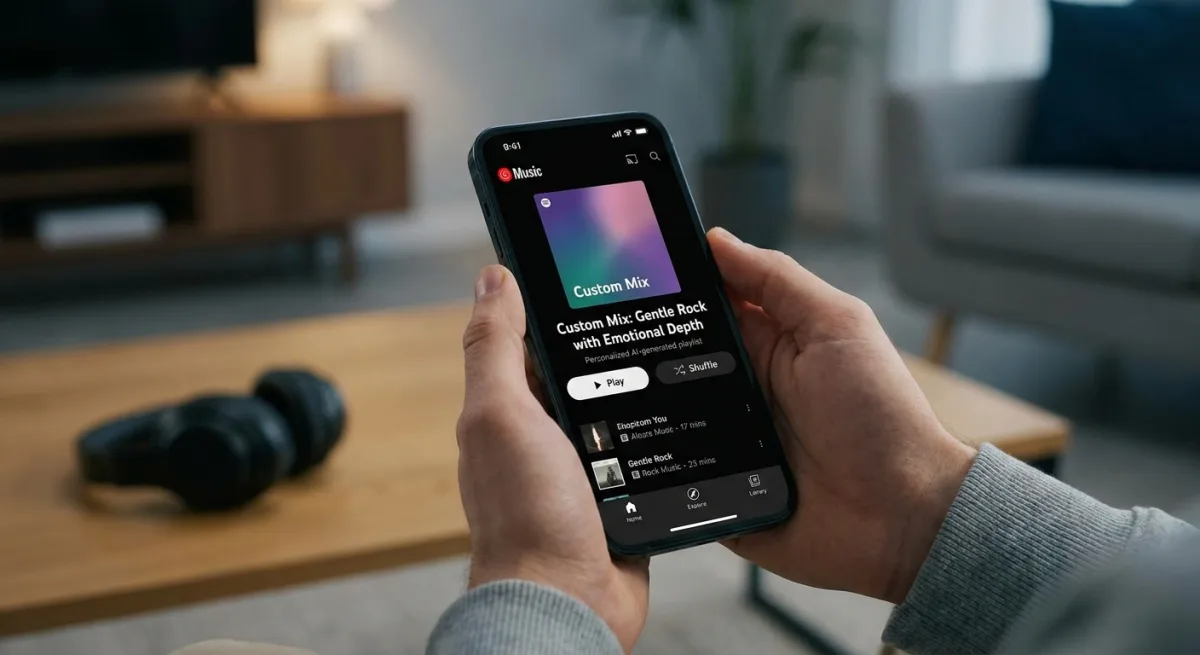
This enables up to 10 users to contribute to a single playlist, and you can even use the Taste Match feature in the Library tab to generate a daily automated mix based on everyone's listening history. - Generate custom mixes using Google's Gemini AI by tapping New, selecting AI Playlist, and entering a natural language prompt like "gentle rock with emotional depth."
This leverages advanced generative AI to instantly build highly specific moods, and as some Reddit users note, highly detailed prompts yield the best algorithmic results. - Block intrusive advertisements on the free tier by listening through the Brave Browser on desktop and mobile, or by installing uBlock Origin.
This provides an immediate, cost-free workaround for users who refuse to pay for a Premium subscription, a method frequently recommended by frugal streaming communities.
The Shift Toward Ecosystem Lock-In
Google is aggressively positioning YouTube Music not just as a Spotify competitor, but as an inescapable hub for all audio and video consumption. By integrating Gemini for AI playlist generation and linking your broader YouTube watch history directly to your music algorithm, the company is leveraging its massive ecosystem to keep users locked inside its walled garden. The native Apple Music transfer tool is a particularly predatory (and smart) move, designed to lower the barrier to entry for frustrated iOS users looking to jump ship.
However, the platform's reliance on paywalls for basic functionality - like audio-only streaming - highlights a growing industry trend of squeezing free-tier users. Restricting data-saving features to Premium subscribers forces budget-conscious listeners to either drain their mobile data or resort to ad-blocking browsers like Brave. As streaming prices continue to rise across the board, YouTube Music's blend of user-uploaded content and AI curation offers strong value, but only if you are willing to fully buy into the Google ecosystem.
This article was written by AI from reporting by lifehacker.com.