Knowing how to choose the right iPad has become increasingly complex with the upcoming release of the M4 iPad Air on March 11. Apple’s current tablet lineup spans multiple price points and performance tiers, leaving many consumers unsure which model best fits their workflow. From casual couch browsing to intensive graphic design, the sliding scale of features requires a strategic approach to purchasing.
This guide is designed for students, digital artists, and mobile professionals looking to upgrade their Apple tablets in 2026. By following these evaluation steps, you will avoid overspending on unnecessary premium features or under-equipping yourself with a device that cannot handle modern multitasking demands.
The introduction of the M4 chip to the mid-tier Air model significantly narrows the performance gap between Apple's standard and professional tablets. This shift forces buyers to weigh whether the Pro's exclusive OLED display and Face ID justify a massive price premium, fundamentally altering the tablet market's value proposition and making the mid-range tier more capable than ever before.
Step-by-Step Guide to Selecting Your Apple Tablet
- Assess your need for Apple Intelligence and processing power. If you require advanced AI features and seamless multitasking, you must bypass the entry-level 11th-generation iPad. Updated in March 2025, this base model relies on the older A16 processor, which lacks support for Apple Intelligence and struggles under heavy workloads. Choosing the newly updated iPad Air equips you with the robust M4 chip, while the premium iPad Pro offers the cutting-edge M5 processor. This decision dictates whether your tablet functions as a casual media consumption device or a true laptop alternative.
- Evaluate your display and biometric preferences. Decide if visual fidelity and login convenience are worth a premium price tag. The iPad Pro, updated in October 2025, features a stunning Liquid Retina XDR OLED display and Face ID for effortless authentication. In contrast, both the 11-inch and 13-inch iPad Air models utilize standard non-OLED Liquid Retina screens and rely on a side-mounted Touch ID button. Selecting the Pro model results in superior HDR video playback and document editing, though the Air's anti-reflective coating remains highly capable for everyday tasks.
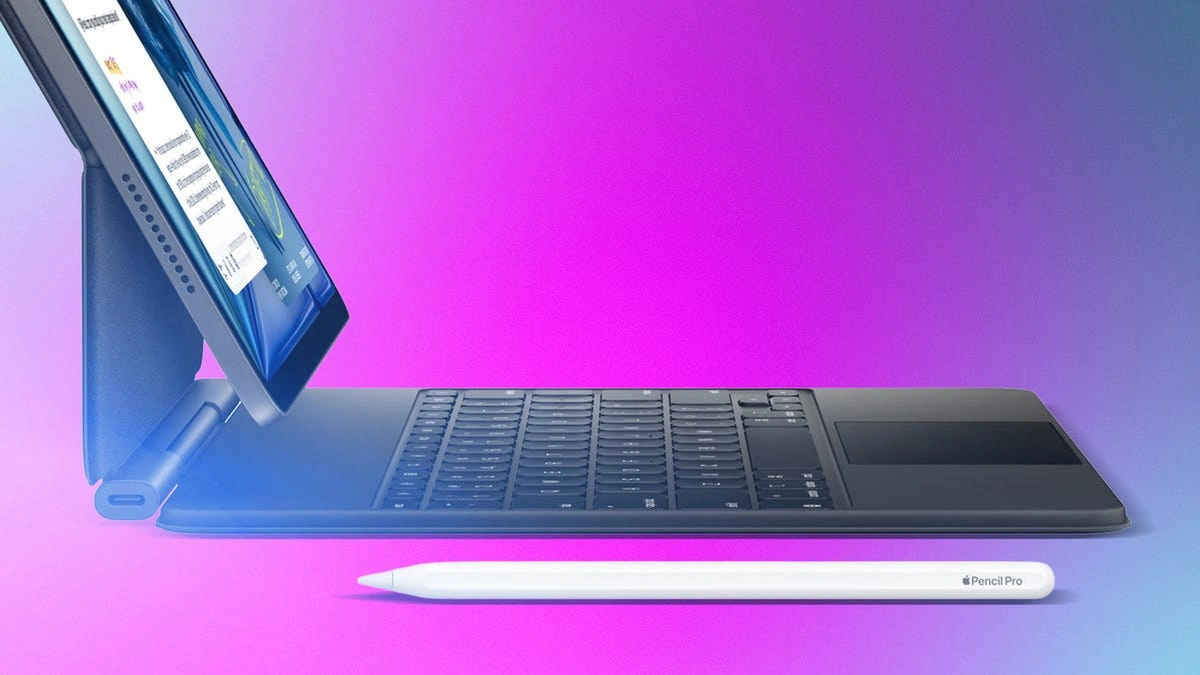
- Determine your accessory ecosystem requirements. Identify which stylus and keyboard combination matches your creative or professional output. The M4 iPad Air and M5 iPad Pro both support the advanced Pencil Pro, granting you access to precise gyro functions and extra controls crucial for digital art. Conversely, the entry-level iPad restricts you to the older USB-C Pencil or Pencil 1, and utilizes a less lap-friendly Keyboard Folio case. Upgrading to the Air or Pro ensures compatibility with the superior Magic Keyboard, transforming the tablet into a highly efficient typing station.
- Match your budget to the correct storage and connectivity tier. Calculate your total investment by factoring in base prices and necessary upgrades. The basic 11-inch iPad starts at an affordable $349 for 128GB of storage, scaling up to 512GB, making it ideal for children or casual users. The M4 iPad Air begins at $599 for 128GB (up to 1TB), with the larger 13-inch variant priced at $799, offering Wi-Fi 7 and optional 5G support for an additional $150. If budget is not a factor, the M5 iPad Pro starts at $999 for 256GB (up to 2TB), representing a significant financial leap for luxury features.
Apple Tablet Lineup Comparison
| Model | Processor | Display Tech | Biometrics | Starting Price |
|---|---|---|---|---|
| Entry-level iPad (11th Gen) | A16 Bionic | Liquid Retina (Non-OLED) | Touch ID | $349 |
| iPad Air (M4) | M4 Chip | Liquid Retina (Non-OLED) | Touch ID | $599 |
| iPad Pro (M5) | M5 Chip | Liquid Retina XDR (OLED) | Face ID | $999 |
Frequently Asked Questions
When does the new M4 iPad Air release?
The newly updated iPad Air featuring the M4 processor is scheduled to arrive on March 11.
Does the entry-level iPad support Apple Intelligence?
No. The 11th-generation basic iPad runs on the older A16 processor, which does not support the new Apple Intelligence features found on the M4 Air and M5 Pro models.
Can I use the Pencil Pro with the basic $349 iPad?
No. The Pencil Pro is only compatible with the iPad Air and iPad Pro. The basic iPad only supports the USB-C Pencil or the older Pencil 1.
My Take
When analyzing the current Apple tablet ecosystem, the performance-to-value proposition of the M4 iPad Air is undeniable. By integrating the M4 chip and Apple Intelligence into a device that starts at $599, Apple has effectively cannibalized the lower end of its own Pro market. The $999 starting price of the M5 iPad Pro demands a $400 premium primarily for an OLED screen and Face IDfeatures that, while luxurious, do not fundamentally change the computing capabilities for the average user. Furthermore, the stagnation of the $349 entry-level iPad, which remains trapped with the aging A16 chip, signals that Apple views its base model strictly as a media consumption toy for children rather than a productivity tool. For anyone looking to invest in a device that will remain viable for the next three to five years, the M4 iPad Air is the only logical choice.
This article was written by AI from reporting by cnet.com.