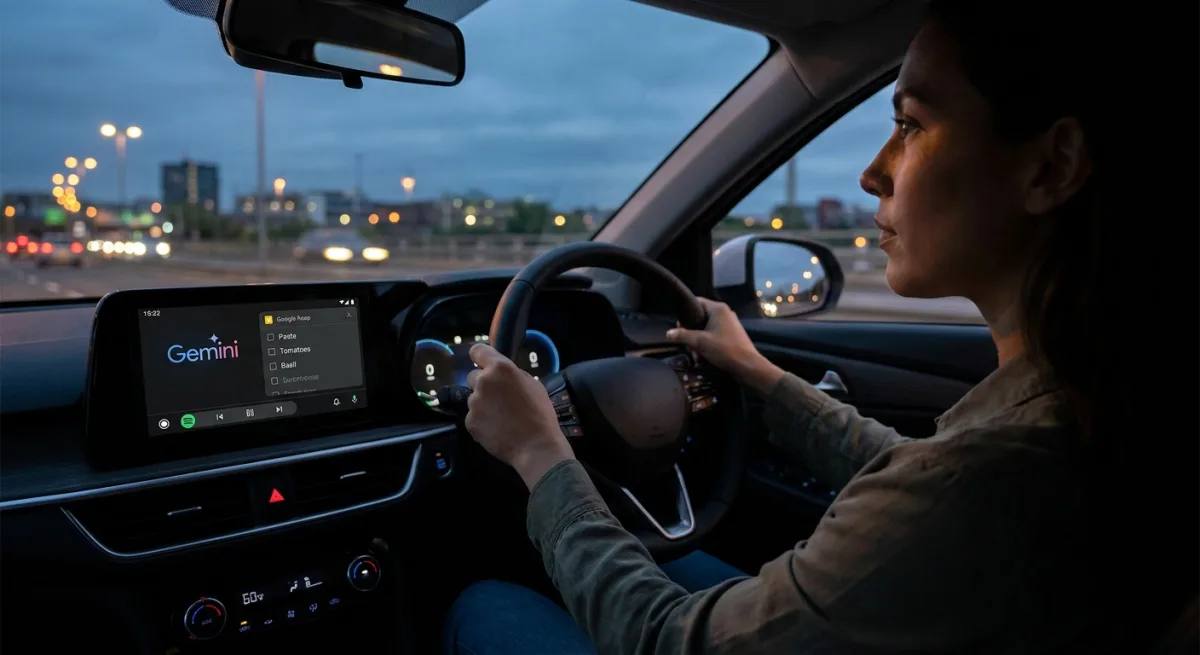
Drivers constantly battle the dangerous urge to reach for their phones when a sudden idea or critical task comes to mind behind the wheel. Integrating Gemini in Android Auto with Google Keep eliminates this cognitive friction, transforming a vehicle's dashboard into an intelligent, hands-free workspace. By replacing the rigid legacy voice assistant with contextual AI, users can dictate complex thoughts, build structured checklists, and retrieve specific notes without ever taking their eyes off the road.
For technology analysts and everyday commuters alike, driving with older voice assistants was often an exercise in frustration. The legacy systems required users to format their thoughts into robotic command lines, frequently pausing or logging half-baked sentences. Gemini, however, understands natural conversational flow, allowing drivers to dump thoughts seamlessly while navigating heavy traffic.
How to Enable Gemini in Android Auto
To get this intelligent setup running on your dashboard, you must bypass a few default configurations. The integration is not entirely plug-and-play, as the vehicle's display mirrors the smartphone's core settings.
- Change the default assistant by opening the Android Auto settings on your smartphone. This ensures the vehicle routes voice commands to the new AI model.
- Select the new engine by navigating to the Digital assistants from Google menu and choosing Gemini. This replaces the legacy voice assistant system.
- Grant workspace permissions by opening Gemini Settings, tapping Personal Intelligence, and selecting Connected Apps. This allows the AI to access your personal data ecosystem.
- Enable the integration by flipping the Google Workspace toggle to the on position. This final step gives the AI explicit permission to read and write directly to your scratchpad.
From Passive Scribe to Active Editor
The true power of this integration emerges during complex, real-world tasks. During a recent commute, a simple request to create a vegetable pasta recipe checklist resulted in a perfectly structured ingredient list. By the time the driver parked and grabbed their Google Pixel 8, the synced note was already waiting, allowing them to bypass the usual routine of typing in the car.
However, the AI's contextual intelligence truly shines when it acts as an active editor rather than a mindless transcriber. While brainstorming a list of open-source Android apps, a user asked the assistant to add Syncthing, Joplin, Grocy, and Notion to a new note. Instead of blindly logging the request, the AI paused mid-drive to issue a correction.
It accurately pointed out that Notion is not actually open-source and asked if the user wanted to replace it with a true open-source alternative. The system only finalized the list after the user clarified their intent. Having a digital assistant that fact-checks research before the text even reaches the page fundamentally changes the mobile workflow.
Hands-Free Retrieval for Meetings and Errands
The integration is equally powerful when pulling critical information out of your digital brain. While caught in traffic before an important client meeting, a user needed a quick refresher on product talking points. Instead of pulling over, they asked the dashboard assistant to find the key features list from a specific "Swami Jewels" note.
Within seconds, the AI bypassed the clutter of other scratchpads, located the exact bullet points, and read them aloud with perfect pacing. In another instance navigating the streets of Surat, the assistant successfully retrieved a "Gujarati snacks list" made the previous weekend. It instantly rattled off the exact number of dabelis required and the specific spot chosen for aloopuri.
Google Keep's Evolution and Core Capabilities
While the AI integration is a modern breakthrough, it builds upon a robust foundation of features that have defined the note-taking platform for over a decade. Understanding these core capabilities highlights why the app remains a staple for productivity.
- Launch Timeline: The service officially debuted on March 20, 2013, positioning itself as a streamlined alternative to complex competitors.
- Text Extraction: The "Grab image text" feature uses optical character recognition (OCR) to pull readable text from attached photos, digitizing whiteboards instantly.
- Ecosystem Integration: It features a dedicated side panel in both Google Docs and Gmail, allowing users to drag notes directly into long-form documents or emails.
- Organizational Limits: Users can create a maximum of 50 labels per account, encouraging a flat, efficient tagging system over rigid folders.
- Location Awareness: "Place reminders" utilize device location to trigger notifications upon arriving at specific addresses, such as a grocery store.
- Strategic Survival: Following the controversial shutdown of Google Reader in 2013, the app was moved under the G Suite umbrella to reassure users of its longevity.
- Instant Capture: Home screen widgets provide direct shortcut icons for text, voice, and image notes, bypassing the main interface entirely.
The Cognitive Load Reduction Nobody Is Talking About
The transition to this modern setup highlights a critical flaw in how we previously interacted with in-car technology. Legacy voice assistants forced drivers to mentally translate their natural thoughts into rigid syntax, which ironically increased cognitive load. By demanding robotic precision, older systems distracted drivers almost as much as physical screens did.
The ability of this new AI to understand context, pause for clarification, and actively fact-check statements mid-sentence represents a massive leap in automotive safety. It proves that true hands-free productivity isn't just about voice transcription; it is about having a system smart enough to manage the mental heavy lifting. Turning a dashboard into an intelligent sounding board ultimately results in a calmer, safer, and vastly more productive commute.