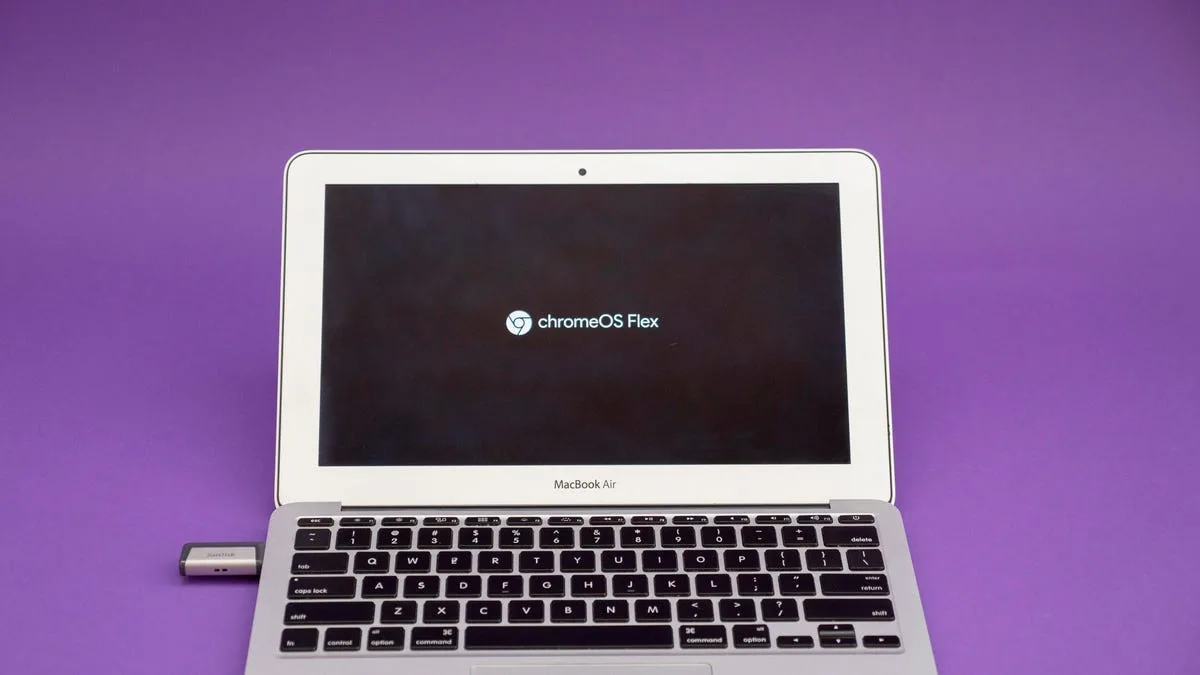
Installing ChromeOS Flex is the ultimate solution for millions of users stuck with aging PCs now that Windows 10 support has officially ended. Instead of sending your perfectly functional hardware to a landfill, Google is offering a lightweight, secure, and free lifeline. When an operating system stops receiving security patches, your personal data becomes highly vulnerable to exploits.
Microsoft officially ended support for Windows 10 last October, leaving over 500 million computers ineligible for a Windows 11 upgrade due to strict hardware requirements. While Microsoft offers an Extended Security Updates program for $30 until this coming October, few consumers are willing to pay that fee for outdated hardware. To bridge this gap, Google has launched a new partnership with Back Market, offering a $3 USB installation kit to make the transition seamless.
What is ChromeOS Flex?
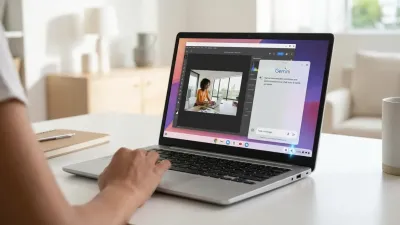
Formerly known as Neverware CloudReady before Google acquired the company in 2020, ChromeOS Flex is a lightweight operating system designed to breathe new life into struggling hardware. While originally built for enterprise and education sectors, it is completely free for personal use. The platform provides an experience nearly identical to a standard Chromebook, complete with the official Chrome browser and Family Link support.
The operating system also includes Phone Hub, which allows users to connect an Android device to view notifications and share files directly with their laptop. However, there is one notable limitation: ChromeOS Flex does not support the Google Play Store or native Android apps. Despite this, it runs exceptionally well on older hardware, though Google only guarantees full functionality on a growing list of certified models.
How to Create a ChromeOS Flex USB Installer
If you prefer not to buy the $3 Back Market kit, you can create your own installation media for free. You will need an 8GB or larger USB thumb drive, a target computer with an Intel or AMD x86-64-bit processor, at least 4GB of RAM, and 16GB of storage. Follow these steps to build your installer:
- Open the Chrome browser on any working PC, Mac, or Chromebook and add the Chromebook Recovery Utility extension via the Chrome web store.
- Click the puzzle piece icon in the top right of your browser, launch the Chromebook Recovery Utility, and ensure it is toggled on.
- When prompted to identify your Chromebook model, click the link labeled Select a model from a list.
- From the manufacturer drop-down menu, select Google Chrome OS Flex, and then choose Chrome OS Flex as the product.
- Insert your USB drive, select it as the target destination, and click Create now. This process will completely erase the USB drive and takes about 10 to 20 minutes.
Booting and Installing the Operating System
Once your USB installer is ready, insert it into the old laptop or desktop you want to convert. You must boot the computer from the USB drive rather than its internal hard drive. This requires pressing a specific boot key during startup, which varies by manufacturer. If you are unsure of your device's shortcut, Google provides a list of boot keys for major manufacturers.
After successfully entering the boot menu, select your USB drive and press Enter. You will be greeted by the ChromeOS Flex splash screen. At this point, you have two options: run the OS directly from the USB drive as a trial, or perform a full installation. Running it from the USB drive is highly recommended first to ensure your Wi-Fi, keyboard, and trackpad work correctly.
If you choose the full installation, be aware that it will completely erase your internal hard drive and your native operating system cannot be recovered. The installation typically takes less than 20 minutes. For example, installing it on an early 2015 MacBook Air takes under five minutes and significantly improves performance compared to running an outdated version of MacOS.
My Take: The Ultimate E-Waste Solution
The end of Windows 10 support represents one of the largest impending e-waste crises in the history of personal computing. With over 500 million devices failing to meet the strict TPM 2.0 hardware requirements for Windows 11, consumers are being forced into a corner. Microsoft's decision to charge a $30 fee for Extended Security Updates is a clear signal that they want users to buy new hardware, not maintain the old.
Google's strategy here is brilliantly timed and highly practical. By partnering with Back Market to offer a $3 physical USB kit, they are removing the technical friction of creating bootable media - a step that often intimidates casual users. This move isn't just about sustainability; it is a calculated land grab for the low-end PC market.
For the average user whose daily computing consists entirely of web browsing, YouTube, and web-based email, ChromeOS Flex is a massive upgrade over a sluggish, unsupported Windows 10 installation. It transforms a security liability into a fast, secure, and highly capable daily driver, proving that older hardware still has plenty of life left if paired with the right software.
This article was written by AI from reporting by cnet.com.