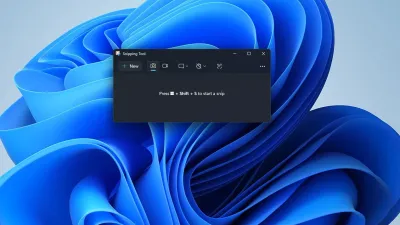
The highly anticipated Windows 11 April 2026 update is finally eliminating one of the operating system's most frustrating security restrictions. Scheduled for release on April 14, this cumulative patch for versions 24H2 and 25H2 allows users to toggle Smart App Control without requiring a complete system wipe.
It also introduces crucial fixes for File Explorer and groundbreaking display support for next-generation hardware. Because this update alters core system settings and accessibility tools, users should prepare to adjust their configurations to maximize system performance.
Unlocking Smart App Control and Accessibility
Previously, Smart App Control - a feature that restricts the system to running only trusted applications - demanded a clean Windows installation to enable or disable. The April update completely removes this burdensome requirement. Users can now access the toggle directly from the Windows Security dashboard under the App and Browser Control section, significantly reducing the friction of managing system security.
Additionally, Microsoft is expanding the AI-powered Narrator image description feature beyond exclusive Copilot+ PCs. By routing the image analysis directly through Copilot, standard Windows 11 devices can now utilize this powerful accessibility tool. To activate and use the new Narrator capabilities, users can rely on the following keyboard shortcuts:
- Pressing the Narrator key + Ctrl + D will generate a description of the currently focused image.
- Pressing the Narrator key + Ctrl + S will provide a comprehensive description of the entire screen.
Settings, File Explorer, and Display Upgrades
The Settings app is receiving a substantial overhaul to improve loading performance on the Home page and resolve update-related reliability issues. The About page is restoring hardware specification cards to the top of the screen, while the Device info section now displays graphics and storage details.
Furthermore, the Pen settings page introduces a "Same as Copilot key" option, allowing users to map their pen button to the Copilot application. Users with a connected Microsoft 365 Family plan will also see a new upgrade prompt, which can be disabled by turning off suggested content in the settings menu.
File Explorer is gaining support for Voice Typing when renaming files, adding a hands-free layer to file management. The patch also resolves a jarring white flash that occurred when opening a new tab or window with "This PC" set as the default startup page. It further addresses visual flashing during element resizing and improves reliability when unlocking internet-downloaded files for preview.
For hardware enthusiasts, the update introduces native support for displays reporting refresh rates of 1,000Hz or higher, directly accommodating the next-generation gaming monitors showcased at CES 2026. Display behavior is also refined, featuring lower power states for native USB4 monitor connections during sleep mode. Additional improvements include more reliable auto-rotation upon waking, enhanced HDR performance for displays with non-compliant DisplayID 2.0 blocks, and accurate physical size reporting via WMI monitor APIs.
My Take: Removing Friction for Power Users
The decision to decouple Smart App Control from a clean installation is arguably the most impactful change in the Windows 11 April 2026 update. For years, power users and developers were forced to choose between strict application security and the massive inconvenience of wiping their drives. By moving this toggle to the standard Windows Security menu, Microsoft is finally acknowledging that security features must be flexible to see widespread adoption.
Furthermore, the addition of 1,000Hz display support highlights Microsoft's proactive approach to the PC gaming ecosystem. By updating the OS to handle the extreme refresh rates debuted at CES 2026, Windows 11 ensures it will not be the bottleneck for early adopters of bleeding-edge monitor technology. Combined with the democratization of AI Narrator features for standard devices, this patch delivers a highly balanced mix of accessibility, security, and enthusiast-grade hardware support. Note that Microsoft is utilizing a Controlled Feature Rollout, meaning these enhancements will reach devices gradually after the April 14 launch.
This article was written by AI from reporting by ghacks.net.