If your PC has been suffering from excessive RAM consumption, sluggish boot times, or the blinding white flash in File Explorer, relief has finally arrived. Microsoft is rolling out the Windows 11 KB5083631 update, a massive patch targeting the operating system's most notorious performance bottlenecks and legacy bugs. Available now as an optional preview for Windows 11 versions 24H2 and 25H2, this update shifts focus away from flashy new features to deliver critical under-the-hood stability.
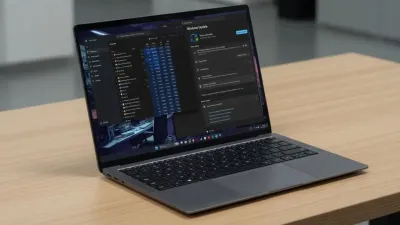
For users who rely on dark mode, the most universally despised bug in Windows 11 has been the jarring "white flashbang" effect that occurs when opening 'This PC' or resizing the Details pane. This visual glitch happened because the hybrid framework struggled to sync legacy background elements with the newer WinUI 3 dark mode styles. Microsoft has officially eliminated this flash, untangling the messy codebase and replacing legacy elements with native WinUI 3 components.
Beyond visual fixes, the update resolves a major frustration with folder preferences. Previously, if a third-party app launched File Explorer directly into a specific directory, Windows would forget your preferred layout and sorting options. View and Sort preferences are now correctly preserved. Furthermore, the explorer.exe process will now properly terminate in the background after you close your windows, preventing zombie processes from eating up valuable CPU cycles.
Lifting a 30-Year-Old Limit and Boosting Performance
As part of an ongoing initiative to make Windows 11 less memory-hungry, Microsoft has optimized the Delivery Optimization service. Historically, this background service - responsible for downloading Windows updates and Microsoft Store apps via peer-to-peer sharing - suffered from severe memory leaks. The KB5083631 patch drastically improves its memory usage, freeing up system RAM for active tasks.
System boot sequences are also getting a noticeable speed boost. Microsoft confirmed that startup apps will now launch significantly faster after you turn on your PC, reducing the time it takes to get to a workable desktop. However, the most historic change in this update targets a restriction that has existed since the Windows 95 era.
For exactly 30 years, Windows has arbitrarily limited the formatting of FAT32 volumes to 32GB - a temporary limit set by former Microsoft developer Dave Plummer that somehow became permanent. With this update, Microsoft is finally increasing the size limit for formatting FAT32 volumes from the command line from 32GB up to a massive 2TB.
How to Install the KB5083631 Update
Because this patch addresses core system stability, users experiencing performance degradation should apply it immediately. Here is how you can get the update right now:
- Open the Settings app and navigate to the Windows Update section.
- Toggle on the option that says Get the latest updates as soon as they're available.
- Click the Check for updates button.
- Locate the optional KB5083631 preview update and click Download and install.
If you prefer to wait for stable, mandatory releases, all of these performance gains and reliability improvements will roll out globally during the upcoming Patch Tuesday update, scheduled for May 12, 2026.
Other Notable Quality-of-Life Improvements
The update also patches foundational code to prevent the system tray from failing to load and stops the taskbar from crashing during interactions with Task View. Additional fixes include:
- Microsoft Store fixes: Eliminates notorious download and installation errors that have frustrated users for years, specifically errors 0x80070057, 0x80240008, and 0x80073d28.
- Windows Hello issue: Resolves a bug that caused biometric fingerprint data to be wiped or forgotten after a major OS upgrade.
- Remote Desktop scaling: Fixes an issue where the security warning dialog rendered incorrectly on multi-monitor setups with different DPI scaling levels.
- Color Profile consistency: Ensures custom color profile options for supported monitors persist correctly, preventing random calibration resets for digital artists.
- Typing and Input: Improves the continuity of the Fluid Dictation setting and fixes keyboard navigation reliability within the emoji panel.
The End of Windows Technical Debt
This update signals a crucial shift in Microsoft's development priorities for 2026. After years of layering new AI features and UI overhauls on top of an aging foundation, the company is finally addressing the technical debt that has plagued power users. Fixing a 30-year-old FAT32 limitation and untangling the 31-year-old Properties dialog codebase proves that Microsoft is willing to dig deep into the core Windows shell.
The resolution of the Delivery Optimization memory leak is particularly significant for enterprise environments and gamers alike, where background RAM consumption directly impacts active workloads. By ensuring that legacy processes like explorer.exe actually terminate when closed, Windows 11 is taking a massive step toward the reliability standards users have been demanding since its launch.