

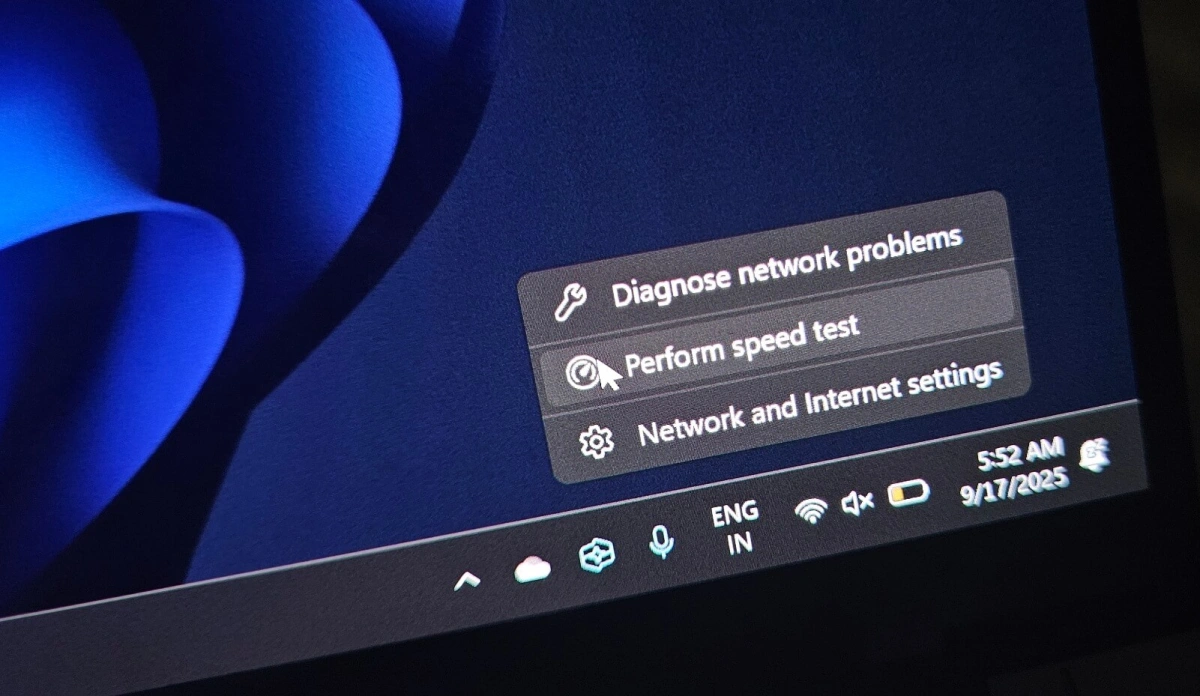
Microsoft is officially rolling out a new "Perform speed test" shortcut directly within the Windows 11 taskbar, but the highly anticipated feature comes with a catch. Rather than operating as a native system utility, the new button acts as a direct web wrapper that launches Bing.com's speed test tool powered by Ookla. This update is designed for Windows Insiders and users troubleshooting network drops, offering a faster way to check connectivity without manually navigating to a testing website.
The feature is currently appearing in two distinct locations for users testing the latest builds. By right-clicking the network icon - whether connected via Wi-Fi or Ethernet - users will see the "Perform speed test" option nestled alongside "Diagnose network problems" and "Network and Internet settings." Additionally, the shortcut is available directly inside the network flyout menu, positioned right next to the "Refresh" button.
Clicking either of these shortcuts immediately launches the user's default web browser, directing them to a Bing search results page for "internet speed test." The page features a dedicated widget utilizing Ookla's backend infrastructure to measure download speeds, upload speeds, and latency. This integration is the direct result of a 2023 partnership between Microsoft and Ookla, which replaced an older, Azure-based testing tool previously used by the search engine.
Convenience vs. Native Functionality
While the taskbar integration saves a few clicks during gaming sessions or sudden network outages, power users have quickly pointed out its limitations. Because it relies entirely on the web-based Bing interface, the tool lacks advanced native features such as historical data tracking, automated scheduling, packet loss analysis, or jitter reporting. For users requiring deeper diagnostics, standalone alternatives like LibreSpeed or dedicated desktop applications remain necessary.
The feature is currently rolling out to the Release Preview Channel, specifically in builds 26100.7918 and 26200.7918, following earlier testing phases in the Canary, Dev, and Beta channels. To access it, users must ensure they have enabled the "Get the latest updates as soon as they're available" toggle within their Windows Update settings.
Initially spotted by user @phantomofearth on X in September 2025, the addition has sparked mixed reactions within the community. While many appreciate the quick access, critics have labeled the shortcut as OS bloatware and a thinly veiled promotional tactic to drive traffic to Bing, rather than a true built-in Windows diagnostic tool.
My Take
This update perfectly encapsulates Microsoft's current design philosophy for Windows 11: prioritizing web service integration over lightweight, native OS utilities. By routing a basic system function like a speed test through Bing, Microsoft successfully drives search engine engagement under the guise of user convenience. While the Ookla-powered results are highly accurate, forcing a browser launch disrupts the user experience. A truly user-centric approach would have embedded the Ookla widget directly into a taskbar panel or the network flyout itself, providing instant data without the friction of opening a new browser tab.
Frequently Asked Questions
How do I enable the new Windows 11 speed test tool?
You need to be in the Release Preview Channel (build 26100.7918 or newer). Go to Windows Update and toggle on "Get the latest updates as soon as they're available" to receive the feature.
Does the taskbar speed test measure packet loss?
No. Because it relies on the standard Bing web widget, it only measures download speed, upload speed, and basic latency. It does not provide advanced metrics like packet loss or jitter.
