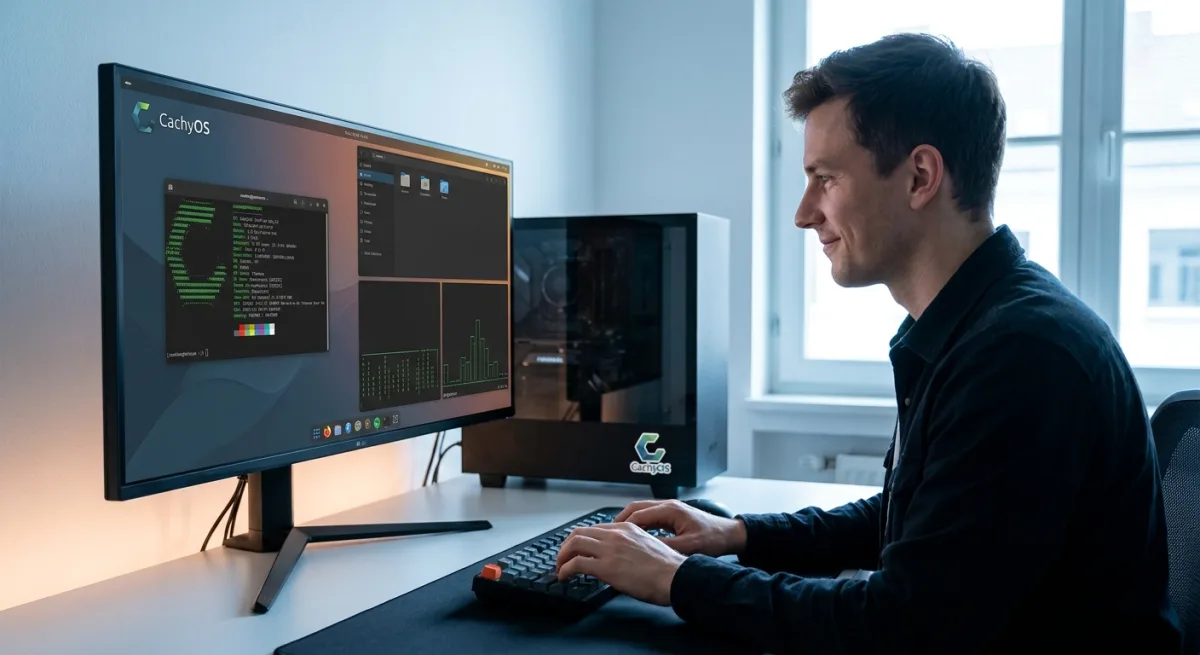
Are you tired of OS updates breaking your workflow, forcing web searches into your local menus, and cluttering your system with unwanted features? You are not alone, and switching to Linux from Windows has become a surprisingly viable escape route for daily desktop users. For those willing to take the leap, modern distributions have evolved past the steep learning curves of the early 2000s. Based on a recent three-month deep dive into CachyOS by The Verge, the transition is not just manageable - it is genuinely refreshing.
The core appeal of moving to an open-source ecosystem is regaining control over your hardware. While Microsoft continues to integrate its corporate org chart into the Windows user experience, Linux allows users to build a modular system tailored to their exact needs. The daily desktop experience on a rolling distribution based on Arch Linux proves that you can achieve long-term stability without sacrificing modern features.
Embracing CachyOS and the Arch Linux Desktop Experience
Choosing the right distribution is the first major hurdle when leaving the Microsoft ecosystem. While mainstream options like Ubuntu offer predictable release cycles, opting for a rolling distribution like CachyOS provides continuous updates and cutting-edge features. After three months of daily driving this Arch-based OS, the need to boot back into Windows was reduced to just two isolated incidents involving legacy printer and scanner hardware.
The transition quickly shifts from feeling like a novel experiment to simply using a reliable computer. Finding and installing applications is often more streamlined than on Windows, thanks to centralized repositories. While there are occasional bugs, the overall environment feels significantly calmer and less intrusive than modern proprietary operating systems.
How to Troubleshoot Common Linux Network and Storage Bugs
When things do go wrong on Linux, the issues are usually self-inflicted and highly fixable. If you are setting up a new Arch-based system, you may encounter a few specific hardware and storage quirks. Here is how to resolve the most common pain points discovered during testing:
- Fixing Snapper Storage Limits: CachyOS uses Snapper for system snapshots, defaulting to 50 saves. If your 2GB boot partition fills up, you must boot into a live environment, shrink the rightmost partition by 2GB, and slide every volume to the right to expand the boot partition. (Note: Newer CachyOS installers now default to a safer 4GB partition).
- Resolving Ethernet Delays: If your PC fails to get an IP address after waking from sleep, check your network switch. Disabling the older Spanning Tree Protocol (STP) can instantly fix the timeout issue and improve connectivity for smart home devices.
- Debugging Audio Dropouts: If your webcam microphone cuts out mid-sentence, third-party audio routing is likely the culprit. Review the documentation before installing tools like EasyEffects to avoid unexpected hardware conflicts.
Essential App Replacements and the Biometric Security Gap
Replacing core Windows applications requires a slight workflow adjustment, but the open-source community provides robust alternatives. For web browsing, Zen - an open-source browser built on Firefox - serves as an excellent replacement for Arc. Music streaming is easily handled by grabbing a dedicated Spotify client directly from the Arch User Repository. For image editing, the Photopea web app effectively fills the void left by Adobe Photoshop for standard tasks.
However, biometric security remains a distinct weak point for the Linux ecosystem. While Apple and Microsoft have invested heavily in secure 3D face mapping, Linux alternatives lag behind. Tools like howdy attempt to replicate facial recognition, but by the developer's own admission, the software can be fooled by a photo. Until the ecosystem receives enterprise-level funding for biometrics, traditional passwords or fingerprint readers remain the safest authentication methods.
Gaming on Linux: Steam, Heroic Launcher, and RTX 4070 Super
The narrative that Linux cannot handle modern gaming is officially outdated. Powered by an Nvidia RTX 4070 Super, the CachyOS setup handles a variety of titles flawlessly, provided they do not require aggressive kernel-level anti-cheat software. The gaming ecosystem relies heavily on compatibility layers and dedicated launchers to bridge the gap.
Titles like Esoteric Ebb, Caves of Qud, and Baldur's Gate 3 run smoothly directly through Steam. For non-Steam titles, the Heroic Games Launcher easily handles games like Hardspace: Shipbreaker. Even Microsoft's own Minecraft: Bedrock Edition is fully playable using the MCPE Launcher, requiring only minor tweaks like enabling remote login and disabling vibrant visuals.
The Unix Philosophy vs. Microsoft's Monolithic Ecosystem
The growing frustration with Windows is not about a lack of functionality; it is about a loss of user agency. Microsoft's insistence on pushing Bing into local file searches, breaking indexing, and renaming core applications creates an environment where the OS feels like it is actively working against the user. When Windows breaks, it is often because the company is forcing a new corporate strategy onto your desktop.
Linux operates on the Unix philosophy: a modular system of small, efficient tools that do one thing perfectly. When a Linux system breaks, it is usually because the user opted into a specific configuration or installed a package without reading the documentation. This fundamental difference transforms troubleshooting from a frustrating chore into a satisfying, educational experience. For power users who want their computer to act as a tool rather than a billboard, the open-source desktop has never been more appealing.