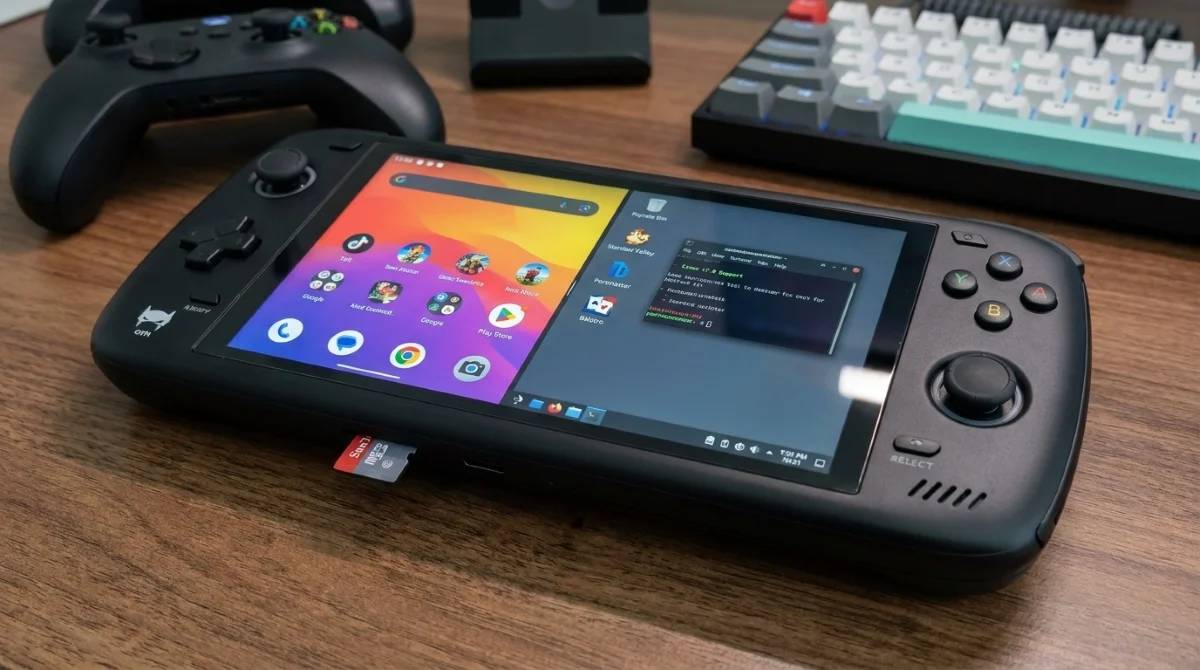
The AYN Odin 3 is already a formidable Android gaming device, but official AYN Odin 3 Linux support is about to elevate it into an entirely different tier of handheld gaming. By opening the door to custom Linux distributions, AYN is giving enthusiasts the ability to bypass Android's limitations and tap directly into a massive library of PC ports and advanced emulators.
Announced via the company's official Discord, AYN has rolled out initial Linux support (v7.0) for the Odin 3. This update also brings refreshed Linux compatibility to the older Odin 2 series and Thor handhelds. While the current build is highly functional, AYN noted that microphone functionality and vibration feedback are not yet operational.
Unleashing the Dragonwing Q8 Processor
The Odin 3 is equipped with the Dragonwing Q8 processor, which functions as a variant of the highly capable Snapdragon 8 Elite. This provides an immense amount of CPU and GPU overhead for an Arm-based Linux handheld. With this raw power, the device is perfectly positioned to handle demanding workloads that typically struggle on standard Android operating systems.
What You Can Play: Portmaster and Emulation
One of the primary draws of installing Linux on an Arm-based handheld is access to Portmaster. This utility simplifies the installation of over 1,000 Linux ports of classic and modern PC games. Players can easily run native versions of popular titles like Stardew Valley, Balatro, and Celeste, provided they supply the necessary game files.
Furthermore, a dedicated Linux environment paves the way for official ports of complex emulators for consoles like the PS3, Xbox, and Wii U, which often perform better on Linux than their Android counterparts. However, Android still retains an edge for certain platforms, such as PS2 emulation, where the Android-based emulators are currently more optimized.
How to Try Linux on the Odin 3
While advanced users can attempt to compile their own builds, most players should wait for established custom distributions to integrate the new v7.0 support. Here is what you need to know to get started safely:
- Wait for official updates from popular distributions like Rocknix and Batocera to add Odin 3 compatibility.
- Prepare a dedicated microSD card, as both operating systems allow you to boot directly from external storage.
- Use the dual-boot method to safely test the Linux environment without overwriting your primary Android setup.
The Future of Arm-Based Handhelds
The introduction of official Linux support for the Odin 3 signals a major shift in the handheld market. By pairing a flagship-tier chip like the Dragonwing Q8 with the flexibility of Linux, AYN is bridging the gap between lightweight Android devices and heavy, battery-draining x86 handhelds like the Steam Deck.
If community developers quickly optimize Rocknix and Batocera for this hardware, the Odin 3 could easily become the definitive emulation device of 2026. The ability to dual-boot from a microSD card removes the risk for casual users, ensuring that this powerful hardware won't be restricted to just the Android gaming ecosystem.
This article was written by AI from reporting by androidauthority.com.