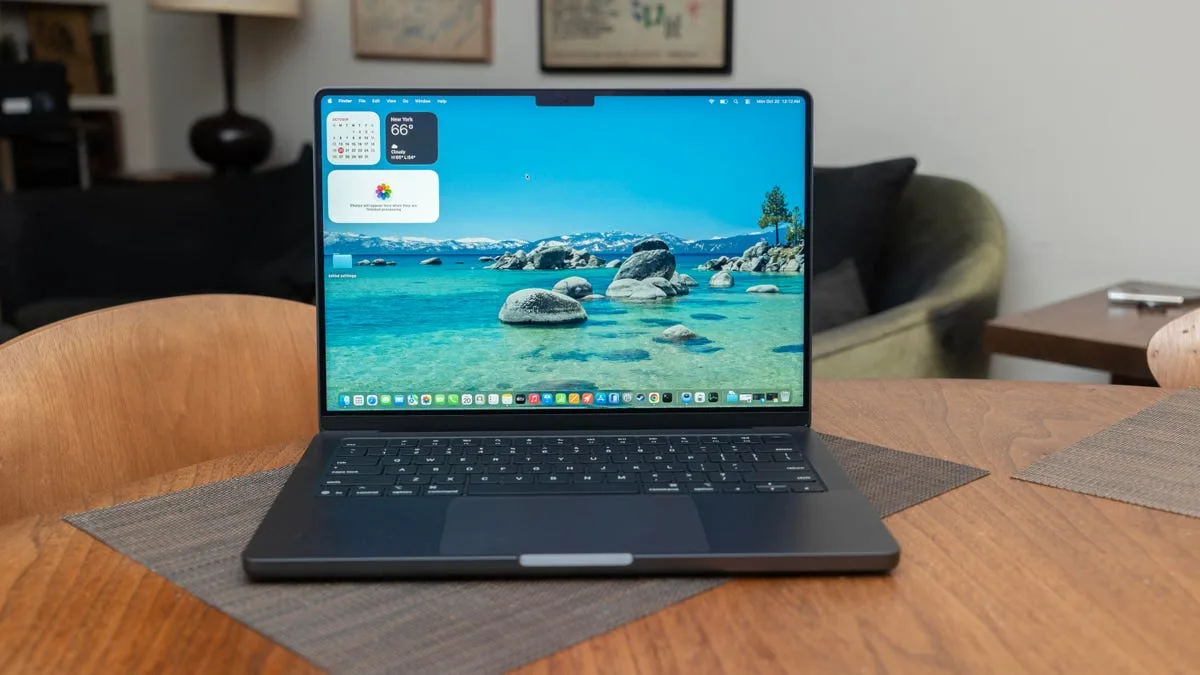
Navigating the ultimate MacBook Pro M5 buying guide requires understanding over 50 distinct configurations across the latest 14-inch and 16-inch laptops from Apple. With the introduction of the M5, M5 Pro, and M5 Max chips in late 2025 and early 2026, selecting the perfect workstation demands a careful balance of CPU cores, unified memory, and budget. This guide breaks down exactly how to configure your next Mac based on real-world testing and hardware constraints.
This guide is designed for creative professionals, developers, and power users looking to upgrade to the new M5 architecture. Understanding these hardware tiers enables buyers to avoid costly over-configurations while ensuring their machine can handle future generative AI workloads and high-resolution rendering tasks.
Essential Considerations Before Buying
Before diving into specific chip configurations, you must evaluate your baseline requirements. Your buying decision may be complicated by constraints imposed by the SoC design, notably with respect to memory limits.
- Determine your primary workflow, as performance is all about balance between CPU and GPU utilization.
- Establish your maximum budget, keeping in mind that upgrading memory often forces a processor tier upgrade.
- Decide between the 14-inch portability or the 16-inch thermal headroom, noting that only the 14-inch model offers the base M5 chip.
M5 Series Specifications Comparison
The following table outlines the core differences between the three processor tiers to help you identify the right starting point for your build.
| Feature | M5 | M5 Pro | M5 Max |
|---|---|---|---|
| Starting Price | $1,699 (14-inch only) | $2,199 (14-inch) / $2,699 (16-inch) | $3,599 (14-inch) / $3,899 (16-inch) |
| CPU / GPU Cores | 10C / 10C | Up to 18C / 20C | Up to 18C / 40C |
| Memory Options | 16GB, 24GB, 32GB | 24GB, 48GB, 64GB | 36GB, 48GB, 64GB, 128GB |
| Storage Options | 1TB to 4TB | 1TB to 4TB | 2TB to 8TB |
| Ports & Wireless | Thunderbolt 4, Wi-Fi 6E | Thunderbolt 5, Wi-Fi 7 | Thunderbolt 5, Wi-Fi 7 |
How to Configure Your MacBook Pro
Follow these sequential steps to build a machine that matches your specific performance needs without overspending.
- Select the appropriate processor tier based on your graphical needs. This ensures you have the necessary CPU and GPU cores for your workload; the base M5 is ideal for general productivity, while the M5 Max is required for intensive 3D rendering and gaming, hitting 150fps in Shadow of the Tomb Raider.
- Determine your unified memory requirements immediately at checkout. This enables smooth multitasking and large AI model handling, but remember that memory cannot be upgraded later; 48GB requires at least an M5 Pro, while the massive 128GB option is locked behind the top-tier M5 Max.
- Choose your internal storage capacity wisely. This provides fast, reliable access to project files; while external Thunderbolt 5 drives are fast, internal SSDs remain superior for machine learning and video editing tasks.
- Configure display and power adapter options. This optimizes your daily user experience; the $150 nano-texture display reduces glare in bright environments, and the 96W power adapter enables fast charging for base models.
Performance and Benchmark Insights
Single-core performance remains roughly identical across all three chips, scoring around 732 to 736 in Cinebench 2026, because they share the same super cores. The Neural Engine, used for basic on-device AI tasks like document summaries, is also identical across the lineup. However, multicore performance widens the gap significantly, with the M5 Pro and M5 Max exchanging low-power efficiency cores for high-performance cores.
For graphics and AI workloads, the differences are stark. In the Procyon Stable Diffusion XL benchmark, the base M5 scored 326, while the M5 Max reached an impressive 1,083. One potential weakness of the entire M5 line is its lack of native support for new arithmetic data types, such as FP8 and FP4, which offer improved speed over higher-precision types.
My Take
Apple's configuration ladder for the 2026 MacBook Pro lineup is a masterclass in strategic upselling. By locking the 48GB memory option behind the M5 Pro and the 128GB option exclusively behind the M5 Max, Apple forces power users to buy more compute power than they might actually need just to secure adequate RAM for future-proofing. For most professional creatives, the M5 Pro with 48GB of memory hits the absolute sweet spot for price-to-performance ratio.
The connectivity upgrades on the higher-end chips shouldn't be overlooked either. The jump to Wi-Fi 7 on the M5 Pro and M5 Max provides significantly better stability on 6GHz channels compared to the Wi-Fi 6E found on the base M5. Furthermore, the inclusion of Thunderbolt 5 supports DisplayPort 2.1 and higher data transfer speeds, which is a critical factor for video editors relying on external storage arrays.
Ultimately, if your workflow relies heavily on generative AI or high-resolution video editing, the M5 Max's dual Pro Res accelerators and massive memory bandwidth justify the premium price. However, buyers should remain cautious about the lack of native FP8 and FP4 support, which could slightly bottleneck certain emerging machine learning workflows in the coming years.