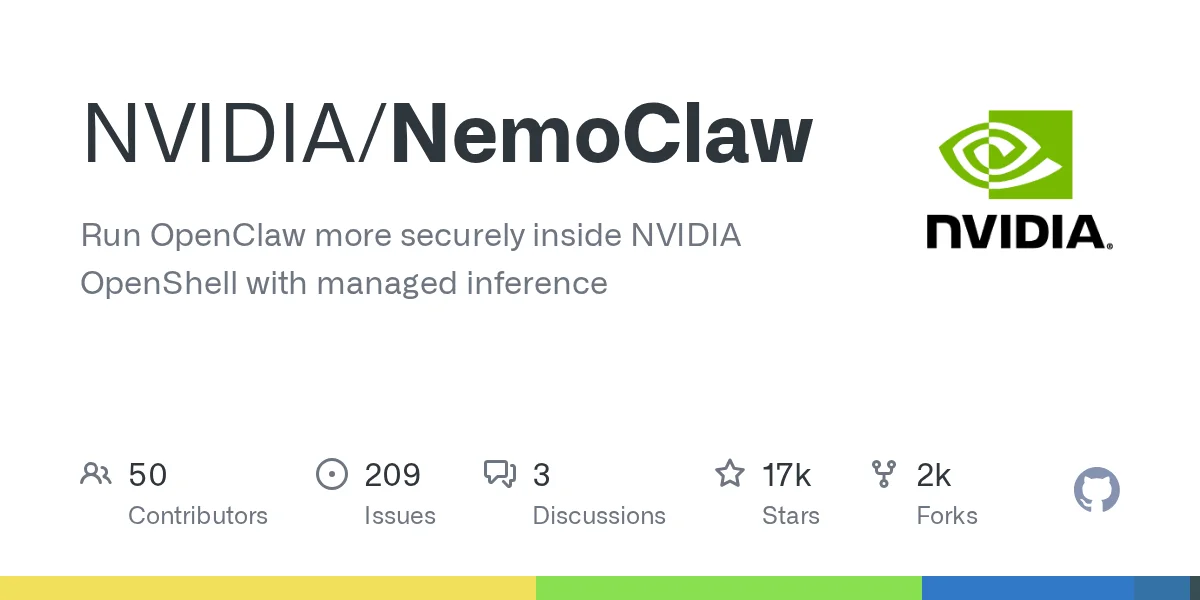
Running autonomous AI agents locally often exposes host systems to significant security vulnerabilities, leaving files and networks unprotected. Launched in early preview on March 16, 2026, NVIDIA NemoClaw solves this by providing a secure, sandboxed reference stack for running OpenClaw assistants directly inside the NVIDIA OpenShell runtime. By isolating inference calls and restricting filesystem access, developers can safely experiment with always-on AI models like NVIDIA Nemotron without compromising their primary workstations.
This deployment framework is designed specifically for AI developers, security engineers, and system administrators who need to test autonomous agents in a controlled local environment. By implementing this stack, professionals can prevent rogue AI processes from accessing sensitive host data while maintaining full control over inference routing and network egress.
System Prerequisites and Hardware Requirements
Before deploying the sandbox, your host machine must meet specific resource thresholds to handle the containerized environment. The sandbox image requires approximately 2.4 GB of compressed storage, and the extraction process is highly memory-intensive.
- CPU and Memory: A minimum of 4 vCPUs and 8 GB of RAM is required, though 16 GB of RAM is highly recommended.
- Storage: Ensure at least 20 GB of free disk space, with 40 GB recommended for optimal performance.
- Operating System: Linux users need Ubuntu 22.04 LTS or later, while macOS users must utilize Apple Silicon with Colima or Docker Desktop.
- Software Dependencies: Node.js 22.16 or later, npm 10 or later, and a supported container runtime must be installed alongside NVIDIA OpenShell.
If your machine has less than 8 GB of RAM, the combined usage of the Docker daemon, k3s, and the OpenShell gateway can trigger the Out-Of-Memory (OOM) killer. Configuring at least 8 GB of swap space can bypass this issue, though it will result in slower overall performance.
How to Install NVIDIA NemoClaw
Deploying the reference stack requires executing the official installation script, which automatically handles Node.js provisioning and sandbox creation. macOS users must complete a specific first-run checklist to avoid missing developer tools or Docker connection errors.
- Install the Xcode Command Line Tools using the terminal command
xcode-select --installif you are on macOS.
This ensures the installer and Node.js toolchain have the necessary developer frameworks to compile dependencies. - Start a supported container runtime such as Docker Desktop or Colima.
This enables the host machine to pull and run the isolated OpenShell containers required for the agent. - Execute the primary installation script by running the following command:
curl -fsSL https://www.nvidia.com/nemoclaw.sh | bash
This initiates the guided onboarding wizard to create the sandbox, configure inference providers, and apply security policies. - Reload your shell configuration by running
source ~/.bashrcorsource ~/.zshrcif the command line interface is not recognized.
This updates your system path so the newly installed executable can be launched from any directory.
How to Connect and Chat with the Agent
Once the installation completes, the system generates a dedicated sandbox environment for your assistant. You can interact with the AI using either a Text User Interface (TUI) or a standard Command Line Interface (CLI).
- Connect to the isolated sandbox shell by executing the connection command:
nemoclaw my-assistant connect
This grants you secure access to the internal container shell where the agent operates. - Launch the interactive chat interface by typing:
openclaw tui
This opens a visual, back-and-forth chat environment ideal for standard conversational testing. - Send a single, direct message using the CLI format:
openclaw agent --agent main --local -m "hello" --session-id test
This prints the complete response directly in the terminal, which is essential for capturing large code generation outputs without UI truncation.
How to Uninstall and Manage Resources
Removing the stack requires a dedicated cleanup script to ensure all sandboxes, gateways, and local state directories are properly deleted. The uninstaller does not remove shared system tooling like Docker or Node.js.
- Run the uninstallation script from outside the sandbox:
curl -fsSL https://raw.githubusercontent.com/NVIDIA/NemoClaw/refs/heads/main/uninstall.sh | bash
This safely tears down the OpenShell gateway, related Docker images, and the global npm package. - Append the
--yesflag to the command to skip the confirmation prompt.
This enables automated, non-interactive teardowns for continuous integration environments. - Append the
--keep-openshellor--delete-modelsflags depending on your retention needs.
This allows you to preserve the core runtime for other projects or aggressively free up disk space by wiping pulled Ollama models.
Sandbox Architecture and Inference Routing
The core security mechanism relies on intercepting every network request, file access, and inference call through a declarative policy. Inference requests from the agent never leave the sandbox directly; instead, OpenShell routes them to your selected provider.
During onboarding, users can select from curated hosted models via NVIDIA Endpoints, OpenAI, Anthropic, or Google Gemini. Local inference via Ollama is fully supported, while local vLLM remains in an experimental phase.
Crucially, sensitive API keys and provider credentials remain securely on the host machine inside the ~/.nemoclaw/credentials.json file. The isolated sandbox only interacts with a routed local endpoint, ensuring the agent never has direct access to your raw provider keys.
My Take: The Future of Sandboxed AI Agents
The release of NVIDIA NemoClaw highlights a critical shift in how the industry approaches local AI deployment. By enforcing a strict boundary between the autonomous agent and the host operating system, NVIDIA is directly addressing the severe security risks associated with unrestricted AI file access. The requirement of at least 8 GB of RAM and a 2.4 GB compressed image underscores that robust security layers demand significant local compute overhead.
Strategically, routing all inference calls through the OpenShell gateway rather than allowing direct outbound connections is a brilliant architectural decision. It prevents rogue agents from exfiltrating data to unauthorized third-party servers while keeping raw API keys completely hidden from the sandbox. This zero-trust approach to local AI will likely become the gold standard for enterprise developers.
For developers currently testing OpenClaw, adopting this reference stack is a non-negotiable upgrade. While the software remains in its alpha phase as of March 2026, the foundational security policies it introduces are essential for anyone building always-on assistants. As local models grow more capable, isolating their execution environment will be just as important as optimizing their performance.