The highly anticipated Android 17 update is officially rolling out to Pixel devices, bringing a wave of system-wide capabilities that move beyond the subtle under-the-hood tweaks of recent years. While users of Samsung phones and other Android devices await their respective rollouts in the near future, early adopters are already exploring a suite of new tools. These Android 17 features are designed to fundamentally change how users multitask, play games, and record content on their smartphones.
Unlike previous updates that focused heavily on background optimizations, this release introduces highly visible, interactive elements. From a controversial multitasking revival to a dedicated gaming mode for foldables, the operating system is expanding its utility for both casual users and heavy gamers.
Multitasking with System-Wide Bubbles
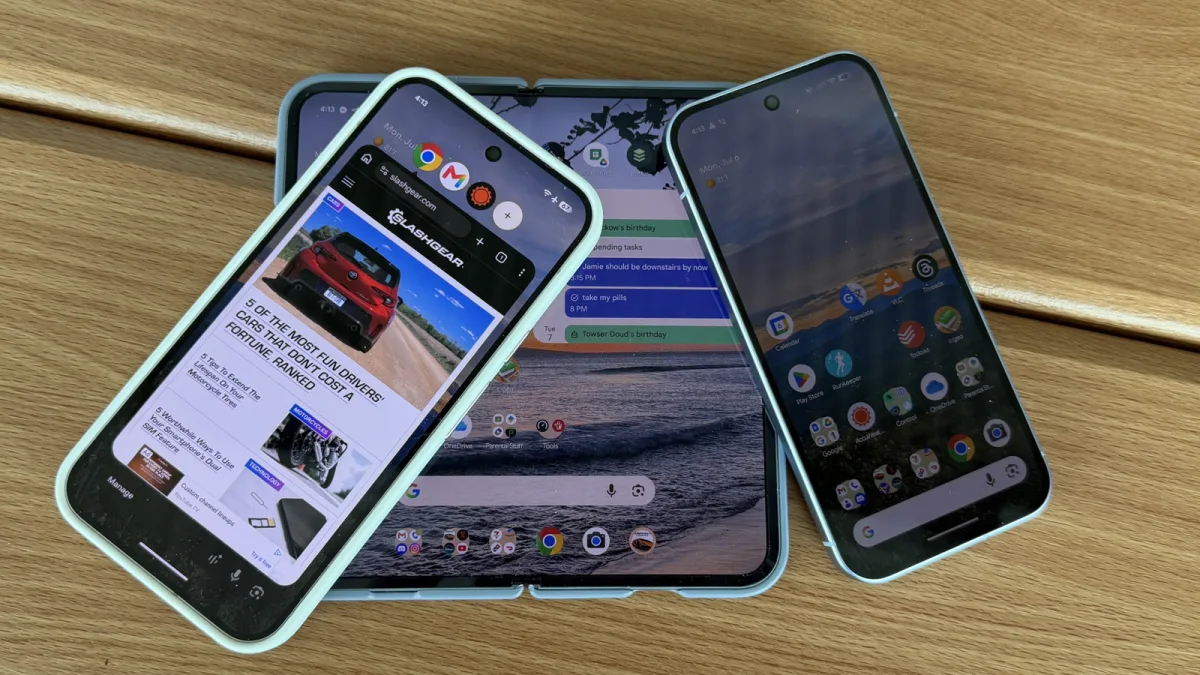
One of the most prominent additions in Android 17 is the system-wide implementation of Bubbles. Drawing inspiration from the chat heads concept introduced by Facebook in 2013, this feature allows users to open any application into a floating bubble. When activated, the app opens in a slightly smaller window accompanied by a bubble bar interface at the top of the screen.
Users can keep up to four applications open simultaneously, seamlessly switching between them by tapping their respective icons. While traditional users might prefer standard full-screen app navigation, this rapid-switching capability offers a significant productivity boost for those who constantly juggle multiple tasks, such as referencing a document while drafting an email.
Foldable Gaming Mode
As foldable devices become more mainstream, Android 17 is introducing a feature specifically tailored for hardware like the Google Pixel 10 Pro Fold and the Motorola Razr Fold. When a book-style foldable is half-folded, the operating system morphs into a dual-screen gaming setup reminiscent of a Nintendo 3DS. The top half displays the game, while the bottom half transforms into a virtual gaming controller.
Mishaal Rahman, a staffer at Google, recently shared a preview of this feature on Reddit. This posture ensures that players' fingers do not obscure crucial on-screen game elements, providing a much cleaner experience for heavy gamers. The virtual controller is customizable and works with any game that supports external controllers. While not available on day one, it is scheduled to roll out in the coming weeks.
Enhanced Screen Recording with Selfie View
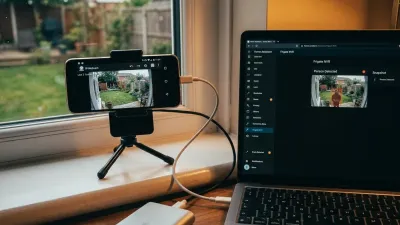
Content creators and tech-savvy users who frequently share tutorials will benefit from the newly upgraded screen recorder. Android 17 now allows users to record themselves and their voice simultaneously alongside the on-screen action. When initiating a recording, the system presents four distinct options: record device audio, record microphone, show selfie camera, and show touches.
This built-in functionality mimics the green screen features popularized by social media platforms like TikTok and Instagram. It eliminates the need for third-party editing software just to add a facecam to a mobile tutorial, making it incredibly easy to guide someone through a phone setting or react to on-screen content in real-time.
UI Tweaks and Quick Settings Changes
Beyond the major functional additions, Android 17 includes several design-centric touches aimed at maturing the platform's interface. These cosmetic updates provide users with more granular control over their home screens and system menus.
- App Labels: Users can now completely turn off app labels on the home screen, a highly requested feature for minimalist setups.
- Widget Picker: The widget selection menu has dropped its translucency, aligning more closely with the solid design of the app launcher and notification panel.
- Settings Spacing: The labels within the settings menu have been moved slightly closer together, subtly increasing information density on screens of all sizes.
- Connectivity Toggles: Google has officially reversed a controversial past decision by separating Wi-Fi and mobile data into their own distinct quick setting toggles, abandoning the unified Internet button.
- Perma-Search Bar: The persistent search bar at the bottom of the home screen is now customizable, allowing users to adjust its transparency and add a third shortcut icon.
The Reversal That Proves Google is Listening
The most telling aspect of the Android 17 update isn't the flashy new Bubbles or the selfie camera integration - it's the quiet reversal of the unified Internet toggle. When Google merged Wi-Fi and mobile data into a single menu a few years ago, power users heavily criticized the extra tap required to manage basic connectivity. By separating them again, Google is signaling a renewed willingness to prioritize functional efficiency over overly simplified design aesthetics.
Furthermore, the introduction of the foldable gaming mode highlights a strategic shift in how Google views the foldable market. By natively supporting a split-screen controller layout, Android is positioning devices like the Pixel 10 Pro Fold not just as productivity machines, but as legitimate competitors in the handheld gaming space. If developers embrace this posture, it could give book-style foldables a unique selling point that traditional slab phones simply cannot replicate.