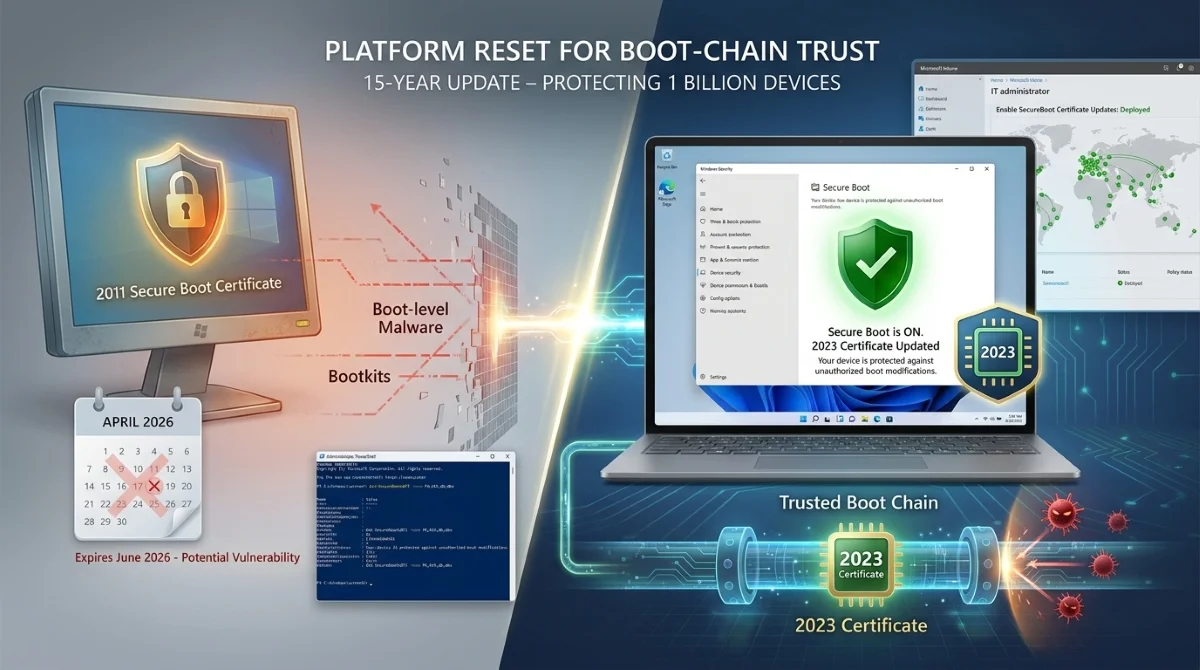
Microsoft is replacing Secure Boot certificates from 2011 on nearly all Windows PCs, a change after 15 years that protects against boot-level malware like bootkits. The update rolls out via April's security patch, affecting 1 billion devices, with certificates expiring in June 2026.
This matters for everyday Windows users and IT admins because expired certificates could expose systems to unauthorized boot modifications. New 2023 certificates ensure devices validate firmware from trusted sources during startup, maintaining a robust security posture.
How to Check Secure Boot Status in Windows Security
Open the Windows Security app, navigate to Device security > Secure Boot. Look for a badge on the Secure Boot icon: green means all good, yellow signals pending action, red demands immediate attention with specific text guidance.
Previously, badges only showed if Secure Boot was enabled or disabled. Now, they reveal certificate update status, making it easy for regular users without needing PowerShell or Event Viewer.
The status won't appear instantly on all PCs but will be installed by end of April 2026. Many PCs made since 2024 already have the 2023 certificates; others get them automatically through Windows Update.
IT Admins: Deployment Options for Secure Boot Updates
For managed environments, follow Microsoft's playbook: inventory devices, monitor status, apply OEM firmware first, then deploy certificates. Recommended: Use Microsoft Intune with policies like Enable SecureBoot Certificate Updates.
Alternative: Set registry key AvailableUpdates to 0x5944 at HKEY_LOCAL_MACHINE\SYSTEM\CurrentControlSet\Control\SecureBoot to deploy all certificates and switch to Windows UEFI CA 2023 boot manager.
# PowerShell to check status (pre-app update method)
Get-SecureBootUEFI -Name PK,KEK,db,dbx
Group Policy path: Computer Configuration > Administrative Templates > Windows Components > Secure Boot > Enable Enable Secure Boot certificate deployment. Pilot on test devices first.
Supported Versions and Rollout Timeline
| Operating System | Available |
|---|---|
| Windows 11 (23H2, 24H2, 25H2, 26H1) | April 8, 2026 (app update) |
| Windows Server 2025 | April 8, 2026 (app update) |
| Windows 10 (22H2, 21H2, 1809) | April 14, 2026 (cumulative update) |
| Windows Server 2019 & 2022 (Desktop Experience) | April 14, 2026 (cumulative update) |
Don't panic if no update yet - certificates expire in June. Check by end of April to avoid degraded security where devices boot but lose future protections.
Why This Changes Windows Security Forever
This isn't a one-off patch; it's a platform reset for boot-chain trust, integrating firmware, updates, and user-facing status. For consumers, it simplifies verification - no more digging into logs - while enterprises gain Intune tools for fleet-wide compliance.
Market impact: As Secure Boot matures with UEFI, this prevents widespread vulnerabilities post-June 2026, especially on older out-of-support devices. User behavior shifts toward proactive checks, reducing bootkit risks that evade traditional antivirus. Recommendation: Enable diagnostic data for assisted updates and verify status weekly through May.