Windows 11 users frustrated by sluggish load times and jarring white flashes in dark mode are finally getting relief. The latest Windows 11 File Explorer update, currently rolling out to testers, directly targets core performance issues and frequent system crashes. Microsoft is shifting its focus back to core OS components, moving away from heavy Copilot integration to refine the basic desktop experience.
Tested extensively in Windows 11 Build 26200.8313 via the Release Preview Channel, these improvements are slated for a broader optional release in April 2026. For users who skip optional patches, the fixes will become mandatory during the May 2026 Patch Tuesday rollout, scheduled for May 12, 2026, at 10 AM PT.
Eliminating Dark Mode Flashes and Speeding Up Load Times
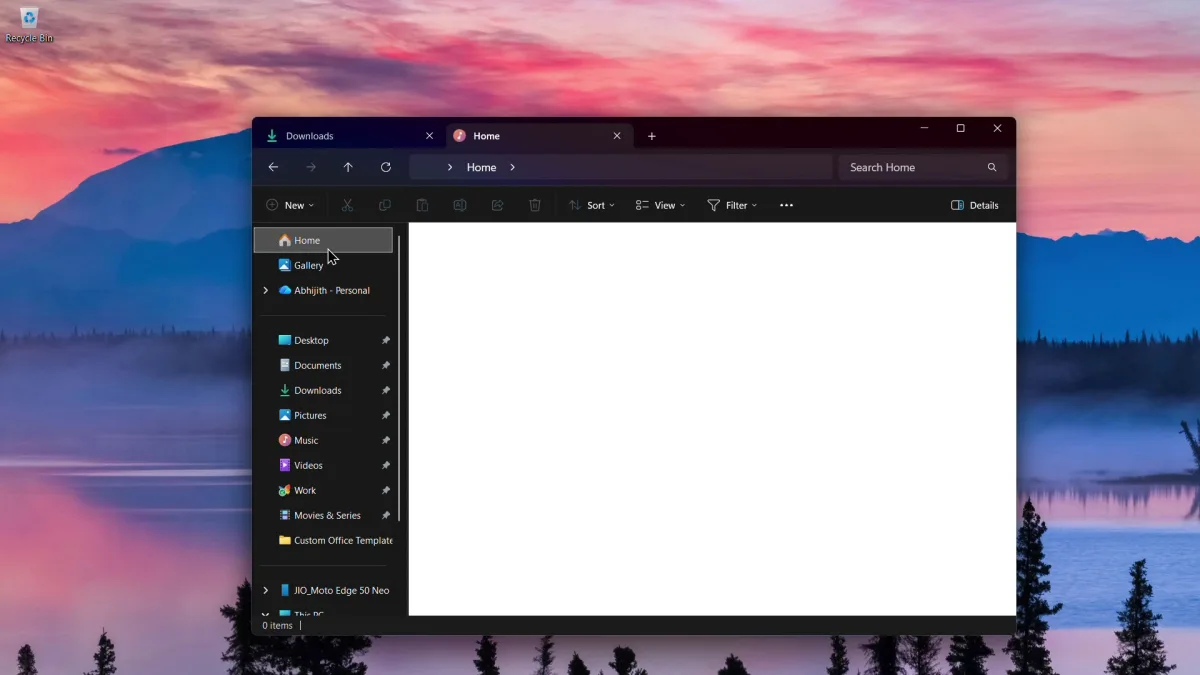
One of the most persistent visual bugs in Windows 11 has been the jarring white flash that occurs when launching File Explorer in dark mode, particularly when configured to open the 'This PC' tab. According to testing by Windows Latest, this update completely patches the white flash issue during tab creation, folder switching, and Details pane resizing. The interface now maintains a consistent dark theme without blinding interruptions.
Beyond visual fixes, the application itself is noticeably faster. Microsoft has optimized the core code rather than relying on background preloading tricks that were previously tested. Users on low-end hardware will experience significantly reduced load times when launching the application for the first time after booting to the desktop.
Stabilizing explorer.exe and Expanding Archive Support
System stability is receiving a major overhaul alongside the speed improvements. Previously, abruptly closing a window could trigger explorer.exe crashes, leading to a lagging taskbar and unresponsive system tray flyouts. By improving the reliability of explorer.exe-related processes, interacting with Task View and taskbar elements is now much smoother and less prone to freezing.
The update also expands native file extraction capabilities, reducing the need for third-party software. Users can now right-click to extract content from newly supported archive formats, including cpio, uu, xar, and nupkg (NuGet packages). Microsoft has indicated that further archive support and performance tweaks are planned for future updates.
Other Notable Updates
- Ability to preview internet-downloaded files by clicking 'Preview anyway'.
- The search bar now utilizes standard Windows 11 iconography for a cohesive visual look.
- Folder view preferences, such as icon size sorting, are now respected globally. This fixes a bug where accessing a path from apps like Microsoft Edge would revert to default filters.
- Unpinning items from the Quick Access menu is now significantly more reliable.
The Shift Toward Core OS Stability
This targeted Windows 11 File Explorer update signals a welcome pivot in Microsoft's development strategy. By prioritizing fundamental usability over flashy AI additions, the company is directly addressing the daily friction points that frustrate power users and enterprise environments alike. The decision to fix the dark mode white flash and stabilize explorer.exe, rather than masking slow load times with background preloading, shows a commitment to actual optimization.
For users relying on aging hardware, the May 12 Patch Tuesday release will likely feel like a substantial system upgrade. Restoring fluidity to basic file management and eliminating taskbar crashes ensures that the operating system gets out of the user's way, which is exactly what a mature desktop environment should do.
This article was written by AI from reporting by windowslatest.com.