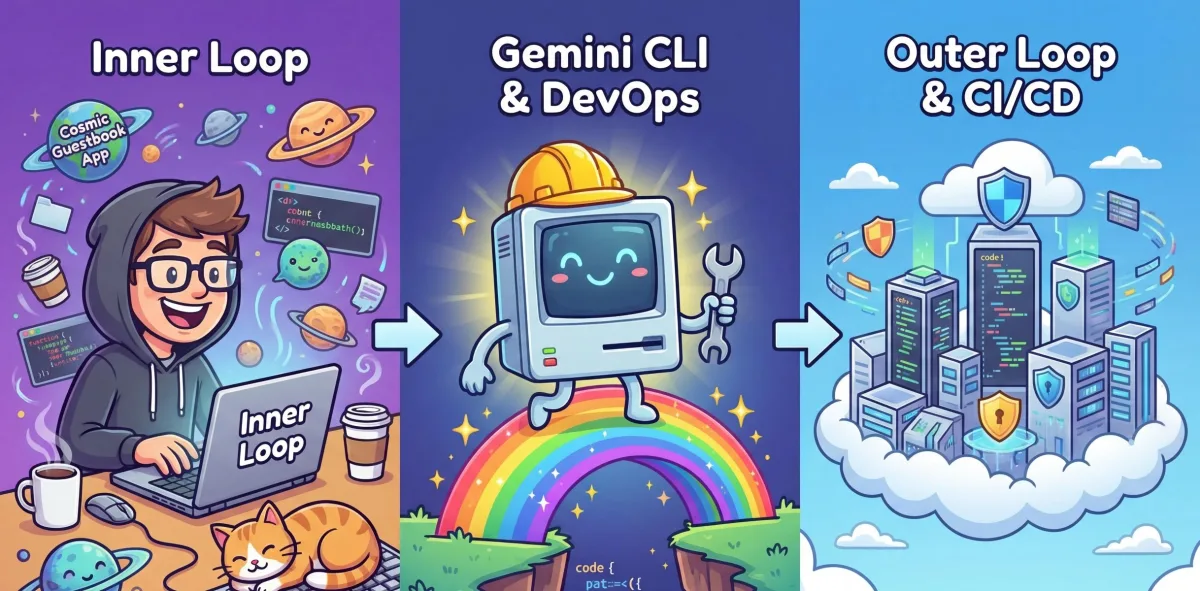
For developers, building a web app with AI coding tools takes minutes, but deploying it often burns the rest of the afternoon wrestling with Dockerfiles, IAM bindings, and YAML configurations. The new Gemini CLI Extension for CI/CD eliminates this bottleneck, allowing developers to ship code to Google Cloud using a single natural language prompt. This tool bridges the classic tension between the fast, local cycle of writing code and the complex outer loop of containerization and production infrastructure.
By handling both quick prototype deployments and full pipeline generation from a single terminal interface, the extension ensures that projects no longer stall on the developer's laptop. It operates as a powerful three-tier system designed to translate developer intent into secure, production-ready infrastructure across various agent environments.
The Architecture Behind the Automation
The CI/CD extension relies on three core components to orchestrate the deployment lifecycle. First, specialized AI skills like google-cicd-deploy and google-cicd-pipeline-design instruct your AI agent on how to analyze code and handle errors. Second, a specialized Go-based Model Context Protocol (MCP) server runs in the background, providing the tools needed to manipulate Google Cloud resources.
Finally, a local knowledge base utilizing a pre-indexed retrieval-augmented generation (RAG) database ensures the agent grounds its design decisions in verified architecture patterns. This combination allows the assistant to seamlessly transition from scaffolding a project, like the Cosmic Guestbook, to pushing it live.
How to Install the CI/CD Extension
To get started, you must have the gcloud CLI installed and authenticate using Application Default Credentials (ADC) by running gcloud auth application-default login. Once authenticated, you can install the extension in your preferred development environment.
For Gemini CLI, run the following command directly in your terminal:
gemini extensions install https://github.com/gemini-cli-extensions/cicdIf you are using Claude Code, add the marketplace and install the plugin:
# 1. Add the Marketplace
claude plugin marketplace add https://github.com/gemini-cli-extensions/cicd.git

# 2. Install the Plugin
claude plugin install cicd
For Antigravity and agents supported by npx skills, enable the MCP Server as custom MCP:
# Add the Skills
npx skills add https://github.com/gemini-cli-extensions/cicd --global --all --agent antigravity
The Inner Loop: Fast and Secure Deployments
When testing a new feature, developers need a public URL quickly without building a massive multi-environment pipeline. The extension turns this process into a simple prompt, such as gemini "Deploy this application to Google Cloud using the google-cicd-deploy skill". Before any code leaves your machine, the agent runs a rigorous pre-deployment security scan.
This scan is critical; according to GitGuardian's 2025 State of Secrets Sprawl report, 23.8 million new credentials were exposed on public GitHub in a single year. If the agent finds a Stripe API key or database credential in your source, it halts the deployment immediately. Next, it analyzes your framework and automatically containerizes dynamic services using Google Cloud's buildpacks on the fly.
Before making changes, the conversational agent pauses to ask prioritizing questions, such as clarifying the target Google Cloud region or whether the service should be public. Once confirmed, the code is pushed live, returning a public Cloud Run URL.
The Outer Loop: Automating CI/CD Pipelines
For production systems, developers need automated testing, source control integration, and formal continuous deployment. Using the google-cicd-pipeline-design skill, the AI agent acts as a personal platform engineering consultant. It retrieves common CI/CD patterns and proposes a concrete YAML plan for review.
After approval, the assistant autonomously provisions the required infrastructure. For example, it might create an Artifact Registry repository using an MCP call:
{
  "name": "create_artifact_repository",
  "arguments": {
    "repository_id": "demo-app-repo",
    "location": "us-central1",
    "format": "DOCKER"
  }
}
The agent then generates the actual cloudbuild.yaml file defining the pipeline stages. Here is a snippet highlighting the initial build steps:
steps:
  # Step 1: Install tools (like the linter) and clean the cache.
  - name: 'golang:1.24'
    id: 'Install Tools'
    entrypoint: 'sh'
    args:
      - '-c'
      - |
        set -e
        export PATH=/workspace/bin:$$PATH
        echo "Installing golangci-lint..."
        go install github.com/golangci/golangci-lint/cmd/[email protected]
        echo "Cleaning module cache..."
        go clean -modcache
    env:
      - 'GOPATH=/workspace'
    dir: 'devops-mcp-server'
Finally, it creates a Cloud Build trigger to ensure every push to the main branch automatically fires off the pipeline steps:
{
  "name": "create_build_trigger",
  "arguments": {
    "trigger_name": "main-branch-deploy",
    "filename": "cloudbuild.yaml",
    "branch_pattern": "^main$"
  }
}
The Shift Toward AI-Driven Platform Engineering
The introduction of the Gemini CLI DevOps Extension marks a fundamental shift in how developers interact with cloud infrastructure. By abstracting the complexities of YAML formatting and IAM bindings, Google is effectively democratizing platform engineering. The integration of a mandatory pre-deployment security scan is particularly significant. With 23.8 million credentials exposed annually, enforcing shift-left security at the terminal level prevents catastrophic leaks before they ever reach a repository.
Furthermore, relying on the Model Context Protocol (MCP) ensures that the AI operates strictly within the permissions of the local Application Default Credentials. This prevents the agent from overstepping security boundaries, keeping the developer as the ultimate "Editor-in-Chief" of their infrastructure. As AI coding tools continue to accelerate the pace of software creation, automated, conversational deployment pipelines will become the standard, allowing teams to focus entirely on business logic rather than configuration files.