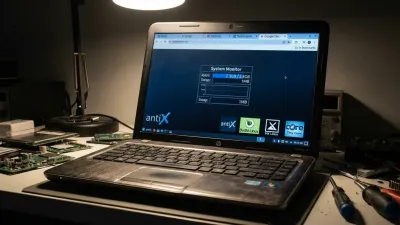
Millions of perfectly functional PCs are facing forced obsolescence as Microsoft officially ended support for Windows 10, leaving users stranded with hardware that cannot run Windows 11. Instead of sending a capable machine to the landfill, replacing the operating system with Linux offers a secure, high-performance escape route from Microsoft's strict hardware requirements. According to testing conducted by The Verge, a nine-year-old Lenovo ThinkPad X1 Carbon Gen 5 was successfully revived using this exact method, proving that older hardware still holds immense value.
The tested ThinkPad configuration originally cost $2,100 in 2017, featuring an Intel Core i7-7600U processor, 16GB of RAM, and a 512GB SSD. Despite being purchased used on eBay for just $250 and remaining highly capable for everyday tasks, it is permanently blocked from upgrading to Windows 11. Microsoft's strict baseline requires at least an 8th-generation Intel or AMD Ryzen 2000 processor, alongside a TPM 2.0 security chip and UEFI Secure Boot.
While users can temporarily bypass these restrictions using third-party tools like Rufus or FlyOOBE, doing so risks breaking future security updates. Opting into the Windows 10 Extended Security Updates (ESU) program only delays the inevitable until October 2026. Transitioning to a lightweight, actively maintained Linux distribution eliminates these cybersecurity risks entirely while preserving the hardware.
How to Transition to Linux Mint
For users accustomed to Windows, Linux Mint is widely considered the most approachable entry point. Based on Ubuntu, it features the Cinnamon desktop environment, which closely mimics the familiar layout and user interface of Windows 10. The installation process completely replaces the unsupported Windows OS and provides immediate access to essential preinstalled software, including the Firefox browser and the LibreOffice suite.
- Step 1: Prepare the Installation: Download the Linux Mint ISO and flash it to a USB drive. The built-in installer provides clear, step-by-step graphical instructions to format the drive and install the new OS in under 10 minutes.
- Step 2: Install Standard Applications: Unlike Windows, Linux relies heavily on repositories and package managers like Flathub or the Snap Store. However, many popular apps offer direct downloads; for example, you can download the.deb file directly from Slack's website and install it using Mint's graphical interface.
- Step 3: Deploy Command Line Tools: Some essential software requires the terminal. To install the Steam gaming platform, open the command line interface and execute the following package manager command:
sudo apt-get install steamOnce installed, the system requires minimal maintenance. Linux Mint includes a graphical interface for running system updates, removing the need for beginners to rely on the terminal for daily operations. Customizing the Cinnamon desktop is also straightforward, allowing users to download community-made themes directly into their system folders.
Performance Benchmarks and Gaming Capabilities
Running Linux on older hardware does not mean sacrificing entertainment. According to The Verge's testing, the 2017 ThinkPad successfully ran several lightweight titles through Steam, including Wildfrost, Dead Cells, Hollow Knight, Fields of Mistria, and Rogue Heroes: Ruins of Tasos. This broad compatibility is powered by Valve's Proton compatibility layer, which translates Windows games to run natively on Linux, provided they do not require kernel-level anti-cheat software.
In raw performance metrics, the aging Intel Core i7-7600U processor holds its ground surprisingly well against modern budget laptops. On Geekbench 6, the ThinkPad averaged a single-core score of 1260 and a multi-core score of 2322. For comparison, the modern Acer Spin 14 equipped with an Intel Core i3-N305 scored 1142 in single-core and 4192 in multi-core. Similarly, the Acer Aspire 3 with an AMD Ryzen 5 7520U scored 1169 in single-core and 3679 in multi-core.
While the older ThinkPad naturally falls behind in multi-core processing due to its dual-core architecture, its single-core performance actually outpaces these newer sub-$500 machines. Furthermore, older flagship laptops often provide significantly more RAM and storage than modern budget alternatives, which directly impacts the fluidity of heavy web browsing and multitasking.
Hardware Drawbacks and Software Limitations
Despite the successful revival, utilizing a nine-year-old laptop comes with unavoidable physical degradation. The Verge noted that the ThinkPad's battery life dropped to roughly four hours per charge under Linux Mint, a steep decline from the eight hours it achieved at launch. However, the modular nature of older business laptops means replacement batteries can still be sourced for around $70, and the chassis screws remain easily accessible for repairs.
Software compatibility remains the primary hurdle for full-time Linux adoption. Users reliant on the Adobe Creative Cloud suite, native Microsoft Office applications, or specific companion software like Razer Synapse will find Linux lacking. While workarounds exist - such as using the web versions of Microsoft Office or open-source alternatives like GIMP, Darktable, RawTherapee, Kdenlive, Inkscape, and LibreOffice Draw - these may not satisfy professional workflow requirements.
Additionally, minor hardware quirks can surface during the transition. The ThinkPad's built-in fingerprint reader was not recognized by Linux Mint out of the box, requiring a manual terminal intervention to replace the biometric drivers. The older storage drives also result in noticeably longer application load times compared to modern solid-state drives.
My Take: The Antidote to Forced Obsolescence
Microsoft's rigid hardware requirements for Windows 11 have inadvertently created one of the largest e-waste crises in modern computing history. By drawing an arbitrary line at 8th-generation Intel processors, the company has condemned an estimated 200 to 400 million perfectly functional PCs to obsolescence. The Geekbench 6 data clearly demonstrates that older flagship processors still deliver highly competitive single-core performance, proving that these machines are far from obsolete for everyday productivity.
For budget-conscious consumers, buying a used premium business laptop and installing Linux is a vastly superior financial decision compared to purchasing a new sub-$500 Chromebook or Windows machine. Devices like the Lenovo ThinkPad T14 or P14 lineups offer exceptional build quality, superior keyboards, and generous RAM capacities that modern budget laptops simply cannot match at the same price point. The slight learning curve of the Linux terminal is a small price to pay for a faster, more durable machine.
Ultimately, embracing Linux Mint transforms a cybersecurity liability into a secure, sovereign workstation. It breaks the cycle of forced hardware upgrades and proves that consumers do not have to accept artificial software limitations. As long as the open-source community continues to maintain user-friendly distributions, the lifespan of our hardware is dictated by its physical durability, not by a corporate support calendar.
This article was written by AI from reporting by theverge.com.