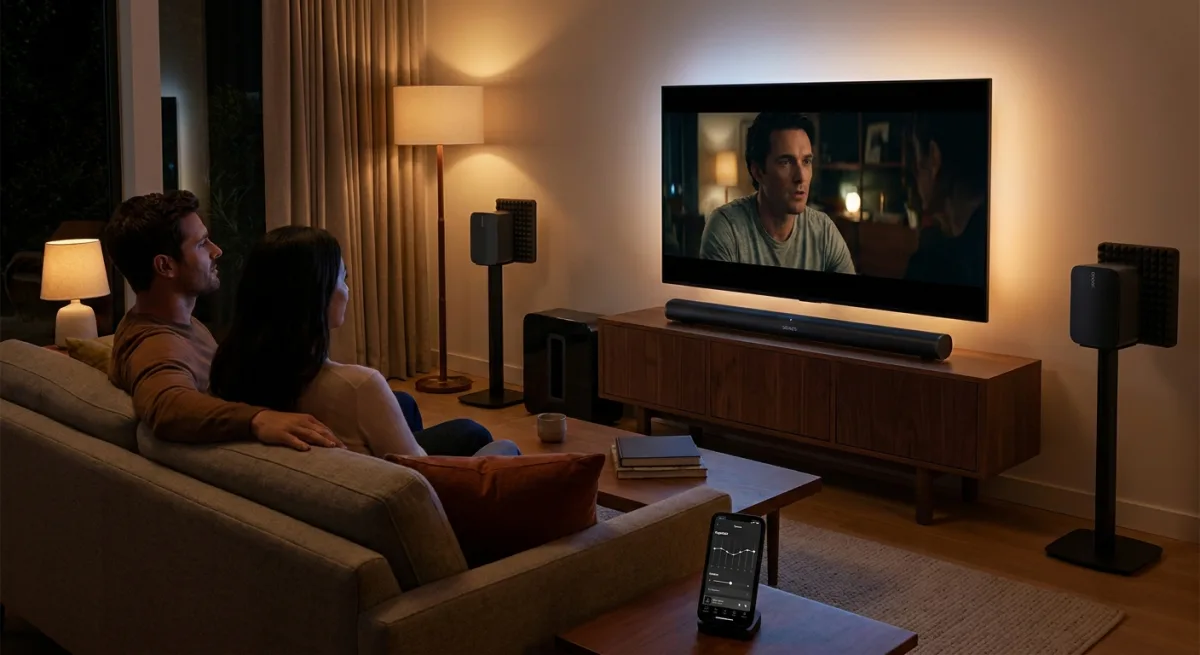
Upgrading your TV surround sound setup is the single most impactful change you can make to your home entertainment experience, instantly fixing the hollow, weak audio that plagues modern ultra-thin displays. While 4K and OLED panels deliver stunning visuals, relying on built-in TV speakers is an audiovisual mistake that ruins the cinematic immersion of Dolby Atmos content. If you care about movies, offloading your audio to a dedicated system is no longer optional.
Modern televisions are exceptionally thin, leaving virtually no physical space for high-quality internal speakers. This physical limitation means built-in audio lacks depth, struggles with satisfying bass levels, and often muddles dialogue. By upgrading to a dedicated soundbar and rear speakers, the central channel can isolate spoken lines while the satellite speakers handle directional effects and heavy explosions.
Owning one of the best TVs, then failing to pair your mighty display with a decent surround sound system, is an AV mistake on par with trying to fight a T.rex with a twig.
- Dave Meikleham, MakeUseOf
However, a powerful home theater system comes with a social responsibility, especially if you live in an apartment building or a semi-detached house. Unchecked bass frequencies can easily travel through floors and walls, leading to noise complaints. To replicate the cinema experience without infuriating your neighbors, you need to implement basic soundproofing and spatial optimization techniques.
Essential Home Theater Prerequisites
- A dedicated soundbar with eARC or ARC port support.
- A separate subwoofer for deep bass frequencies.
- Padded foam or acoustic isolation pads for speaker stands.
- A companion mobile app (like the Sonos app) for precise equalizer adjustments.
How to Optimize and Soundproof Your Audio Setup
- Lower your subwoofer bass levels during nighttime viewing using your companion app or physical dials.
This prevents low-frequency resonance from traveling through walls and floors, saving you from noise complaints while maintaining audio clarity. - Apply padded foam to your speaker stands to physically isolate the audio equipment from the floor.
This reduces structural reverberation, ensuring the bass energy stays in the room rather than vibrating through the building framework. - Reposition your subwoofer away from the corners of your room, ideally placing it closer to your seating area.
This prevents corner walls from artificially amplifying and distorting the bass frequencies, resulting in a tighter, more controlled sound profile.
Hardware Spotlight: Sonos Arc Ultra
For those looking to upgrade, the Sonos Arc Ultra provides a premium 9.1.4 channel experience in a single unit. It is designed specifically for displays larger than 50 inches and integrates seamlessly into existing smart home ecosystems.
| Specification | Detail |
|---|---|
| Brand | Sonos |
| Connectivity | Wi-Fi, Bluetooth, eARC/ARC |
| Integrations | Amazon Alexa, Sonos Voice Control |
| Dimensions | 2.95 x 46.38 x 4.35 inches |
| Price | $1099 |
The Hidden Cost of Ultra-Thin Displays
The ongoing trend of razor-thin televisions has created a lucrative secondary market for audio manufacturers. TV brands are essentially offloading the cost and physical footprint of audio hardware onto the consumer. By prioritizing aesthetic thinness over acoustic volume, manufacturers force anyone who wants a genuine cinematic experience to spend an additional $500 to $1,500 on external audio gear.
Furthermore, the shift toward spatial audio formats like Dolby Atmos and DTS:X highlights the severe limitations of virtual surround sound processed through standard TV speakers. Software tricks cannot replace the physical displacement of air required for true directional audio. As streaming services continue to master their flagship shows in these high-end formats, investing in a physical multi-channel setup is the only way to actually hear the content as the directors intended.