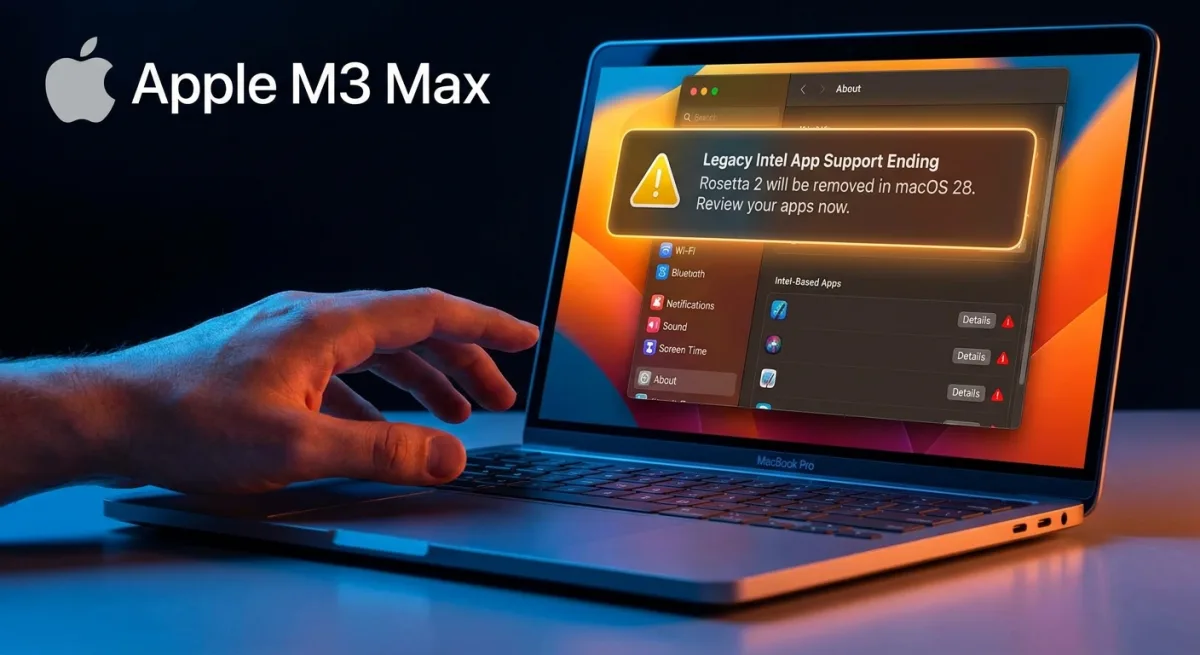
Apple is officially pulling the plug on legacy software support, meaning your older Intel-based apps are on borrowed time. With the release of macOS Golden Gate, the Rosetta 2 translation layer is being aggressively phased out, triggering persistent warnings every time you launch an outdated application or restart your machine. If you rely on older software for your daily workflow, you need to identify which apps will permanently break before macOS 28 arrives.
Apple designed Rosetta 2 as a temporary bridge to help users and developers transition from Intel processors to Apple silicon. Now that Apple only sells Apple silicon Macs - and with macOS Tahoe marking the final release for Intel-based models - the transition period is effectively over. macOS Golden Gate requires an Apple silicon chip and no longer installs Rosetta automatically.
Furthermore, authentication plugins and pre-login utilities relying on Rosetta will immediately fail to load in this new update due to strict system limitations. If you attempt to open an Intel app for the first time on Golden Gate, you will face a mandatory installation prompt for the Rosetta framework.
Prerequisites for Checking App Compatibility
- Device: A Mac equipped with an Apple silicon chip (such as an M-series or the upcoming A18 Pro).
- Software: The macOS Golden Gate update successfully installed.
How to Check Your Intel Apps in macOS Golden Gate
- Open the System Settings app on your Mac. This grants access to the core system configuration and hardware information.
- Navigate to General, then click on About. This section provides a comprehensive overview of your Mac's current software and hardware status.
- Locate the "Intel-Based apps" section and click on the "Details" option. This reveals a dedicated list of all legacy applications that will stop working in future updates, giving you time to find native alternatives.
The Final Push for Native Optimization
Apple’s aggressive timeline for sunsetting Rosetta 2 is a clear signal to developers who have been dragging their feet on native Apple silicon support. By introducing persistent reboot warnings and a dedicated "kill list" in the Settings app, macOS Golden Gate shifts the burden of compatibility directly onto the user's radar. This proactive approach prevents a catastrophic workflow disruption when macOS 28 eventually drops Rosetta entirely.
This transition isn't just about cleaning up legacy code; it's about enforcing performance and battery efficiency standards that Intel-translated apps simply cannot meet. Users must proactively audit their software now, as the upcoming macOS 28 will permanently sever ties with the Intel era, leaving un-updated apps entirely unusable. If a critical app on your list hasn't been updated in years, it is time to migrate to a modern alternative.