Mastering the best Spotify hacks is essential if you want to fix messy libraries, stop abrupt volume changes, and prevent sleep tracks from ruining your algorithm. While the platform frequently rolls out AI-powered tools, many users overlook the built-in settings designed to personalize and optimize the daily listening experience. Whether you are trying to seamlessly mix tracks or hide your guilty pleasure songs, these hidden methods provide complete control over your audio environment.
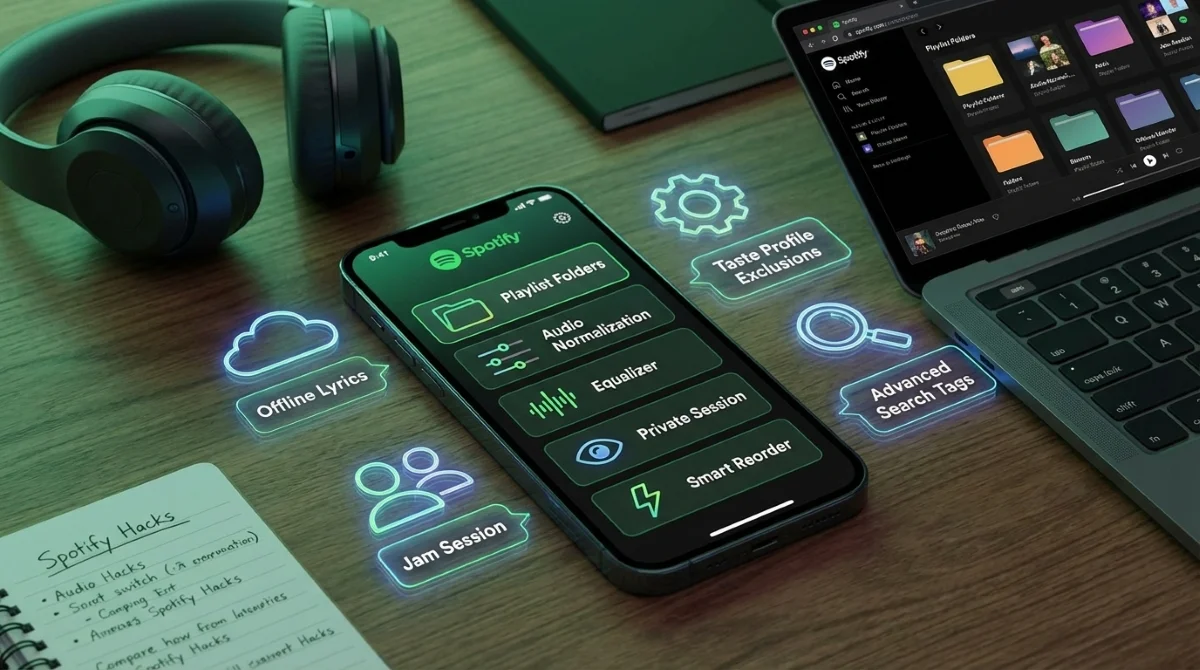
- Organize your playlists using folders on the desktop or web player. This enables you to group dozens of playlists by genre or mood, syncing automatically across all your devices for easier navigation.
- Exclude specific tracks or playlists from your taste profile via the three-dot menu. This ensures that background noise or sleep tracks do not corrupt your personalized algorithm recommendations like Discover Weekly or Wrapped.
- Enable Audio Normalization under Settings and privacy > Playback. This balances soft and loud tracks automatically, preventing abrupt volume shifts and providing a consistent listening experience.
- Customize your audio frequencies using the Equalizer in the Playback settings. This allows you to manually adjust bass and treble across six bands or apply genre-specific presets like Dance or Jazz to optimize sound quality.
- Sort songs seamlessly using the Smart Reorder feature within the Mix menu. This Premium-exclusive tool automatically arranges tracks by beats per minute (BPM) and key, ensuring smooth transitions between songs.
- Download tracks to automatically save offline lyrics to your device. This enables Premium subscribers to view song lyrics even without an internet connection, enhancing offline listening sessions.
- Start a Jam session or invite collaborators to your personal playlists. This allows multiple users to add and reorder tracks in real-time during parties, or asynchronously over time, creating a shared DJ experience.
- Activate a Private Session under Privacy and social settings. This hides your current listening activity from followers and excludes the session from your algorithmic recommendations for up to six hours.
- Upload local audio files through the Apps and devices settings menu. This lets you integrate missing tracks or personal audio files directly into your Spotify library, though Reddit users note that metadata adjustments may be required.
- Filter your library using advanced search tags like year:, genre:, or artist:. This enables highly specific queries (e.g., genre:pop year:2005) using boolean operators like AND, OR, and NOT to find exact matches instantly.
The Strategic Value of Spotify's Ecosystem
Spotify’s continuous rollout of granular controls highlights a broader industry shift from simple music hosting to personalized audio environments. By locking advanced features like Smart Reorder and offline lyrics behind the Premium subscription tier, the company effectively incentivizes free users to upgrade for a frictionless experience. The integration of beats-per-minute (BPM) sorting specifically caters to the growing demographic of users who treat the app as a personal DJ software rather than a passive radio.
Furthermore, collaborative tools like Jam sessions and asynchronous playlist building strengthen the platform's social lock-in effect. When friend groups rely on a single ecosystem to curate party music or road trip soundtracks, migrating to competitors like Apple Music becomes socially and technically cumbersome. Ultimately, mastering these hidden settings transforms the application from a basic utility into a highly tailored, indispensable daily driver.
This article was written by AI from reporting by skillet.lifehacker.com.