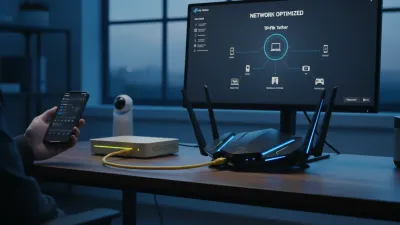
Upgrading to a Wi-Fi 7 router can solve persistent internet drops, but you need Wi-Fi 7 compatible devices to actually experience the benefits. A recent CNET survey revealed that 86 percent of US adults suffer from Wi-Fi disconnections, particularly when streaming shows or managing multiple gadgets. While the new 802.11be standard offers unprecedented stability, buying a new router is only half the battle.
This guide is essential for consumers and remote workers looking to eliminate network lag and future-proof their home setups. Understanding which smartphones, laptops, and tablets support this standard ensures you do not waste money on a high-end router your current hardware cannot utilize. Without compatible endpoints, your network will function, but you will miss out on the generational leap in performance.
To fully take advantage of Wi-Fi 7 speeds, your hardware must support advanced features like Multi-Link Operation, which maintains a consistent connection across multiple bands simultaneously. Additionally, the standard utilizes 4096-Quadrature Amplitude Modulation (4K QAM) for significantly better data transmission. CNET broadband expert Joe Supan notes that while upgrading your router is a strong solution for the 46 percent of users who experience drops during streaming, device compatibility remains the ultimate bottleneck.
Smartphones Supporting Wi-Fi 7
Before investing in a new network setup, you must verify that your daily driver supports the 802.11be standard. If your specific model is not listed, you should check the manufacturer's technical specifications under the wireless connectivity section. The following smartphones are currently confirmed to support the new standard:
- iPhone Air, iPhone 17, iPhone 17 Pro, and iPhone 17 Pro Max
- iPhone 16, iPhone 16 Plus, iPhone 16 Pro, and iPhone 16 Pro Max
- Google Pixel 10, Google Pixel 10 Pro, Google Pixel 10 Pro XL, and Google Pixel 10 Pro Fold
- Google Pixel 9, Google Pixel 9 Pro, and Google Pixel 9 Pro XL
- Samsung Galaxy S26, Samsung Galaxy S26 Ultra, and Samsung Galaxy S26 Plus
- Samsung Galaxy S25, Samsung Galaxy S25 Ultra, and Samsung Galaxy S25 Plus
- Samsung Galaxy S24 Ultra
Laptops, Computers, and Tablets
Mobile devices are not the only hardware benefiting from the upgraded bandwidth and stability. Modern computing devices are increasingly integrating Wi-Fi 7 to handle heavy workloads and AI processing. The current roster of compatible laptops and tablets includes:
- Dell Pro 16
- HP OmniBook 7 14" AI PC, HP OmniBook 7 Flip 16" Next Gen AI PC, and HP OmniBook 7 17.3" Next Gen AI PC
- Lenovo Yoga 7 2-in-1 Laptop 16" 2K Touchscreen and Yoga Slim 7x (14″ Snapdragon)
- M5 MacBook Air and M5 MacBook with M5 Pro and M5 Max
- Prestige 14 Flip AI+ Copilot+ PC
- Surface Laptop 7ᵗʰ Edition and Surface Pro 11ᵗʰ Edition
- Galaxy Tab S11 Ultra
- iPad Pro 13-inch and iPad Pro 11-inch
- OnePlus Pad 3
- ThinkPad T14 Gen 6 (14″ Intel)
Choosing the Right Router
Selecting the correct router is just as critical as owning compatible devices. Supan recently evaluated over 30 routers in a 15,000-square-foot testing facility, confirming that Wi-Fi 7 outperforms older generations at every distance. His testing revealed that tri-band models deliver significantly faster speeds compared to dual-band alternatives.
While tri-band routers carry a premium, prices have steadily decreased since the standard was released in 2024. CNET currently recommends the TP-Link Archer BE550 as the optimal choice for most users. Priced at $200, this tri-band router offers straightforward setup and can be paired with other TP-Link units to create a comprehensive mesh system.
My Take
The transition to Wi-Fi 7 is following a classic technology adoption curve, but the rapid price drop of tri-band routers is accelerating the shift. The fact that a highly capable unit like the TP-Link Archer BE550 is now available for $200 indicates that manufacturers are aggressively pushing the 802.11be standard into mainstream homes. However, the real value lies in the Multi-Link Operation feature, which directly addresses the network congestion issues reported by 39 percent of users in the CNET survey. If your household is upgrading to the latest generation of smartphones or AI PCs this year, investing in a Wi-Fi 7 mesh system is no longer an enthusiast luxury, but a practical necessity for stable connectivity.
Frequently Asked Questions
Will my older devices still work with a Wi-Fi 7 router?
Yes, Wi-Fi 7 routers are backward compatible. Your older devices will still connect to the internet, but they will not benefit from the new speed and stability features like Multi-Link Operation.
What is the main advantage of a tri-band router over a dual-band one?
A tri-band router provides an additional frequency band, which significantly reduces network congestion and delivers faster speeds, especially in homes with multiple connected devices.
How can I check if my current device supports Wi-Fi 7?
You can check the manufacturer's website for your device's technical specifications. Look for the terms "Wi-Fi 7" or "802.11be" under the wireless or connectivity section.