Smartwatches like the Amazfit Cheetah 2 Pro and the rugged T-Rex 3 are steadily gaining a loyal following among users who demand serious fitness data without paying a $400 premium. However, most owners are barely scratching the surface of what the Zepp ecosystem can actually do. Whether you are using the budget-friendly Bip 6 or the advanced $369.99 Balance 3, the default settings often prioritize aggressive data collection over battery life and user experience.
By diving into hidden menus and adjusting a few specific sensor toggles, you can drastically improve your watch's performance. This guide breaks down the exact configurations needed to unlock developer tools, extend battery longevity, and eliminate common frustrations like accidental workout pauses.
How to Unlock Developer Mode in the Zepp App
- Open the Zepp app and navigate to Profile > Settings > About. This accesses the core system information menu required for advanced configurations.
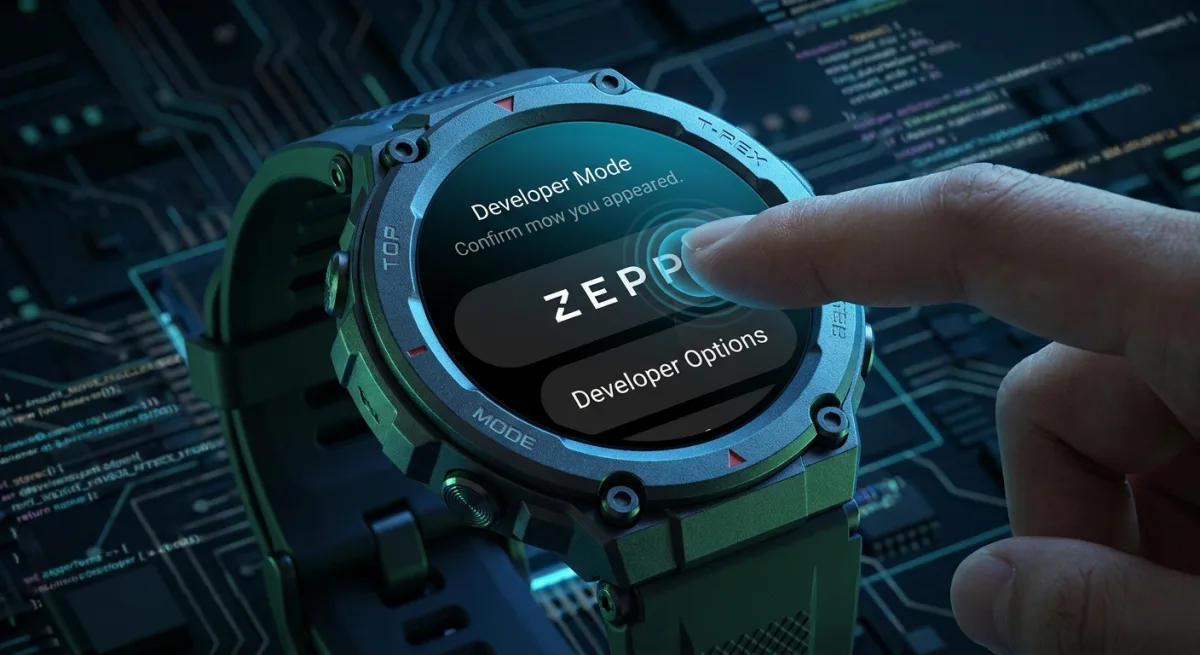
- Tap the Zepp logo exactly seven times. This triggers a hidden developer mode, granting access to advanced tools like cross-loading custom watch faces via QR code, viewing live device logs, and enabling Developer Bridge Mode for desktop tools like Zepp CLI and Watchface Maker.
How to Optimize Battery Life and Display Settings
- Schedule the "Lift wrist to view info" feature to operate only during your waking hours. This prevents the display from activating during sleep, stopping middle-of-the-night light flashes and saving significant battery life.
- Reduce heart rate measurement frequency from every one minute down to every five or 10 minutes when not actively exercising. This minimizes background processing while still providing a reliable baseline of your daily cardiovascular health.
- Disable "Automatic Stress Monitoring" and "Auto Blood Oxygen" tracking unless specifically required. This stops the watch from unnecessarily draining the battery to collect metrics you are not actively using.
- Charge your watch for 10 minutes while you shower or get ready in the morning. This brief top-up is usually enough to keep the battery maintained without sacrificing overnight sleep tracking data.
How to Fix Accidental Workout Pauses and Eject Water
- Switch the workout pause mechanism from a simple press to a Long Press in the Workout Settings. This prevents accidental pauses caused by natural wrist movement bumping the crown button during intense training.
- Set a disconnection alert in your Bluetooth settings. This triggers an immediate notification on your wrist the moment your phone's Bluetooth connection drops, preventing you from leaving your device behind.
- Swipe down from the main screen to open the Control Center, tap the Droplet icon, and hold your watch with the speaker facing downward. This activates a built-in water ejection feature that vibrates at specific frequencies to physically push moisture out of the microphone and speaker ports.
Essential Third-Party Apps to Install
- Navigation Wear: Syncs Google Maps directions directly to your wrist for phone-free turn-by-turn navigation.
- Remotify: Stores music locally on the watch, allowing playback control without a nearby phone.
- RuWeather: Replaces the stock weather application with highly detailed forecasting, installable via a GitHub QR code.
- Beeper: Enables direct replies to messages from WhatsApp, Slack, and Telegram directly from the watch interface.
The Hardware Gap Amazfit Still Needs to Close
Amazfit's aggressive pricing strategy proves that serious fitness tracking no longer requires a massive financial investment. However, the reliance on wrist-based optical heart rate sensors remains a universal bottleneck across the smartwatch industry. During high-intensity intervals or activities involving heavy wrist flexion, these built-in sensors frequently drop data or report inaccurate spikes.
This is exactly why the ability to pair an external chest strap, such as a COOSPO monitor, via the "Heart Rate Push" setting is a critical feature for serious athletes. By offloading the biometric tracking to a dedicated strap, users bypass the hardware limitations of the watch itself while simultaneously extending its battery life. Ultimately, Amazfit's willingness to support third-party hardware and hidden developer tools is what elevates its ecosystem from a budget alternative to a legitimate competitor against industry giants.
This article was written by AI from reporting by lifehacker.com.