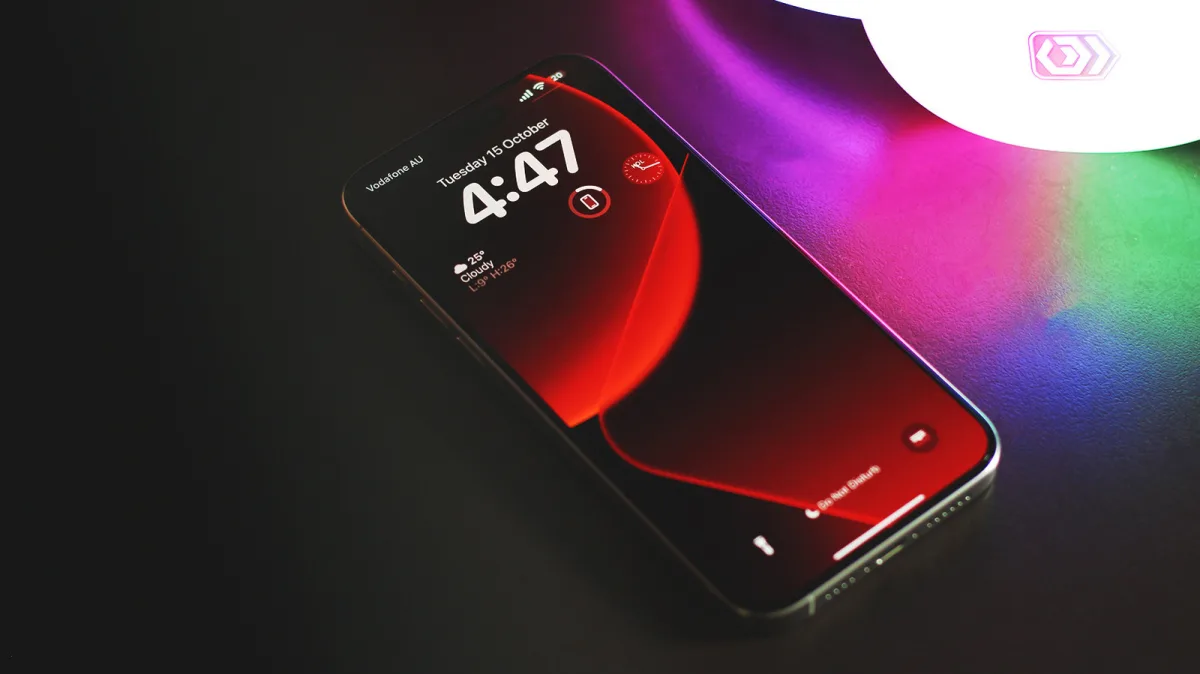
Are you tired of a cluttered home screen and constantly opening apps just to check basic information? Discovering cool iPhone widgets can completely transform how you interact with your device, saving you time and battery life. Whether you want to boost your productivity or simply match the new Liquid Glass aesthetic in iOS 26, customizing your layout is the ultimate upgrade.
Widgets have evolved significantly since their introduction in iOS 14, moving from simple information displays to highly interactive tools. The quality of your experience depends heavily on how well developers optimize these modules for the home screen. Below is a curated guide to the most effective widgets available right now, including both built-in Apple features and powerful third-party applications.
Essential and Cool iPhone Widgets to Try
- Install FocusPomo to manage your time using the popular Pomodoro method.
This enables you to block distractions with interactive home screen timers and track your progress via Dynamic Island live activities. - Add Apple's built-in Batteries widget to monitor your connected accessories.
This ensures you never leave home with dead AirPods by displaying real-time power levels for your Apple Watch and earbuds directly on your screen. - Design custom layouts using Widgy, a community-driven creation tool.
This allows you to create transparent widgets that perfectly complement the new Liquid Glass transparency effects in iOS 26. - Enable the built-in Ambient Music widget introduced in the iOS 26.4 update.
This provides instant home screen access to focus-enhancing background tunes without needing to swipe down into the Control Center. - Download Forest to gamify your daily productivity and focus sessions.
This helps prevent doom-scrolling by growing a virtual tree that withers if you leave the app to check social media.
The Evolution of the Home Screen
The transition from static icons to interactive elements shows that Apple is finally embracing deep customization. The integration of features like Ambient Music directly into the iOS 26.4 home screen proves that users want immediate, frictionless access to core functions. Instead of hiding these tools in secondary menus, Apple is pushing them front and center.
Furthermore, the popularity of third-party tools like Widgy highlights a growing demand for personalized aesthetics, especially with the new Liquid Glass design language. As developers continue to leverage the Dynamic Island and live activities, the home screen will become less of an app launcher and more of a proactive dashboard. Users who take the time to curate their widgets now will benefit from a significantly faster and more intuitive mobile experience.