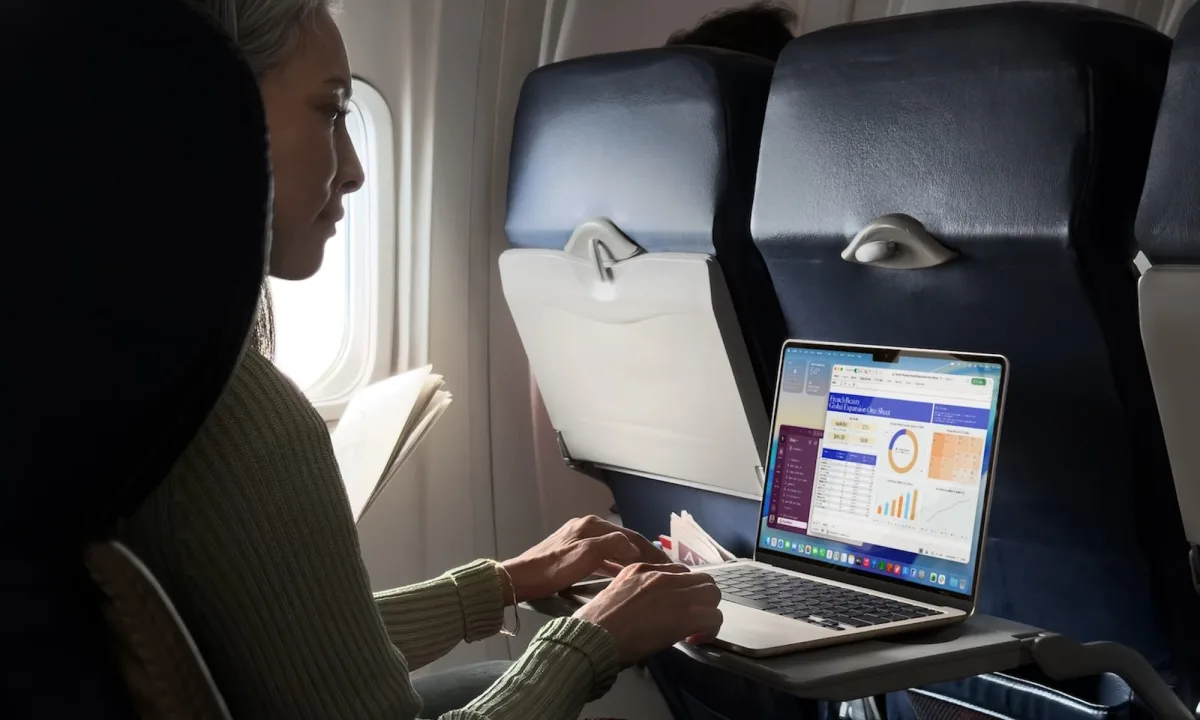
Finding the best laptop for traveling writers means ignoring standard spec sheets and focusing on what actually survives a chaotic itinerary. When you are filing copy from a crowded airport floor or a ferry with no power outlets, raw processing power matters far less than battery endurance and a comfortable keyboard. A machine that looks perfect on paper can quickly become a liability when you are three time zones away from home with a looming deadline.
A digital nomad's needs are fundamentally different from those of a desk-bound professional. The ideal travel companion must solve the specific logistical problems that working abroad creates, serving as an office, a filing cabinet, and a reliable tool that never slows you down.
What Actually Matters for a Traveling Writer
Battery life is the ultimate currency when outlets on planes, trains, and in cafes are never guaranteed. You need a machine that delivers real, measured hours of continuous work, ideally hitting the 15 to 15.5-hour mark in independent web-browsing tests. Anything under 10 hours of real-world usage will eventually leave you stranded.
Weight and size become painfully obvious during hour six of a travel day. A genuinely lightweight laptop should sit around or under 1.2 kg (2.7 lbs) for a 14-inch model, allowing you to forget it is even in your bag. Remember that your total travel weight also includes the charger and international adapters.
Finally, the keyboard is your primary instrument and cannot be compromised. You need real key travel - around 1.5 mm is the sweet spot - along with sensible layouts and backlighting for dim hotel rooms. Combine this with a durable metal or carbon-fiber chassis tested to MIL-STD-810H standards, and you have a machine built for the road.
The All-Rounder: Apple MacBook Air (M5, 13-inch)
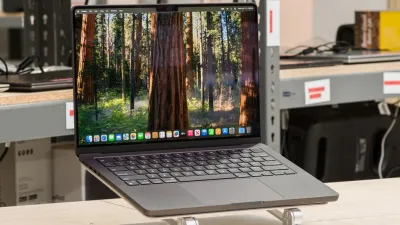
For those who want the safest possible choice, the 13-inch MacBook Air is arguably the best laptop for traveling writers. Apple refreshed the Air in March 2026 with the M5 chip, delivering a fanless, silent machine that weighs just 1.24 kg. Its biggest advantage remains its exceptional battery life, which genuinely lasts through long-haul flights and extended cafe sessions.
Priced at $999.00 (discounted from $1099.00), the 2026 model fixes a major historical flaw by offering 512 GB of storage and 16 GB of RAM as the standard base configuration. The keyboard is excellent, the trackpad remains industry-leading, and Apple's global service network provides peace of mind abroad. The only minor trade-off is the port selection, which is limited to two Thunderbolt 4 ports, MagSafe, and a headphone jack, meaning a dongle is required for HDMI or USB-A connections.
The Keyboard-First Workhorse: Lenovo ThinkPad X1 Carbon (Gen 13)
If you write for hours every day, the typing experience is non-negotiable, making the Lenovo ThinkPad X1 Carbon Gen 13 a top-tier recommendation. Lenovo has spent decades perfecting its scalloped, well-spaced keys, offering a snappy 1.5 mm travel that prevents fatigue during long drafting sessions. Priced at $2699.00, it is a premium investment for serious professionals.
Despite featuring a larger 14-inch screen, the Gen 13 utilizes carbon fiber and magnesium to keep the weight under 1 kg (2.17 lbs), making it lighter than the MacBook Air. It passes MIL-STD-810H durability testing, features a spill-resistant keyboard, and solves the dongle issue entirely by including two Thunderbolt 4 ports, two USB-A ports, and HDMI. Lenovo's International Warranty Service further cements its status as a premier travel machine.
The Big Screen That Still Travels: LG Gram (16-inch)
Writers who need extra screen real estate for side-by-side drafting and research usually have to sacrifice portability, but the 2026 LG Gram Pro 16-inch bends that rule. Thanks to a new magnesium-aluminum "Aerominum" alloy, this massive display weighs just under 1.2 kg. Priced at $2185.37 (down from $2299.99), it offers a manuscript window and a research PDF open simultaneously without the shoulder ache.
The Gram pairs a large 77 Wh battery with an efficient processor, consistently ranking among the longest-lasting laptops in its class. However, the ultralight chassis can flex slightly under pressure, and the keyboard, while decent, does not match the ThinkPad's tactile feedback.
The Value Pick: Asus Zenbook 14 OLED
For budget-conscious writers, the Asus Zenbook 14 OLED delivers premium travel essentials without the flagship price tag. At $1229.00, it features an aluminum chassis with MIL-STD-810H durability, a comfortable keyboard, and a weight of around 1.2 kg. The large 75 Wh battery ensures genuine all-day endurance.
The standout feature is its OLED display, which provides deep blacks and accurate colors, reducing eye strain during long editing sessions. While the thin chassis can run warm under sustained heavy loads, this is rarely an issue for text-based workloads, making it an exceptional value.
What to Skip When Buying a Travel Laptop
Traveling writers often make expensive mistakes by prioritizing the wrong specifications. To avoid wasting money and battery life, keep these rules in mind:
- Do not overspend on processors: Writing and web browsing are light tasks; a mid-tier efficient chip performs identically to a flagship processor but saves battery and money.
- Avoid high-refresh displays: Chasing a 120 Hz or 144 Hz OLED screen drains the battery significantly faster, which is a terrible trade-off when power outlets are scarce.
- Do not ignore ports: Discovering your hotel room only has an HDMI cable when your laptop lacks the port is a frustrating experience.
- Do not overbuy storage: For text-based work, 512 GB combined with cloud backup is more than enough, and cloud sync acts as excellent theft insurance.
The Hidden Cost of "Pro" Hardware
The tech industry constantly pushes digital nomads toward high-wattage "Pro" machines, but for traveling writers, these upgrades are often a trap. Laptops like the MacBook Pro or Dell XPS 15 offer incredible rendering speeds, but they introduce heavier chassis, larger power bricks, and power-hungry displays that actively work against a writer's core needs. When your primary application is a word processor, paying a premium for a dedicated GPU only guarantees a heavier backpack and a faster-draining battery.
Apple's decision to make 16 GB of RAM and 512 GB of storage the baseline for the 2026 M5 MacBook Air fundamentally shifts the buying landscape. Previously, writers were forced to upgrade to Pro models simply to get adequate memory for heavy browser research. Now, the baseline Air provides enough headroom for dozens of open tabs without compromising its fanless, lightweight design, proving that the best travel laptop is the one that gets out of your way.
This article was written by AI from reporting by thegadgetflow.com.