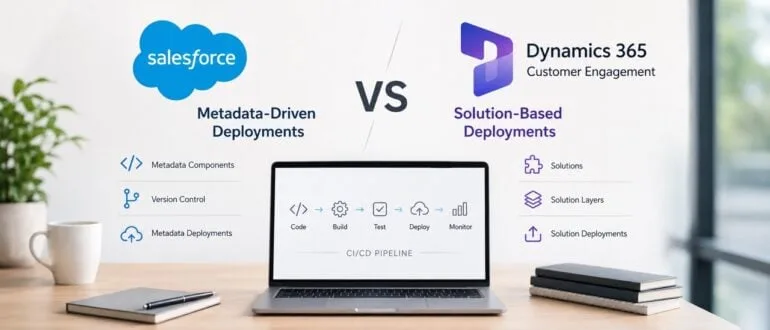
Most enterprise teams running CRM DevOps pipelines eventually hit the same wall: deploying changes safely without breaking interconnected business processes. Unlike traditional software, platforms like Salesforce and Dynamics 365 Customer Engagement (CE) blend custom code, security models, and UI configurations into a single ecosystem. A seemingly minor field update can trigger a cascade of broken workflows and integration failures. Understanding how these platforms handle application lifecycle management is critical to building resilient deployment pipelines.
Salesforce: The Metadata-Driven Approach
Salesforce relies heavily on a metadata-driven architecture for its deployments. Nearly every customization - from Apex classes and Lightning Web Components to Flows and Validation Rules - can be versioned, tracked, and deployed independently. This granular approach offers immense flexibility, allowing teams to pinpoint exact changes within their source control systems.
However, this flexibility introduces severe dependency webs. A single modification to a custom field might impact automation flows, reports, and user interfaces simultaneously. While modern deployment tools can map technical dependencies, predicting the actual business impact remains a significant challenge for DevOps teams managing large-scale Salesforce environments.
Dynamics 365 CE: The Solution-Based Model
In contrast, Dynamics 365 CE utilizes a containerized deployment model. Instead of moving individual metadata components, teams package related customizations into structured containers known as Solutions. These containers group tables, forms, plugins, business rules, and Power Automate integrations into a single transportable unit.
This packaging mechanism simplifies the movement of broad business functionalities across environments. Yet, it introduces its own set of hurdles. Managing solution layering, handling dependencies between managed and unmanaged customizations, and troubleshooting overlapping layers require strict governance, especially when multiple teams operate within the same environment.
Head-to-Head: Salesforce vs Dynamics 365 CE DevOps
| Feature | Salesforce | Dynamics 365 CE |
|---|---|---|
| Deployment Model | Metadata-driven (individual components) | Solution-based (packaged containers) |
| Source Control | Highly granular tracking | Focuses on solution packages |
| CI/CD Integration | GitHub, Azure DevOps | GitHub, Azure DevOps |
| Testing Requirements | Mandatory Apex tests before production | Flexible, user-defined validation |
| Primary Challenge | Complex dependency mapping | Solution layering and environment conflicts |
How to Standardize Your CRM Deployments
- Prerequisites for CRM DevOps: A centralized version control system (like Git), automated CI/CD pipelines, and dedicated testing environments.
- Establish a single source of truth by committing all metadata or solution packages to a Git repository. This ensures that every configuration change is tracked, auditable, and easily reversible.
- Automate your testing protocols by implementing mandatory unit tests and UI validation before any code merges. This enables teams to catch integration failures early, satisfying Salesforce's Apex requirements while adding necessary rigor to Dynamics 365 CE.
- Enforce strict environment governance to prevent developers from making unmanaged changes directly in production. This ensures environment parity and prevents the dreaded "it works on my machine" scenario during deployment.
The Real Bottleneck Isn't the Platform
After analyzing both ecosystems, the most striking takeaway is that deployment failures are rarely a platform issue. The root cause almost always traces back to inconsistent development practices, poor source control discipline, or rogue environment changes. While Salesforce demands rigorous upfront testing through its mandatory Apex requirements, Dynamics 365 CE gives teams enough flexibility to fail if they lack internal validation standards.
Ultimately, the choice between metadata and solutions is secondary to your engineering culture. Enterprise teams that invest in strict version control, automated testing, and clear governance will scale successfully, regardless of which CRM logo sits on their dashboard. The focus must shift from debating platform superiority to enforcing deployment discipline.