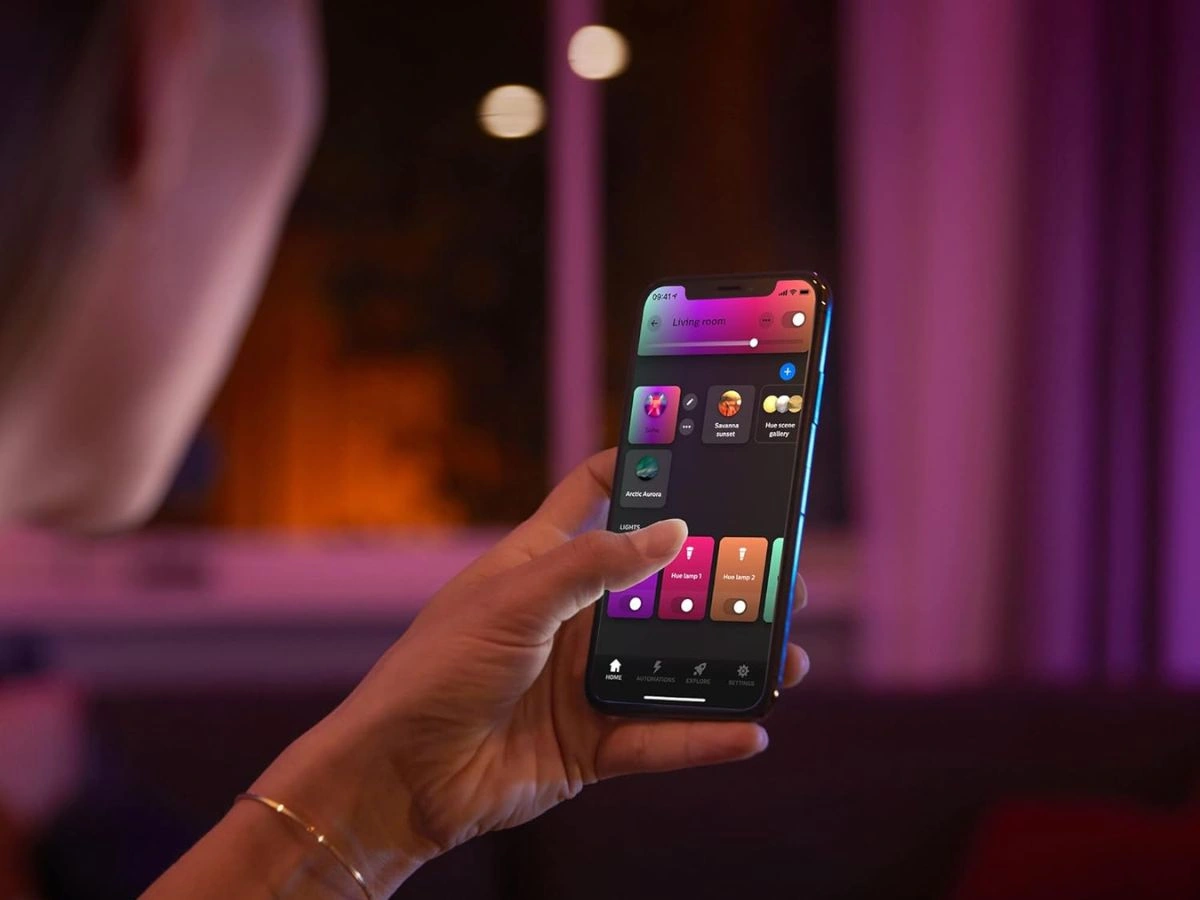
Signify has officially rolled out version 5.61 of the Philips Hue mobile application, marking a significant structural shift in how users manage their smart lighting ecosystems. This update, which is currently propagating across both iOS and Android platforms, fundamentally reorganizes the user interface by retiring the legacy 'Routines' section in favor of a more intuitive and capable 'Automations' tab. The move is designed to simplify the creation of smart behaviors while integrating new functionalities for security and sleep management directly into the core navigation flow.
The Shift from Routines to Automations
The most visible change in this update is the complete removal of the lightning bolt icon that previously signified the Routines menu. In its place, users will now find a dedicated Automations tab located centrally in the bottom navigation bar. This rebranding is not merely cosmetic; it represents a consolidation of all automated behaviors under a single, logical roof. Previously, users often struggled to differentiate between simple timers and complex wake-up sequences. The new interface groups these functionsincluding Wake up, Go to sleep, and Timersinto a unified dashboard, making it significantly easier for new users to understand how to program their lighting environments without navigating through nested menus.
Enhanced Sleep and Security Controls
Beyond the structural reorganization, the update introduces refined controls for specific automation types. The 'Go to sleep' automation has been upgraded to support a gradual fade-out effect, allowing lights to dim slowly over a set period rather than switching off abruptly. This feature mimics natural sunsets to promote better sleep hygiene. On the security front, the Philips Hue Secure section has received a usability boost. Users managing home security cameras can now filter recorded video clips by specific dates or individual cameras. This granular control addresses a common pain point for users with multi-camera setups, reducing the time required to find specific footage during security reviews.
New Search Tools and Settings Optimization
Navigating the increasingly complex settings menu of the Philips Hue app has been streamlined with the addition of a dedicated search tool. Located within the Settings tab, this new search bar allows users to instantly locate specific configuration options, such as bridge settings, light setups, or accessory configurations, by typing keywords. This addition is particularly beneficial for power users who manage extensive Hue Bridge ecosystems with dozens of lights and accessories. Furthermore, the update includes several under-the-hood performance improvements and bug fixes, ensuring smoother communication between the app and the Hue Bridge.
| Feature | Change in Version 5.61 |
|---|---|
| Navigation | 'Routines' replaced by 'Automations' tab |
| Sleep Features | Added fade-out effect for 'Go to sleep' |
| Security | Filter clips by date and camera device |
| Usability | New Search bar added to Settings menu |
My Take: A Necessary UX Evolution
The transition from Routines to Automations is a welcome maturation of the Philips Hue platform. As smart home ecosystems grow more complex, the terminology needs to align with industry standards, and 'Automation' is the clearer term for these background processes. The addition of the search bar in settings is arguably the most practical improvement for long-time users, eliminating the frustration of menu-diving. While the core functionality remains largely the same, the improved accessibility in version 5.61 lowers the barrier to entry for maximizing the potential of smart lighting.
Frequently Asked Questions
How do I get the new Automations tab in Philips Hue?
You must update your app to version 5.61 via the Apple App Store or Google Play Store. Once updated, the 'Routines' tab will automatically be renamed to 'Automations'.
Did the update delete my existing routines?
No, all your previously saved timers, wake-up schedules, and custom routines are preserved and migrated automatically into the new Automations tab.
Can I use the new search feature to find scenes?
Currently, the search tool in the Settings menu is designed to find app configuration options and bridge settings, not specific lighting scenes or color palettes.
This article was written by AI from reporting by notebookcheck.net.