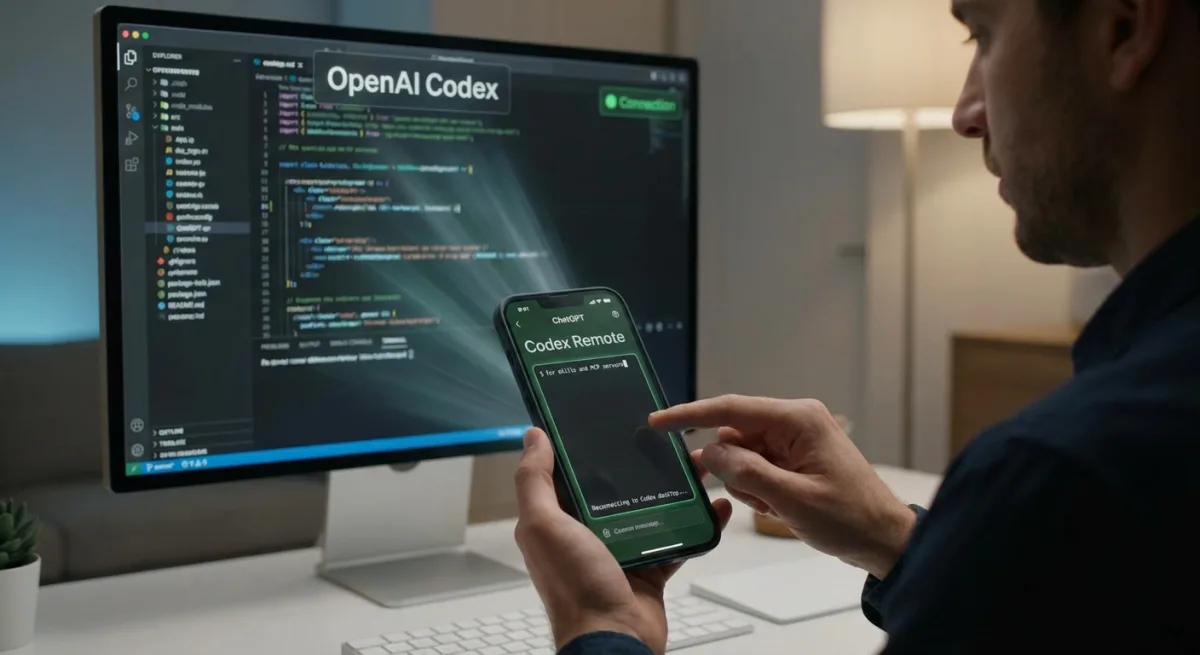
Developers relying on OpenAI Codex have long faced a frustrating limitation: the inability to manage coding sessions remotely from their smartphones. While competitors like Anthropic's Claude already offer mobile-to-desktop agent control, Codex users have been forced to rely on clunky workarounds. That is finally changing, as new evidence confirms OpenAI is actively building native remote control capabilities directly into the ChatGPT Android app.
For months, developers have flooded GitHub and Reddit with requests for a seamless way to tether their mobile devices to their desktop coding environments. The demand highlights a growing shift in software development, where developers want the flexibility to monitor, prompt, and adjust AI agents while away from their keyboards.
An APK teardown of the ChatGPT for Android app (version 1.2026.125), conducted by Android Authority, has uncovered multiple text strings detailing the upcoming integration. The code reveals a system where the mobile app will act as a remote composer for the desktop client.
Make sure Codex is open on your desktop computer, then try again.
Make sure Codex is open on your desktop computer and signed into the same account.
Looking for Codex desktop…
Trying to restore your remote session.
Reconnecting to Codex desktop…
Codex on this environment is out of date. Restart Codex, then try again.
Restart Codex
Beyond basic connection prompts, a second batch of strings points to advanced developer tools. This includes support for Model Context Protocol (MCP) servers and plugin integration directly from the mobile interface.
Creates a launcher shortcut that opens Codex.
Codex shortcut added.
Add Codex shortcut
An AI agent that helps you build and understand anything.
Codex uses the power of your desktop computer to build software and do complex work.
Sign into the Codex desktop app with your ChatGPT account (%1$s).
Follow the instructions in the desktop app to get connected.
Show Remote composer commands and references.
Type $ for skills and MCP servers, or @ for plugins.
/help opens this local help sheet. /status shows Remote thread details. /plan toggles Plan Mode for the next Remote turn.
Remote composer help
MCP server
MCP
Codex Remote model settings: %1$s
How the Remote Connection Will Work
- Desktop Dependency: The heavy lifting remains on your PC. The strings explicitly state that Codex uses the power of your desktop computer to build software.
- Account Syncing: Users must be signed into the exact same ChatGPT account on both the mobile app and the Codex desktop app to establish a connection.
- Remote Composer: The mobile app will feature a dedicated Remote composer where developers can type
$to access skills and MCP servers, or@to trigger plugins. - Plan Mode: A
/plancommand will allow users to toggle a planning phase for the next remote turn, giving developers strategic control over the AI's next steps.
The Mobile-Tethered Developer
The addition of remote control for OpenAI Codex is more than just a quality-of-life update; it is a necessary defensive maneuver against Anthropic. Claude has been aggressively courting developers with highly flexible, context-aware coding agents. By turning the ChatGPT mobile app into a remote control for a local desktop environment, OpenAI is acknowledging that modern vibe coding is no longer confined to a desk.
The explicit mention of MCP servers is the most critical detail here. It means developers will not just be sending generic text prompts from their phones; they will be able to trigger complex, context-rich local environments and databases remotely. While this is still an unreleased feature found in an APK teardown, its depth suggests OpenAI is preparing a major workflow shift that will allow developers to step away from their monitors without pausing their AI agents.