Why Android Updates Matter More Than Ever
Google has confirmed a sobering reality: more than 40% of Android phonesover one billion devicesare now vulnerable to malware and spyware attacks. The culprit? Outdated software. Phones running Android 12 or older no longer receive critical security patches, leaving users exposed to hackers who constantly probe for vulnerabilities.
The fragmentation problem is severe. As of December 2025, only 7.5% of Android devices run the latest Android 16, while 57.9% of devices run Android 13 or newer. This means millions of users are unknowingly at risk, their devices unable to defend against sophisticated attacks that exploit known security gaps.
The Hidden Danger in Outdated Devices
When a phone stops receiving updates, the consequences are real and immediate. Unsupported Android devices can be exploited to steal passwords, intercept messages, access banking apps, and drain accounts. For users who rely on UPI payments and mobile bankingincreasingly common globallythis risk is not theoretical; it's a daily threat.
Samsung's own Galaxy S21 series has already been abandoned, with the company confirming no further software or security updates. Even the S22 series has been downgraded to quarterly updates, leaving these devices more vulnerable to cyberattacks. Unlike Apple, which controls both hardware and software, Android manufacturers often abandon phones after just a few years, creating a security vacuum.
The Simple Trick That Changes Everything
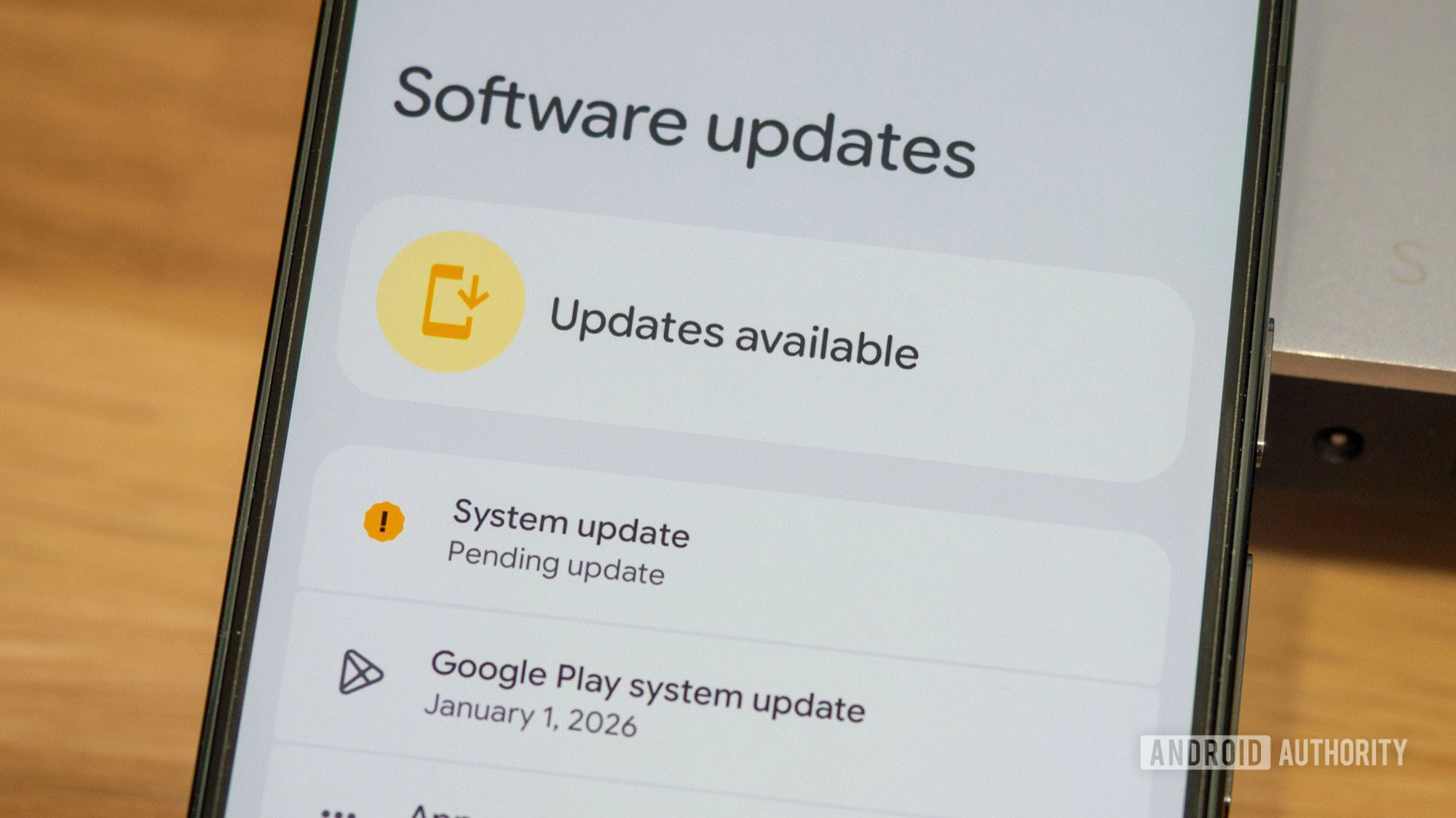
Enter a productivity hack that deserves far more attention: adding a home screen shortcut to check for Android updates. While it sounds trivial, this small gesture transforms security maintenance from a forgotten chore into a one-tap action.
Here's why it matters: most users never check for updates because the process requires navigating through Settings > System > Software updates. By creating a direct shortcut, you remove friction from the most important security habit on Android. It's the difference between a task you'll do and a task you'll forget.
How to Protect Yourself Right Now
First, check your current Android version. Open Settings, tap About phone, and note your Android version. If you're running Android 12 or older, your device is in the danger zone. Google's recommendation is clear: upgrade if your phone can run Android 13 or higher. If it can't, consider replacing iteven a mid-range device with Android 13 offers stronger protection than an outdated flagship.
For those whose devices still receive updates, the next step is establishing a checking routine. Before updating, connect to Wi-Fi and charge your device to at least 75%. Updates can be large and time-consuming, so plan accordingly. After installation, verify that critical apps like banking and UPI services work properly.
Beyond Updates: Layered Defense
If your phone no longer receives official updates, don't panicbut do act. Apply layered protection: use a reputable security app with real-time scanning, install apps only from Google Play, remove unused apps, and limit permissions for those you keep. Keep regular offline and cloud backups. Prefer modern browsers that still receive updates, and avoid public charging points and suspicious links.
Google Play Protect continues to scan for malware on Android 7 and newer, but it cannot replace missing system-level security patches critical to stopping sophisticated attacks. Think of it as a safety net, not a safety cage.
The Bigger Picture
This simple shortcut represents something larger: the democratization of cybersecurity. Security isn't just for IT professionals or paranoid tech enthusiasts. It's for the billions of people who store their livesphotos, messages, financial dataon their phones. Making security checks as easy as possible isn't a luxury; it's a necessity.
The Android ecosystem's fragmentation means manufacturers control update timelines, but users control their own vigilance. By creating that one-tap shortcut, you're taking back control. You're saying: my security matters, and I'm going to check on it regularly.
In a landscape where over a billion devices are vulnerable, small habits become powerful defenses. One tap. One update. One step closer to safety.
This article was written by AI from reporting by androidauthority.com.