Google Keep hides powerful productivity tools beneath its simple digital sticky-note interface. While most users treat it as a basic scratchpad, the app contains advanced Google Keep hacks like Gemini AI integration, hidden version history, and automated smart searches that drastically improve daily organization.
Whether you are managing family grocery lists or drafting complex project outlines on the go, mastering these hidden features transforms the app from a simple text box into a comprehensive digital filing system.
- Share notes with collaborators by clicking the portrait icon on the web or the three dots on mobile.
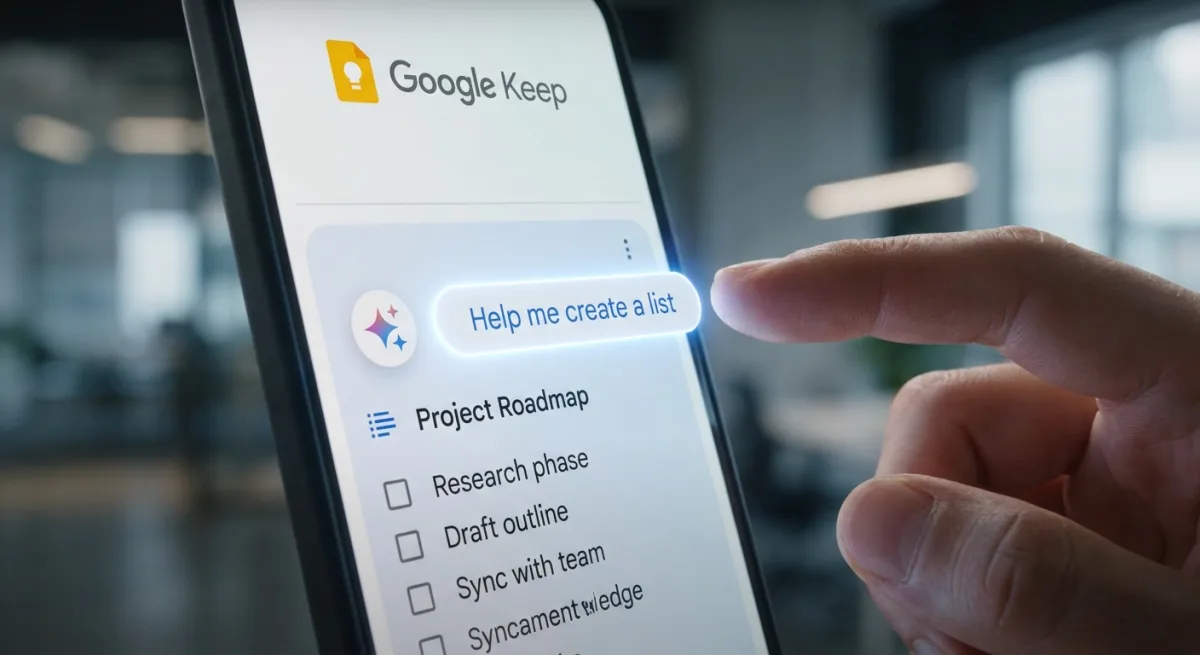
This ensures real-time syncing for grocery lists or vacation planning, preventing duplicate purchases and keeping everyone aligned. - Generate lists using Gemini AI by tapping the plus button, selecting List, and choosing Help me create a list (requires Android and an AI subscription plan).
This enables rapid creation of complex checklists, from travel itineraries to event planning, without manual typing. - Write handwritten notes using your finger or a stylus on mobile or web.
This enables Google Keep to index your handwriting, making your scribbles fully searchable alongside typed text. - Recover previous note iterations by clicking the three dots next to a note on the web and selecting Version history.
This ensures you can download older versions as HTML files to copy and paste lost text, protecting against accidental deletions. - Record audio notes on the go by tapping the microphone icon on iOS or the plus button then Audio on Android.
This enables hands-free note-taking that automatically generates a playable mini-player and an editable text transcription. - Apply multiple labels to a single note via the three-dot menu.
This ensures a highly flexible filing system, allowing a single note to exist simultaneously in categories like "work" and "travel." - Search automatically categorized notes by clicking the search box and looking under the Things header.
This enables you to find notes based on Google's background content analysis, surfacing categories like Groceries or Movies even if you never labeled them. - Convert complex notes into full documents by clicking the three dots on the web and selecting Copy to Google Docs.
This enables advanced formatting and independent editing in Google Drive when a note outgrows Keep's simple interface. - Set recurring or one-time reminders by tapping the bell icon on any note.
This ensures your time-sensitive notes sync directly with Google Tasks, preventing important to-dos from getting buried. - Dictate notes while driving by linking Google Workspace to Gemini and using voice commands via Android Auto.
This enables safe, hands-free note creation on the move, letting you add reminders or generate AI checklists without touching your phone.
The AI Evolution of Simple Note-Taking
The integration of Gemini into Google Keep signals a fundamental shift in how Google views its lightweight productivity apps. By locking the "Help me create a list" feature behind an AI subscription plan and restricting it to Android, Google is actively using its simplest tools as leverage to drive premium ecosystem lock-in. This transforms Keep from a free utility into a gateway for paid AI services.
Furthermore, the reliance on Google Tasks for reminder syncing and Google Docs for extended editing highlights a deliberate strategy to weave Keep into the broader Google Workspace fabric. For users, this means maximum convenience, but it also creates a high switching cost. If you rely heavily on Keep's automated smart search and Gemini integrations, migrating your workflow to a competitor like Apple Notes or Notion becomes significantly more frictionless.
This article was written by AI from reporting by skillet.lifehacker.com.