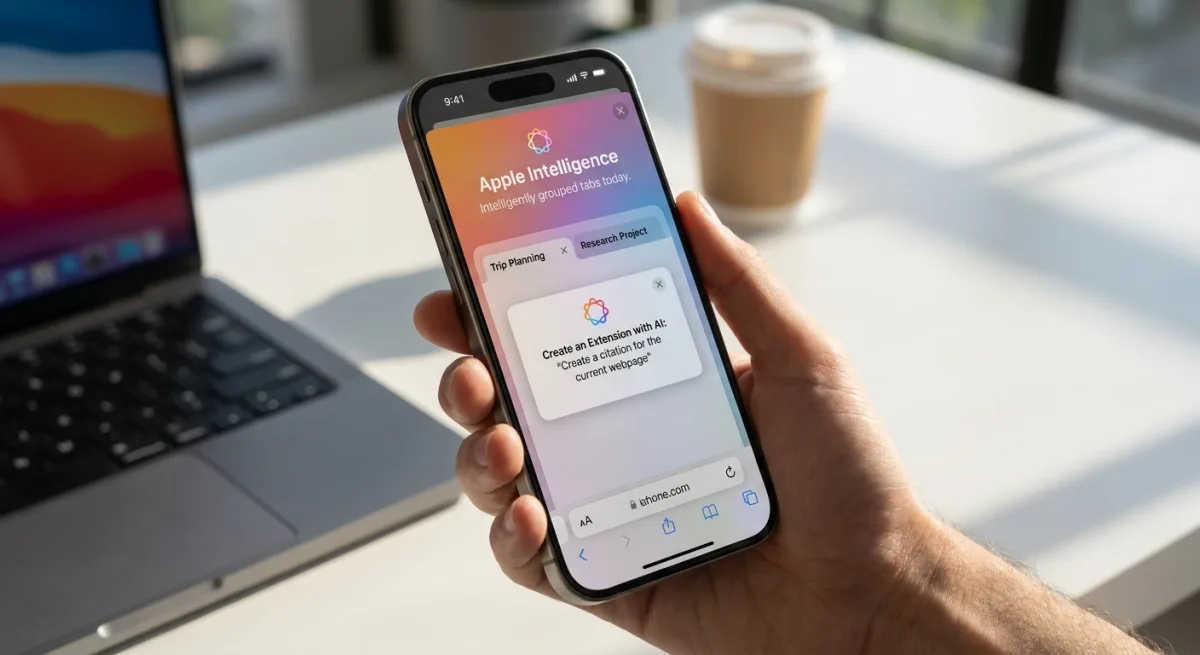
Apple's upcoming iOS 27 update fundamentally overhauls Safari, integrating Apple Intelligence to automate tab management, generate custom extensions, and monitor website changes. The browser update shifts Safari from a passive viewing tool into an active AI assistant capable of organizing research and executing complex tasks. These new iOS 27 Safari features are designed to streamline the mobile browsing experience for users on the iPhone 15 Pro and newer devices.
Apple Intelligence Transforms Tab Management
Safari now uses Apple Intelligence to automatically group open tabs into relevant topics. If a user is simultaneously researching a new couch and planning a weekend trip, the browser intelligently clusters the related websites together. This automatic sorting eliminates the clutter of dozens of unorganized tabs.
Users can view all groups and filter by topic via the Safari menu, allowing them to focus on specific tasks without distraction. A new "Resume Browsing" section on the Start Page also enables users to pick up recently closed topics or sync active sessions across other Apple devices. Additionally, pages saved to Bookmarks and the Reading List can now be grouped by topic.
How to Create Custom Safari Extensions with AI
The most significant addition to Safari in iOS 27 is the ability to generate custom extensions using natural language prompts. Apple provides categorized suggestions to help users get started, including Boost Productivity, Improve Focus, Get Creative, and Develop and Design.
To build a custom extension in the new update:
- Open Safari settings from the left side of the URL bar.
- Tap the Create an Extension option.
- Type your desired function into the prompt interface.
Apple's official suggestions for AI-generated extensions include:
- Create a citation for the current webpage and copy it to my clipboard
- Create a 3-minute focus timer for the page
- Set the minimum font size to 14pt
- Turn the page into pirate speak
- Style websites like 90s websites with bold colors and type
- Every time I open a new tab, draw me a different flower
- Highlight and show the dimensions of webpage elements when I tap on them
- Enter the design mode for a website so that I can edit the contents
Automated Password Updates and Website Monitoring
Safari introduces a "Notify Me" feature that monitors specific websites for changes, such as concert ticket sales or product restocks. Users can configure this by tapping the settings icon next to the URL bar, selecting "Notify Me," and setting a specific trigger, frequency, and time. Safari will check the site up to once per day, with weekly and monthly options also available.
Additionally, the Passwords app now leverages Safari and Apple Intelligence to automatically resolve flagged weak or compromised passwords. With a single tap, the system navigates to the eligible website, signs in, and generates a strong password without manual user intervention.
Other Notable Updates
To ensure complete coverage of the iOS 27 Safari enhancements, Apple included several background and family-oriented features:
- Ask to Browse: A new parental control feature requiring children to request approval before visiting a new website.
- Performance Improvements: Safari delivers better power efficiency for reduced battery drain, faster web app and start page loading, quicker JavaScript handling, and smoother animations.
- Compatibility and Availability: AI-driven features require an iPhone 15 Pro or newer. The iOS 27 beta is currently active, with a public launch scheduled for fall 2026 alongside the new iPhone models.
The AI Shift That Redefines Mobile Security
The integration of Apple Intelligence into Safari represents a massive leap in how mobile browsers operate, moving away from static page rendering toward proactive task execution. By allowing users to generate custom extensions on the fly, Apple is effectively democratizing browser customization, bypassing the traditional App Store extension ecosystem for niche, personal use cases.
However, the automated password update feature is the quiet powerhouse of this release. By removing the friction of manually navigating to a site, finding the security settings, and resetting a compromised password, Apple is drastically lowering the barrier to basic cybersecurity hygiene. This seamless integration between the Passwords app and Safari's AI capabilities will likely force competitors like Google Chrome to develop similar zero-click security remediation tools.