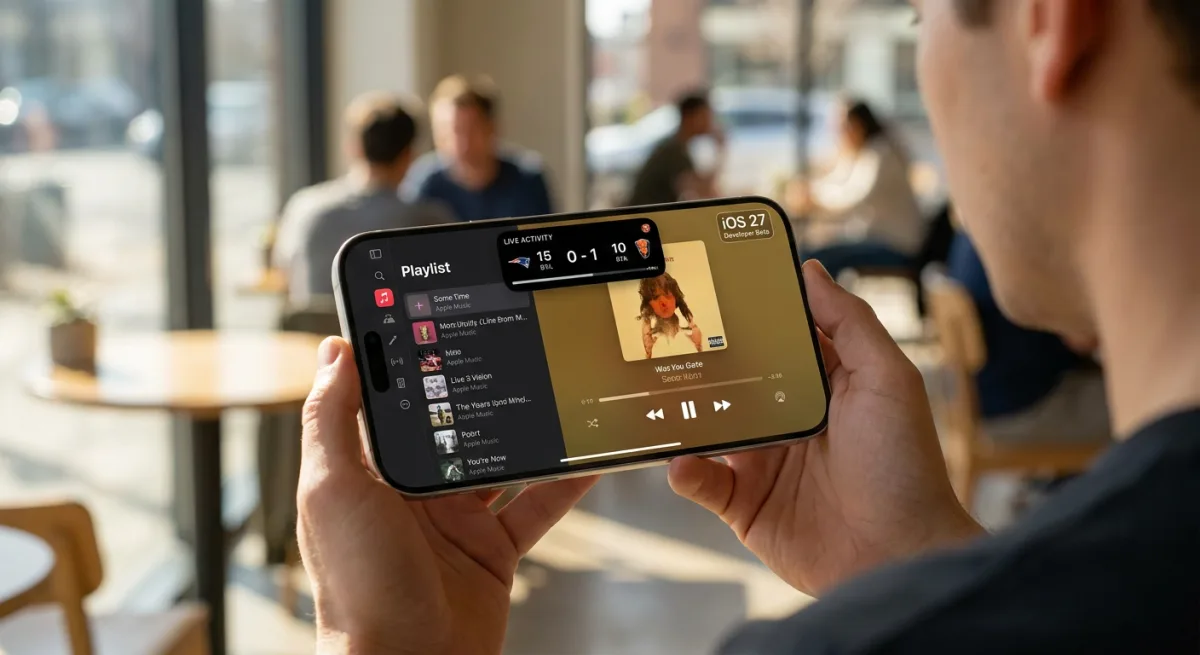
The iOS 27 developer beta is officially here, bringing a wave of highly anticipated Apple Intelligence tools and a redesigned Siri ahead of its public release in July. However, beyond the headline-grabbing AI updates, Apple has quietly introduced several quality-of-life improvements that fundamentally change how you interact with your iPhone. From advanced location sharing to a massive expansion of landscape mode, here is how to unlock the best hidden features in the latest update.
- An iPhone running the iOS 27 Developer Beta (the final release is expected in September).
- An iPhone 17, iPhone 17 Pro, iPhone 17 Pro Max, or iPhone Air (specifically required for the FaceTime Dual Capture feature).
- Apple Cash enabled (U.S. only) for the new bill-splitting capabilities.
- Rotate your iPhone sideways while using built-in apps like Apple Music, Podcasts, Fitness, or Weather. This enables the newly expanded landscape mode, which now features a left-aligned sidebar for easier navigation on larger screens, and even supports Live Activities in the Dynamic Island.
- Activate Dual Capture during a FaceTime call on your iPhone 17 or iPhone Air. This allows you to broadcast both your front and rear camera views simultaneously, ensuring the person on the other end sees your reaction and your surroundings at the same time.
- Tap the plus sign in the bottom-left corner of the Messages app drawer to open the new Drawing option. This grants you access to Apple's complete set of Markup tools directly within your chat, replacing the basic landscape-only drawing tool from older iOS versions.
- Point your iPhone camera at a physical receipt and use the new Siri mode to trigger Apple Cash bill splitting. This leverages Apple Intelligence to automatically identify individual items, calculate tax and tip shares, and request the exact owed amount from your contacts.
- Set a custom expiration date and time for your location sharing within the Find My app. This provides granular privacy control, allowing you to share your location for a specific duration (such as four days and six hours) or pause it silently until the end of the day without notifying the other person.
The Subtle Push Toward the iPhone Ultra
While the Apple Cash bill splitting showcases the practical, everyday utility of Apple Intelligence, the most telling feature in iOS 27 is the aggressive expansion of landscape mode. By optimizing core apps like Health, Reminders, and even the Dynamic Island for horizontal viewing, Apple is doing more than just catering to Max-sized iPhone users.
This UI shift is a clear indicator that the company is laying the software groundwork for the heavily rumored foldable device, often referred to as the iPhone Ultra. Historically, Apple perfects the software environment years before the hardware debuts. Just as the iPhone 6 Plus introduced landscape home screens to test larger displays, iOS 27 is quietly preparing the ecosystem for a device that seamlessly transitions between a traditional phone and a tablet-like canvas.