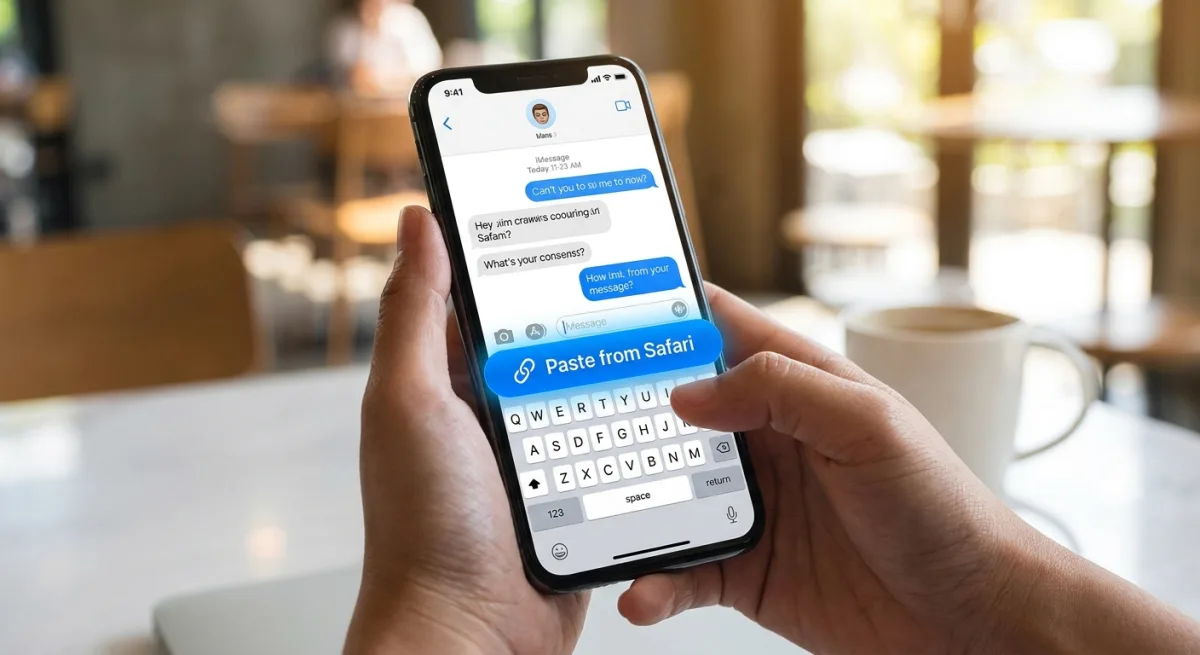
Apple is streamlining text and media sharing on the iPhone with a new context-aware iOS 27 copy-and-paste feature. The update introduces a one-tap paste shortcut directly above the keyboard, eliminating the need to long-press on text fields when moving content between applications.
If a user copies a link in Safari and switches to the Notes app, a "paste from Safari" prompt automatically appears above the keyboard. Tapping this shortcut instantly inserts the link. This system works seamlessly for text, photos, and links across various app combinations, such as copying an image from the Reddit app and pasting it into Messages.
This functionality builds upon the one-time verification code autofill system that Apple has utilized since iOS 12. The iOS 27 update is currently available in the developer beta, with a public beta scheduled to follow in July. The final release is expected in September for all users with an iPhone 11 or newer.
Other Notable iOS 27 Features
Beyond the keyboard enhancements, iOS 27 is shaping up to be a substantial update across the operating system, addressing both interface limitations and delayed AI rollouts.
- Parallel View: According to Weibo leaker "Fixed Focus Digital," Apple is developing a split-screen landscape adaptation feature to solve the platform's longstanding weakness with large-screen layouts. The feature is reportedly similar to Huawei's HarmonyOS.
- Siri Overhaul: Following delays in iOS 18 due to underlying architectural limitations, Siri is expected to finally receive its long-awaited Apple Intelligence integration in iOS 27.
- Camera and Visual Intelligence: Bloomberg reports that Apple is moving Visual Intelligence from the physical Camera Control button directly into the Camera app. A new Siri mode will also be available alongside updates to the Photos and Wallet apps.
The Evolution of the iPhone Keyboard
The addition of contextual paste shortcuts shows Apple is finally treating the iOS keyboard as a dynamic command center rather than just a static typing tool. By predicting user intent based on clipboard history, Apple is significantly reducing the friction of mobile multitasking, saving users seconds on every interaction.
Meanwhile, the reported shift of Visual Intelligence into the Camera app is a telling strategic pivot. It suggests that the dedicated hardware Camera Control button introduced previously may not have seen the mainstream adoption Apple hoped for. By moving the feature into the primary software interface, Apple is ensuring its AI investments are front and center for everyday users, rather than hidden behind a physical button press.
This article was written by AI from reporting by macrumors.com.