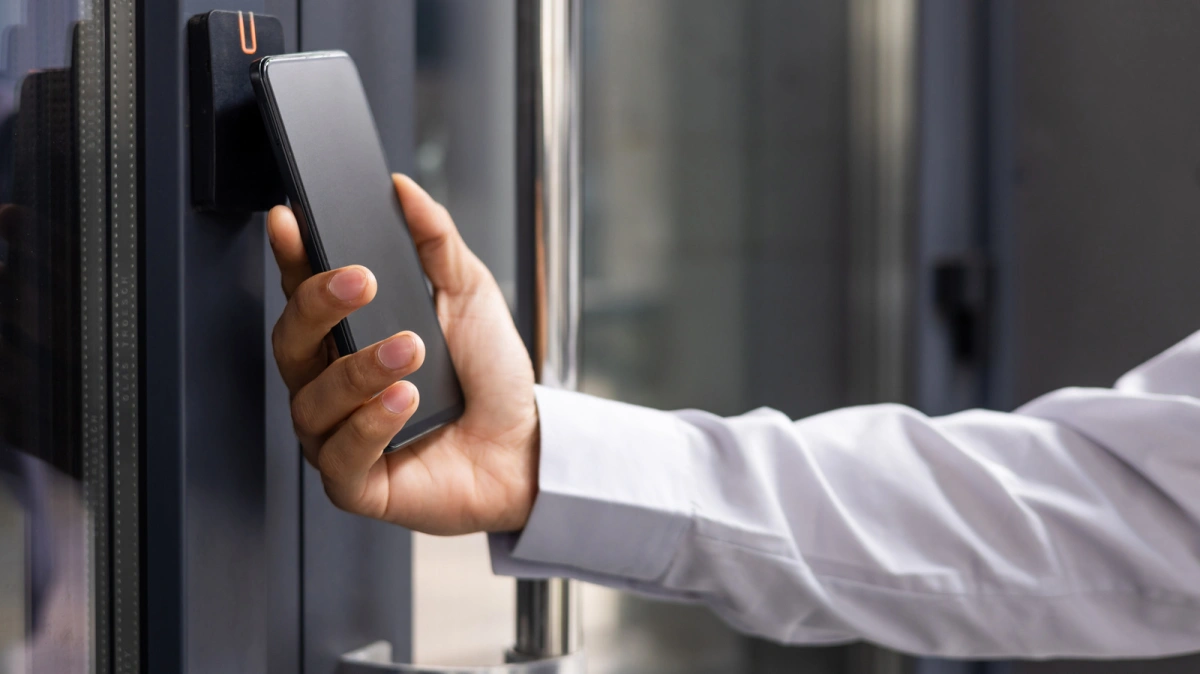
Samsung Wallet now allows Galaxy smartphone users to unlock their front doors using the new Digital Home Key feature. Designed for homeowners looking to streamline their everyday carry, this update transforms your device into a secure, contactless key. By integrating with the Connectivity Standards Alliance's (CSA) Aliro protocol, the system ensures seamless interoperability with major smart home ecosystems.
The shift toward digital home access mirrors the automotive industry's adoption of smartphone-based car keys, a feature Samsung already supports. By leveraging the SmartThings platform and the widely accepted Matter standard, Samsung is positioning its wallet app as a central hub for physical security, moving far beyond its origins as a simple payment service formerly known as Samsung Pay.
Supported Smart Lock Brands and Requirements
Before you can ditch your physical keys, your hardware must meet specific prerequisites. The smart lock must belong to a select group of brands currently collaborating with Samsung. At launch, this list includes Aqara, Nuki, Schlage, and Xthings. These manufacturers have adopted the Aliro standard, a communication protocol specifically developed by the CSA to guarantee that different smart home lock brands can communicate flawlessly with various smartphone models.
How to Set Up and Use Your Samsung Digital Home Key
- Verify hardware compatibility: Ensure your smart lock is manufactured by a supported brand (Aqara, Nuki, Schlage, or Xthings) and explicitly supports the Aliro standard. This guarantees the lock's hardware can securely authenticate with your Galaxy device.
- Connect via SmartThings: Open the Samsung SmartThings app to register and configure your compatible door lock. Because SmartThings supports the Matter standard, this platform acts as the essential bridge between your physical lock and the Samsung Wallet interface.
- Choose your unlocking method: Select from three distinct access modes based on your daily routine. You can utilize the NFC chip by physically tapping your phone against the lock, enable proximity-based automatic unlocking so the door opens as you approach with the phone in your pocket, or manually press the unlock icon within the Samsung Wallet app as a reliable fallback.
Frequently Asked Questions
Which smart lock brands work with the new Samsung Wallet feature?
Currently, the Digital Home Key supports locks from Aqara, Nuki, Schlage, and Xthings, provided they utilize the Aliro communication standard.
Do I need to open the app every time to unlock my door?
No. You can configure the system to unlock automatically when you are in close proximity, or you can simply tap your smartphone against the lock using its built-in NFC chip.
My Take
Samsung's integration of the Aliro standard into its wallet app is a massive step forward for smart home interoperability. By supporting multiple unlocking methods - especially the seamless proximity unlock and NFC tap - Samsung is directly challenging Apple's Home Key ecosystem. As the company rolls this feature out globally and more lock manufacturers join the CSA's Aliro alliance, the friction of managing multiple proprietary smart lock apps will disappear, making physical house keys obsolete for Galaxy users.
This article was written by AI from reporting by slashgear.com.