If your Apple Wallet is just a place where your credit cards live, you're leaving most of its best tricks untouched. From paying fares on a dead iPhone battery to splitting dinner bills without swapping phone numbers, these Apple Wallet hacks turn the app into a genuine command center for your money, keys, and ID.
This guide is for iPhone and Apple Watch owners who already use Apple Pay but suspect there's more under the hood. Each of the 10 hacks below takes under two minutes to set up, and together they let you decide which card appears at which store, who can drive your car, and which subscriptions are still quietly billing you.
10 Apple Wallet Hacks Worth Setting Up Today
- Add cards to Express Mode so they work on a dead battery. Express Mode lets you use transit cards, keys, student IDs, and other compatible passes without waking your device or authenticating with Face ID, Touch ID, or a passcode - and a battery reserve keeps them working even after your iPhone dies, so you can still ride the train home or unlock your door. Select the card in Wallet, then tap the three dots > Card Details > Express Transit Settings or Express Mode. Because no authentication is required, anyone holding your phone could use these passes - keep keys behind biometrics and reserve Express Mode for transit cards you tap and go.
- Generate a virtual card number for Apple Cash. Plenty of online stores and phone-based payments still don't accept Apple Pay directly. Selecting your Apple Cash card in Wallet and tapping the card icon at the top of the screen (after authenticating) reveals a virtual card number you can spend with instead, keeping your real card details hidden. The three-digit security code rotates every time you use AutoFill or open the card in Wallet, which makes stolen numbers far less useful to fraudsters.
- Use Shortcuts to pull up the right card based on location. If one card earns better rewards on groceries and another on gas, Wallet can surface the correct one automatically when you arrive - handy for loyalty cards and membership passes too. In the Shortcuts Library tab, tap the "+" button, search "Card," and select Open Card; then go to Automation, tap "+", choose Arrive, add the Location, set when to run it, tap Next, and pick Open Card in Wallet with your chosen pass. This kills the mental gymnastics of remembering which card to use at which checkout.
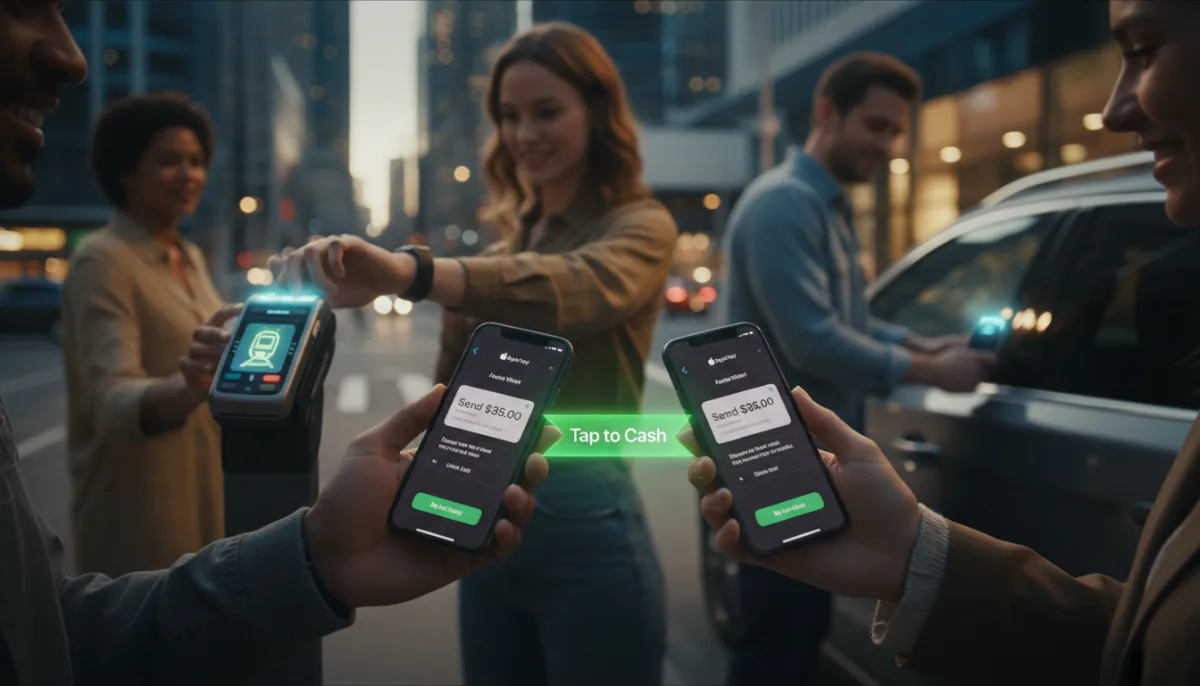
- Split bills with Tap to Cash - no contact info needed. Unlike Venmo or Cash App, which require a username, email, or phone number, Tap to Cash moves money instantly between two iPhones or Apple Watches just by holding them together. With Apple Cash set up in advance, open Wallet, tap your Apple Cash card, select Send or Request > Tap to Cash, enter the amount, tap Next, double-click the side button, and hold your device near the other person's. It's the cleanest way to settle up with someone you may never pay again.
- Share digital keys with custom permissions. Wallet can store keys for your home, apartment, hotel room, car, and scooter, automatically pulling up the right one when you're in range - and car and scooter keys can be shared so others can lock, unlock, and start the vehicle. Select your car key, tap Share, set permissions (including blocking the recipient from resharing, plus manufacturer-dependent limits like speed and radio volume), add an optional activation code, and send it via Messages, Mail, WhatsApp, or AirDrop. Handing a valet or teen driver a capped digital key beats handing over the only physical fob.
- Turn on order tracking for Apple Pay and Mail. Wallet doubles as a shipment hub for purchases made with Apple Pay once you enable Settings > Wallet & Apple Pay > Order Tracking. A separate beta toggle in Settings lets Apple Intelligence and Siri enrich those orders with details pulled from Mail. Back in Wallet, tap the three dots > Orders to see everything in one place. This replaces the ritual of digging through inbox receipts for tracking links.
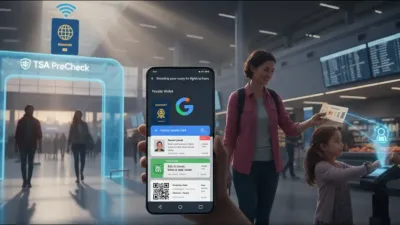
- Add your driver's license or passport as a digital ID. Apple keeps expanding Wallet's ID support, letting you verify your identity with your iPhone instead of physical documents - most useful at TSA checkpoints when flying, though only a small subset of states currently supports the feature. Some entertainment venues and in-app verifications accept it too. Tap the "+" sign in Wallet, choose Driver's License and ID Cards, pick your ID, and follow the prompts. Even if your state isn't supported yet, setting this up the moment it arrives saves fumbling at security lines.
- Enable Allow Payments on Mac to authenticate from your iPhone. Apple Pay in Safari on a Mac is seamless until your laptop is docked and closed, or it's an older machine without Touch ID. Turning on Settings > Wallet & Apple Pay > Allow Payments on Mac lets you approve those purchases from your iPhone or Apple Watch instead. Note this doesn't remove the separate requirement to scan a generated code with your iPhone when checking out in a non-Safari browser.
- Digitize physical cards that don't support Wallet. Library cards, event tickets, and membership passes often integrate natively, but for businesses still handing out plastic, third-party apps like MakePass and Pass2U Wallet can scan and convert unsupported cards into Wallet passes. Apple is set to make this native - iOS 27 introduces a Create a Pass feature powered by Apple Intelligence, so the workaround apps may soon be optional.
- Audit preauthorized payments to catch zombie subscriptions. If you use Apple Pay for recurring charges, tap the three dots in the upper-right corner of Wallet and select Preauthorized Payments to see every merchant billing you. You can revoke a payment token, though Apple warns this doesn't cancel the subscription - it only tells the merchant not to charge your Apple Pay method again, so you still need to cancel directly with the merchant. Think of it as a smoke detector for subscriptions you forgot you had, not the fire extinguisher.
Why Apple Wallet Is Quietly Becoming Your Only Wallet
Look past the individual tricks and a pattern emerges: Apple is turning Wallet into an identity layer, not just a payment tool. Digital IDs accepted at TSA checkpoints, shareable car keys with speed caps, and rotating virtual card numbers are three different industries - government ID, automotive, and banking - being folded into one default iPhone app.
The clearest signal is the iOS 27 Create a Pass feature. Once Apple can digitize any physical card natively via Apple Intelligence, third-party converters like MakePass and Pass2U Wallet get Sherlocked - the same fate that befell flashlight apps and password managers before them. If you rely on those apps, expect Apple to eventually match their core function for free, and expect more states to rush digital ID support once the pass-creation pipeline exists.
The practical move: enable Express Mode for transit only, run the preauthorized payments audit today, and set up the virtual Apple Cash number before your next phone order. The security trade-off of Express Mode is real but manageable - the bigger risk is leaving recurring charges and physical cards unmanaged while Wallet already has the tools to handle both.
This article was written by AI from reporting by lifehacker.com.