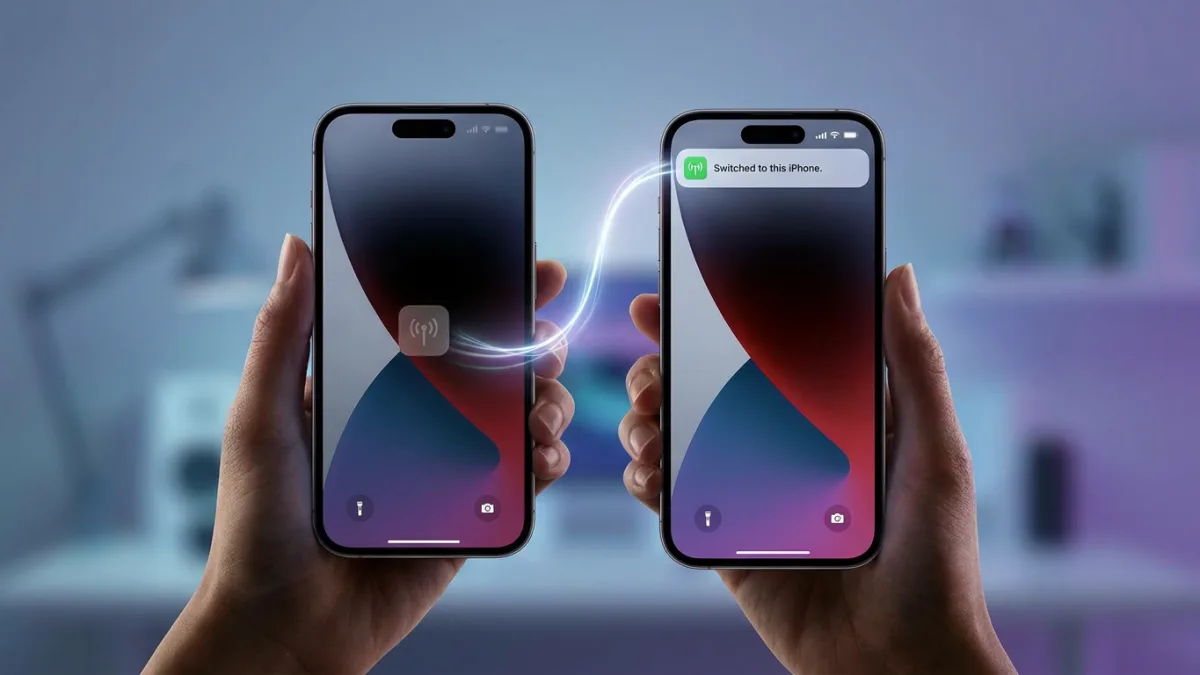
Apple's newly released iOS 27 introduces iPhone Handoff, a premium eSIM feature that allows users to seamlessly swap a single active phone number between two different iPhones. Unlike the standard Handoff feature designed for continuing app tasks across Apple devices, this carrier-level integration shifts your cellular connection instantly when you unlock your secondary device. The number remains active on only one iPhone at a time, preventing the need for two independently active lines.
When a user switches phones using iPhone Handoff, all calls, voicemails, and messages - including iMessage, RCS, SMS, and MMS - move to the active iPhone. The system displays a "Switched to this iPhone" confirmation screen to verify the transition. Simultaneously, the active device takes over the Find My location broadcasting. While iCloud data syncs automatically, Apple notes that some third-party applications, particularly banking apps, may require separate sign-ins or manual access approval on the secondary device.
Hardware accessories and digital wallets carry specific limitations during the transition. If you own an Apple Watch, its pairing will not automatically switch to the newly active iPhone, meaning users should keep it paired to their primary device. Additionally, certain Wallet items like transit passes and digital IDs may only function on one device at a time, and carrier services like Call Forwarding and Caller ID remain permanently tied to the main iPhone.
Carrier Support and Monthly Pricing
Because iPhone Handoff requires network-level eSIM coordination, availability is currently limited to select carriers, and it comes with an additional monthly fee. Both eSIMs must be from carriers that explicitly support the feature.
| Carrier | Region | Monthly Pricing & Notes |
|---|---|---|
| T-Mobile | United States | $5 per month |
| Telekom | Germany | €6.95 per month (Included free with MagentaMobil L and XL plans) |
| Verizon | United States | Launching later this year |
| EE | United Kingdom | Launching later this year |
AT&T has not committed to supporting iPhone Handoff, with a spokesperson directing users to the carrier's existing eSIM activation and transfer options instead. Users should also note that simply deleting the eSIM from the device will not stop the monthly billing; canceling the service requires contacting the carrier directly.
How to Set Up iPhone Handoff
To use the feature, both iPhones must be running iOS 27 or later. They must also be connected to Wi-Fi, sharing the exact same Apple Account, using Messages in iCloud for sync, and signed into FaceTime and iMessage. The feature is compatible with Dual SIM setups, provided both eSIMs are configured separately.
If both iPhones are already set up and in use, follow these steps on the device you want to add:
- Open the Settings app and tap Cellular.
- Tap Set Up Cellular or Add eSIM.
- Choose Use Number on This iPhone and Another.
- Follow the onscreen prompts to designate your main iPhone and your secondary iPhone.
If you are replacing an iPhone that already uses iPhone Handoff, place the new device next to your existing phones and follow these steps:
- On the replacement iPhone, open Settings.
- Tap Cellular, then tap Set up Cellular or Add eSIM.
- Select the old iPhone from the list and tap Continue.
- Tap Transfer. If your carrier blocks companion eSIM transfers, you must tap Continue on the old iPhone to re-enroll in the service.
- Tap Continue and follow the final onscreen prompts on both devices.
The Hidden Cost of Multi-Device Convenience
The introduction of iPhone Handoff highlights a shifting dynamic in how carriers monetize cellular convenience. By charging $5 or €6.95 monthly for a feature that utilizes an already-paid-for cellular line, networks like T-Mobile and Telekom are treating seamless device switching as a premium luxury rather than a standard network capability. This sets a clear precedent: as Apple builds deeper multi-device ecosystems, carriers will find ways to toll the bridge between them.
Despite the cost, this feature solves a major friction point for specific demographics. Business professionals who split their time between a work phone and a personal phone, or users who prefer carrying a smaller device on weekends, no longer have to deal with the cumbersome process of manually transferring an eSIM or paying for a completely separate data plan. However, the lack of automatic Apple Watch switching remains a glaring ecosystem gap that Apple will need to address in future iOS 27 point updates.