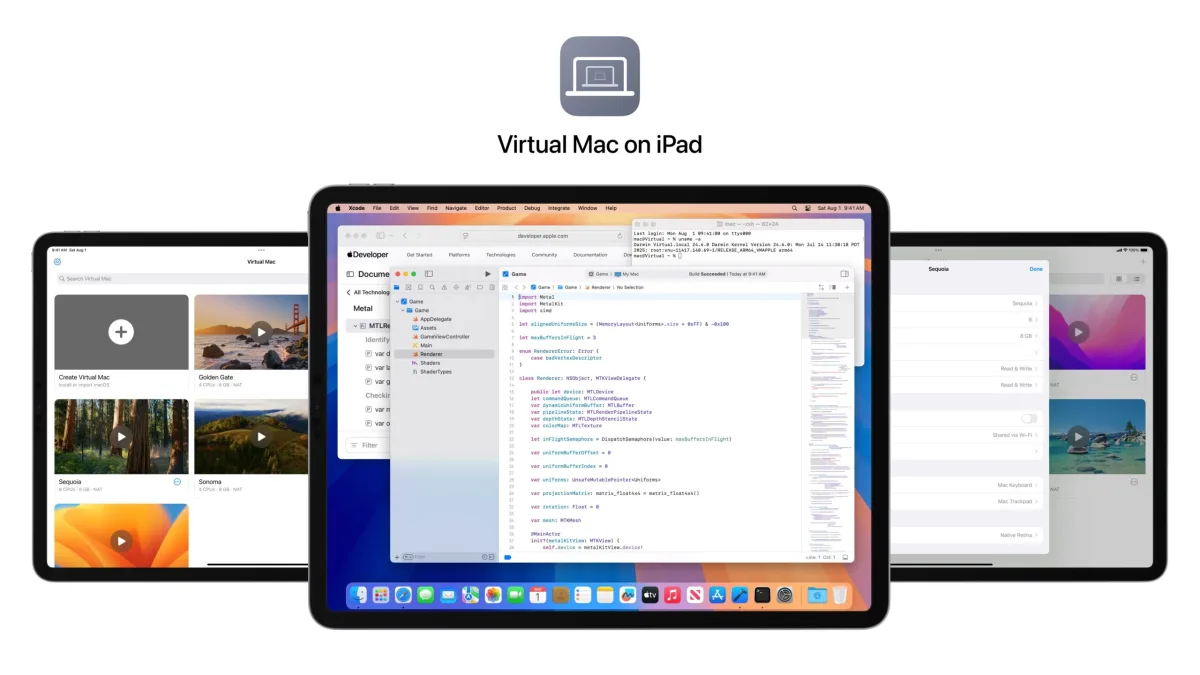
For years, power users have wanted to run macOS on iPad hardware to unlock the full potential of Apple's M-series chips. Now, a third-party GitHub project called VirtualMacOniPad makes this possible, allowing desktop operating systems to run directly on Apple's flagship tablets. While the iPad hardware is more than capable of handling desktop-class software, Apple has historically kept its touch-first and desktop ecosystems strictly separated.
The project relies on virtualization rather than a bare-metal installation, running macOS atop a modified version of iPadOS. Because modern iPads share the exact same silicon architecture as MacBooks, the performance overhead of this virtualization is surprisingly minimal. However, bypassing Apple's software restrictions requires significant tinkering, making this a proof-of-concept for enthusiasts rather than a daily driver for average consumers.
Hardware Requirements and Technical Limitations
Getting macOS to boot on an iPad requires a very specific combination of hardware and legacy software. Because the project relies on deep system-level access, users must have a device capable of being jailbroken on a specific firmware window.
- Supported Hardware: You must use an iPad Pro M1, iPad Pro M2, or an iPad Air M1. Older A-series chips and the latest M4 models are not supported.
- Required Firmware: The device must be running iPadOS 16, specifically versions up to iPadOS 16.3.1. Any newer firmware patches the exploits required for the jailbreak.
- Supported macOS Versions: The virtualization supports macOS Monterey all the way through macOS Sequoia, though the developers recommend sticking to Ventura or Sequoia for optimal stability.
- Feature Limitations: Because the virtualized environment lacks official hardware identifiers, users cannot sign into an Apple ID or use iCloud services.
If you meet these strict criteria and are comfortable modifying your device's operating system, you can Check out VirtualMacOniPad on Github for the complete installation repository and technical documentation.
The Hardware is Ready, But Apple's Walled Garden Remains
This project highlights a growing frustration among iPad Pro owners: the hardware has vastly outpaced the capabilities of iPadOS. When connected to a Magic Keyboard, an M2 iPad Pro is physically indistinguishable from a touchscreen laptop, yet it remains constrained by a mobile-first operating system. While rumors from the supply chain suggest Apple is exploring a touchscreen MacBook Pro for a future release, the company remains hesitant to merge its platforms.
The success of VirtualMacOniPad proves that the barrier to a dual-boot iPad is entirely artificial. Apple could easily implement a feature that triggers a macOS environment when the iPad is docked to a keyboard, preserving the touch-friendly iPadOS for tablet mode. However, doing so would immediately cannibalize entry-level MacBook Air sales. Until Apple decides to prioritize user experience over product segmentation, unofficial virtualization projects will remain the only way to truly unleash the iPad's silicon.