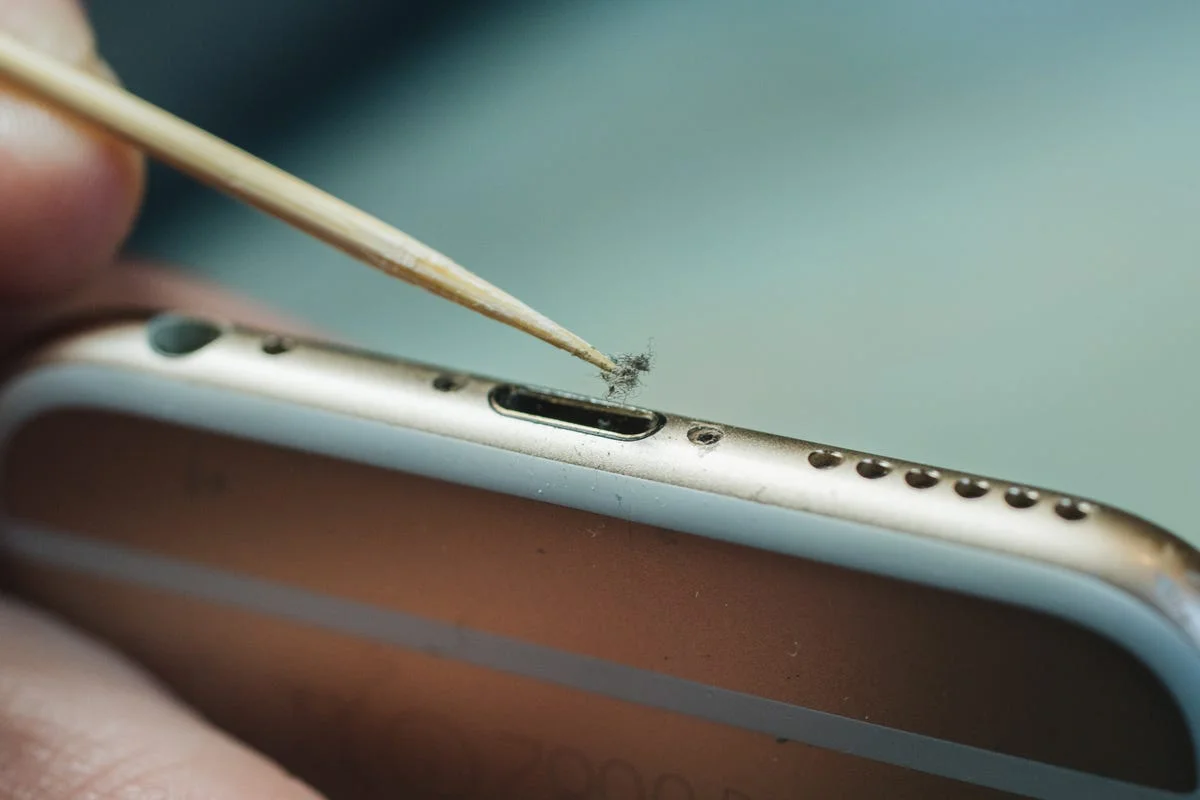
If your Samsung Galaxy or other modern smartphone is suddenly refusing to charge, the solution might not require a costly repair. A simple USB-C port cleaning trick can often revive devices that fail to draw power properly, solving the issue in mere minutes. This straightforward maintenance step targets one of the most common, yet frequently overlooked, hardware issues in mobile technology.
This guide is for smartphone users experiencing intermittent or complete charging failures. By addressing physical blockages in the charging port, users can avoid unnecessary trips to the service center, save money on diagnostic fees, and extend the lifespan of their current devices.
As smartphones spend hours in pockets and bags, their exposed USB-C ports naturally accumulate lint, dust, and microscopic debris. Over time, this physical buildup prevents the charging cable from making a secure connection with the internal pins. This lack of contact leads to slow charging speeds, a loose cable fit, or a complete failure of the device to recognize the power source.
Restoring the USB-C Connection
While the report highlights the simplicity of the fix, executing it requires a gentle approach to avoid damaging the sensitive internal components. The process revolves around clearing the physical obstruction to restore the electrical connection.
- Carefully inspect the USB-C port under a bright light to identify compacted pocket lint or debris.
- Gently remove the buildup using a non-conductive tool to restore the physical connection between the cable and the port pins.
- Test the device with a verified working cable and power adapter once the port is completely clear.
My Take
While wireless charging provides a convenient fallback for many modern devices, the physical USB-C port remains the primary lifeline for fast charging and rapid data transfer. In my view, as manufacturers continue to build devices meant to last longer - like the latest Samsung Galaxy models - basic hardware maintenance like port cleaning becomes an essential user skill. Before assuming a battery is dead or a motherboard has failed, checking for pocket lint should always be the very first diagnostic step.
Frequently Asked Questions
Why is my Samsung Galaxy phone not charging?
The most common culprit is a dirty USB-C port, where accumulated lint and dust prevent the charging cable from making a proper electrical connection.
How long does the USB-C cleaning trick take?
According to the report, this simple maintenance step can solve the charging issue and revive the phone in just a few minutes.
This article was written by AI from reporting by sammobile.com.