Apple has rolled out iOS 27 Beta 5, bringing a refined set of UI tweaks and Siri enhancements as the official fall release approaches. While the update focuses on system polish rather than major overhauls, it introduces five distinct changes that were absent from the initial WWDC announcement.
New Features in iOS 27 Beta 5
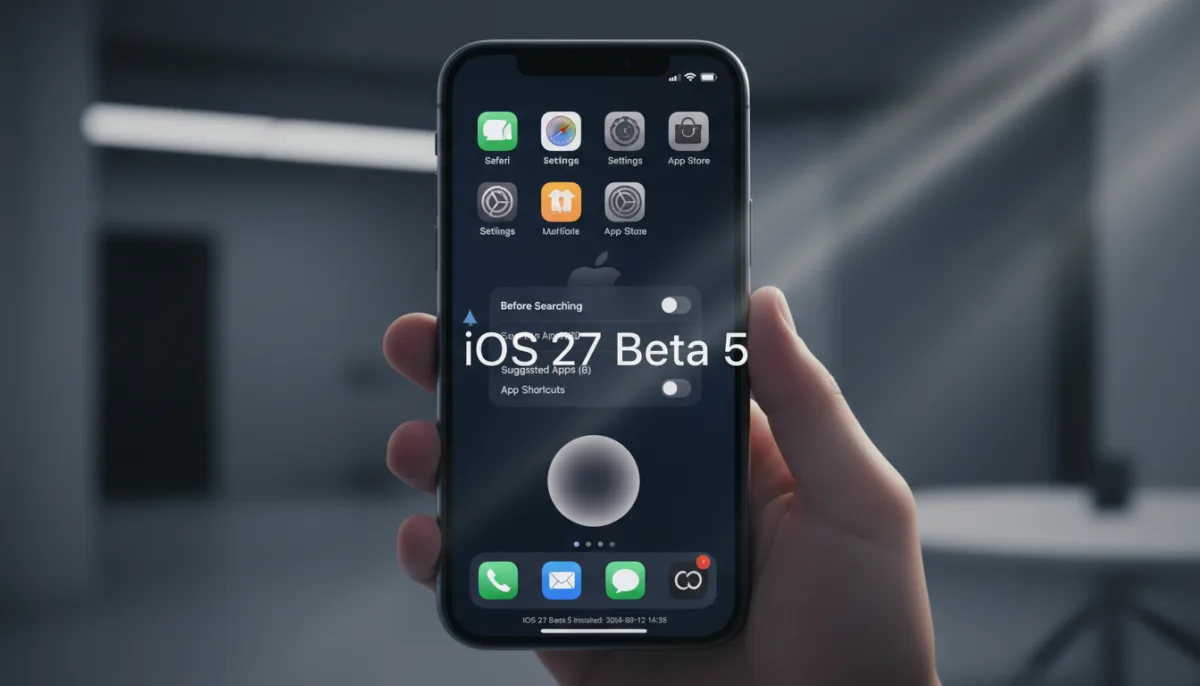
- App Icon Redesigns: Safari gets fewer compass ticks and a distinct center screw, while Settings and the App Store receive subtle adjustments. Siri now appears as a gray, glowing orb, and Preview features a loop in the bottom-right corner of a rounded square.
- British English for Siri Enhanced Voice: Users can now customize the pace and expressivity of Siri using British English accents, expanding the options to 11 different voices.
- "Before Searching" Settings: A new menu in Search Settings allows users to control the number of suggested apps (defaulting to eight), toggle app shortcuts, and hide recent searches.
- Update Timestamp: The system now displays the exact date and time when the current iOS version was installed on the device.
- Hidden Cellular Status on Wi-Fi: The Control Center no longer displays cellular network types (such as LTE, 5G, or 5G UWB) while the iPhone is actively connected to a Wi-Fi network.
How to Prepare for the Beta
Installing pre-release software carries inherent risks, including data loss or system instability. Before downloading iOS 27 Beta 5, ensure your device is fully backed up to iCloud or a Mac.
Creating a secure backup allows for a safe downgrade to iOS 26 if you encounter critical bugs. Since this is a late-stage beta, performance should be relatively stable, but it is still not recommended for your primary daily driver unless necessary.
The Shift Toward Subtle Refinement
The transition from flashy WWDC announcements to the granular tweaks in Beta 5 signals that Apple is locking down the core architecture of iOS 27. By refining app icons and expanding Siri's voice customization, the development team is clearly pivoting from feature implementation to user experience polish ahead of the iPhone 17 launch.
The decision to hide cellular network indicators while on Wi-Fi is particularly telling. It aligns with Apple's broader design philosophy of reducing status bar clutter and only surfacing information when it is immediately relevant to the user's connectivity state. This minimalist approach, combined with the new search privacy toggles, suggests a continued focus on streamlining the iOS interface for mainstream consumers.