Proton Mail offers zero-access encryption and strips trackers from messages, but many users miss out on its advanced privacy features. Maximizing these Proton Mail hacks ensures your inbox remains secure while doubling your free storage and automating email expiration. This guide is for privacy-conscious users looking to optimize their secure email setup. Applying these configurations enables you to migrate external accounts seamlessly, hide your primary address, and prevent sensitive data from lingering in recipient inboxes.
As data breaches and tracking become standard across major providers like Google and Yahoo, mastering end-to-end encrypted email platforms is essential for personal digital security. By taking advantage of built-in tools, you can bridge the gap between absolute privacy and everyday convenience.
- Complete the guided setup to double your free storage to 1 GB by clicking the Get more storage option on the left sidebar within 18 days of signing up.
This ensures you do not quickly exhaust the default 500 MB limit when receiving large attachments without paying for a Plus subscription. - Reserve an email address for your child by choosing a username and paying a $1 voucher to the Proton Foundation.
This enables you to secure a simple firstname.lastname address before it is claimed, giving your child 15 years to activate their private inbox. - Migrate external email addresses by navigating to Settings > Import via Easy Switch and connecting your Gmail, Yahoo, or Outlook accounts.
This enables you to receive and send end-to-end encrypted messages from external addresses directly within Proton while retaining copies in your original inbox. - Customize the Undo Send timer by going to Settings > Messages and composing and selecting up to 20 seconds from the Undo send dropdown.
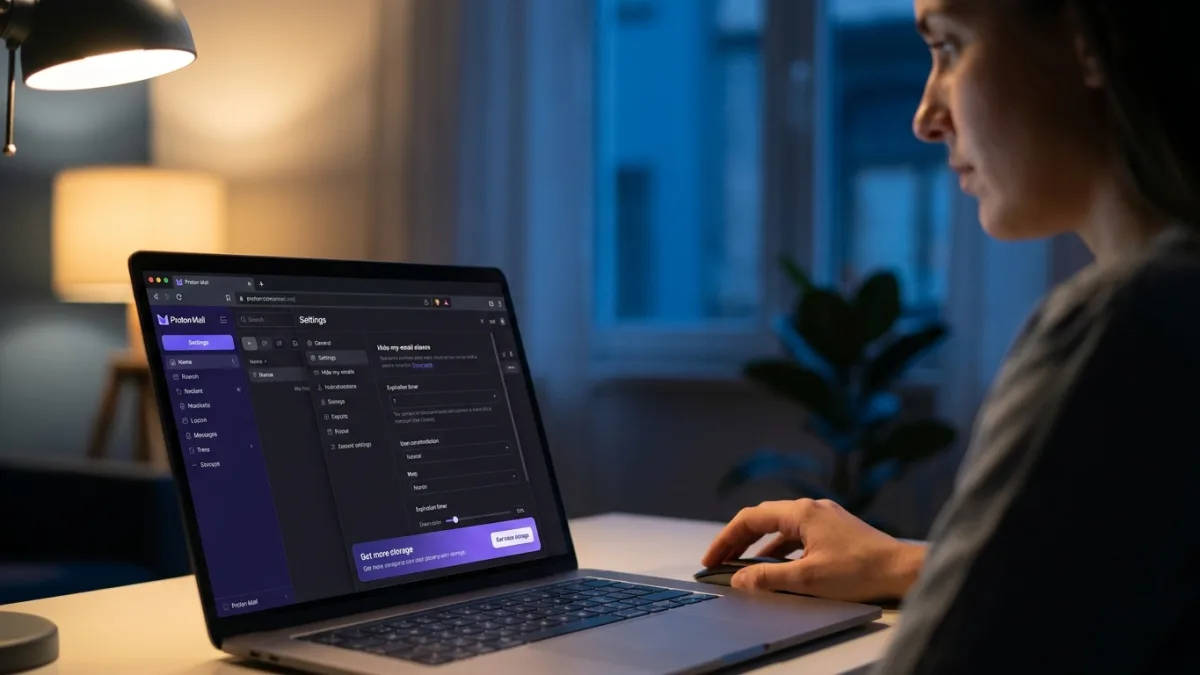
This ensures you have a brief window to recall messages and fix typos or missing attachments before the email permanently leaves your outbox. - Create email aliases by clicking the security shield icon, navigating to Hide-my-email aliases, and selecting New alias.
This enables you to filter mailing lists and keep your primary username hidden, with free users getting up to 10 randomly generated aliases. - Encrypt emails sent to non-Proton users by clicking the padlock icon in the bottom toolbar and entering a password and hint.
This ensures messages sent to standard providers remain private, requiring the recipient to enter the separately shared password to read and reply securely. - Set expiration timers by clicking the hourglass icon at the bottom of the message and choosing a date and time.
This enables auto-deletion of sensitive emails from recipients' inboxes, preventing your data from hanging around indefinitely. - Strip metadata from sent images by choosing Remove metadata when prompted after attaching a photo to a draft.
This ensures location data, times, and dates embedded in image files are not exposed to the recipient. - Turn on Message Content Search by clicking the search bar at the top of the web app and tapping Enable next to Search message content.
This enables you to search the actual text of your emails by building a local index in your browser, bypassing the limitations of zero-access encryption. - Activate your short domain by navigating to Settings > Identity and addresses to enable your @pm.me address.
This ensures paid subscribers have a shorter, simpler address to share verbally, which routes directly to the main inbox.
The Local Indexing Compromise
Proton Mail's approach to message search perfectly illustrates the friction between absolute privacy and modern convenience. Because the platform utilizes zero-access encryption, Proton's servers physically cannot scan the contents of your emails to deliver the lightning-fast search results users expect from standard providers. By forcing the browser to build a local index instead, Proton shifts the computational burden directly to the user's device.
This architectural decision is a massive win for data sovereignty, but it requires users to rethink how they manage their digital footprint. The fact that indexing consumes local storage space and only updates while the browser is open highlights a broader industry reality: true privacy requires active participation. As more users migrate away from ad-supported ecosystems, understanding these technical trade-offs becomes just as important as the encryption itself.
This article was written by AI from reporting by lifehacker.com.