Microsoft has officially pushed Windows 11 26H2 to the Release Preview Channel, marking the final testing phase before its anticipated public rollout in late September or early October 2026. Rather than delivering a massive overhaul, this update functions primarily as an enablement package designed to reset the operating system's support lifecycle. For everyday users, it is a minor release that consolidates recent quality improvements and highly requested features.
The primary purpose of version 26H2 is to extend the support window for existing hardware. With support for Windows 11 25H2 slated to end in October 2027, Microsoft is using this release to bridge the gap. By installing Windows 11 26H2, Home and Pro users will see their support extended until 2028, ensuring they are not forced to immediately adopt the next major architectural upgrade, version 27H2, when it arrives.
The Support Lifecycle Extension
To understand why Microsoft is deploying this update, it helps to look at the underlying servicing branch. Versions 24H2, 25H2, and 26H2 all share the same Germanium foundation. This shared architecture allows Microsoft to deliver continuous innovation without breaking system stability.
| Windows 11 version | Servicing branch | Home and Pro support ends | Enterprise and Education support ends |
|---|---|---|---|
| Windows 11 24H2 | 24H2 / Germanium | October 13, 2026 | October 12, 2027 |
| Windows 11 25H2 | 24H2 / Germanium | October 12, 2027 | October 10, 2028 |
| Windows 11 26H2 | 24H2 / Germanium | Expected around October 2028* | Expected around October 2029* |
Because these releases share the same core, Microsoft noted in a recent document that they "share the same new features and enhancements delivered through our continuous innovation efforts." The primary technical difference is simply a bump in the OS build number: version 24H2 is 26100, 25H2 is 26200, and the new 26H2 advances to build 26300.
Build 26300 Features and Enterprise Additions
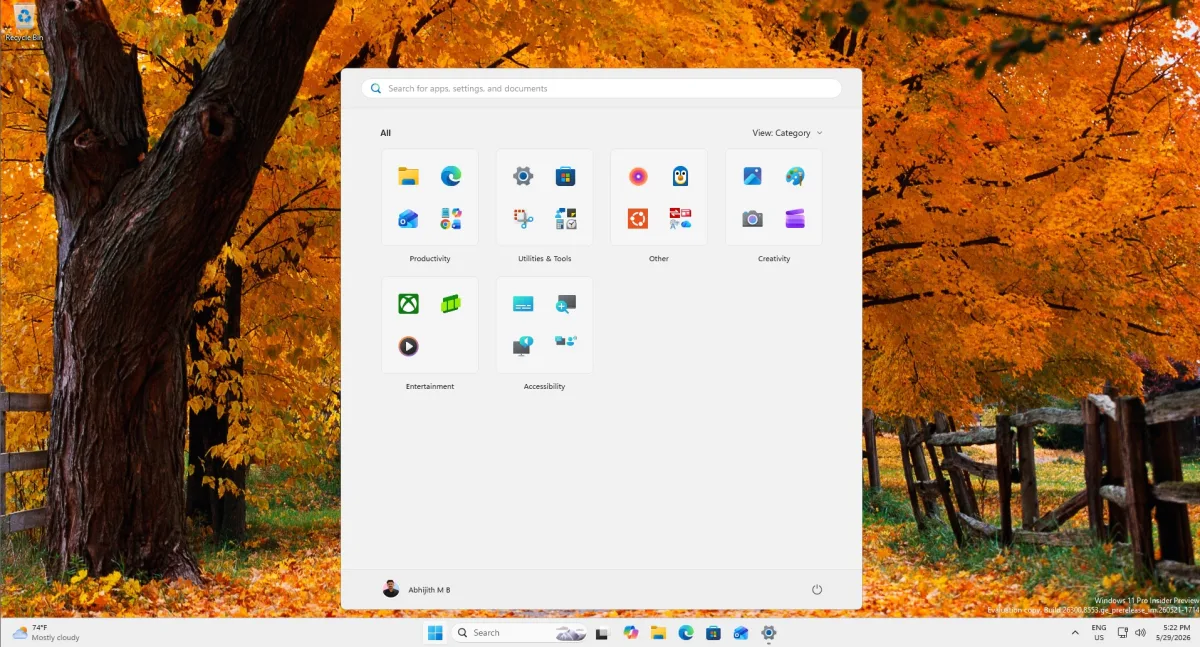
While consumer changes are minimal, Windows 11 26H2 officially unlocks all the features that have been gradually rolling out over the past few months. This includes the latest File Explorer improvements and the refreshed Start menu layout. For enterprise environments, the update introduces more concrete changes, such as turning on Windows Backup by default.
Additionally, Microsoft is introducing app-specific actions directly from the taskbar. These new agentic features are currently restricted to Microsoft 365 Enterprise users, further highlighting that the most significant functional changes in this package are aimed at corporate IT environments rather than everyday consumers.
How to Access the Update (And Why You Should Wait)
Currently, the update is available to users enrolled in the Release Preview Channel of the Windows Insider Program. However, because the feature set is nearly identical to version 25H2, joining the Insider Program solely to download Windows 11 26H2 is unnecessary. Users are better off waiting for the public release.
When the update hits the public channel, it will initially be available only to "seekers" - users who manually navigate to their settings and click Download and install. A wider, automated rollout is not expected until late 2026 or early 2027. For IT professionals and enthusiasts, Microsoft has also begun testing the Media Creation Tool and ISO files, ensuring that traditional clean installs will be fully supported upon release.
The Strategy Behind the Enablement Package
The rollout of Windows 11 26H2 highlights a mature, pragmatic shift in how Microsoft handles its operating system lifecycle. By relying on a shared servicing branch for three consecutive years, the company is actively avoiding the fragmentation and update fatigue that plagued earlier Windows eras. This strategy is particularly crucial for enterprise clients who demand predictable, stable environments rather than disruptive annual overhauls.
Furthermore, this minor release acts as a necessary buffer. By extending the support runway to 2028, Microsoft is giving both consumers and corporate IT departments ample time to prepare for the much larger, architectural shifts expected in version 27H2. It proves that sometimes, a "boring" update that simply changes a build number and extends a support calendar is exactly what the ecosystem needs to remain stable.
This article was written by AI from reporting by windowslatest.com.