Finding the perfect Android browser often feels like an endless cycle of compromises, forcing users to choose between Chrome's seamless integration and Firefox's robust privacy controls. After extensive testing across the mobile ecosystem, many power users are abandoning mainstream options like Samsung Internet due to clunky desktop syncing. The ultimate solution for this fragmentation is Brave, a privacy-first alternative that eliminates the need for third-party add-ons.
While Chrome lacks native ad blocking and Firefox struggles with basic conveniences like tab groups, Brave delivers a complete package right out of the box. It actively blocks trackers, third-party cookies, and intrusive scripts that slow down page loads. Furthermore, it offers advanced protection against fingerprinting, which stops advertisers from identifying your device based on hardware configurations.
How to Optimize Your Mobile Browsing Experience
Because Brave integrates essential tools directly into the browser, you can bypass the security risks associated with poorly maintained extensions. Here is how to utilize its most powerful built-in features:
- Download the browser from the Google Play Store and set it as your default application. This ensures all external links open in a secure, tracker-free environment.
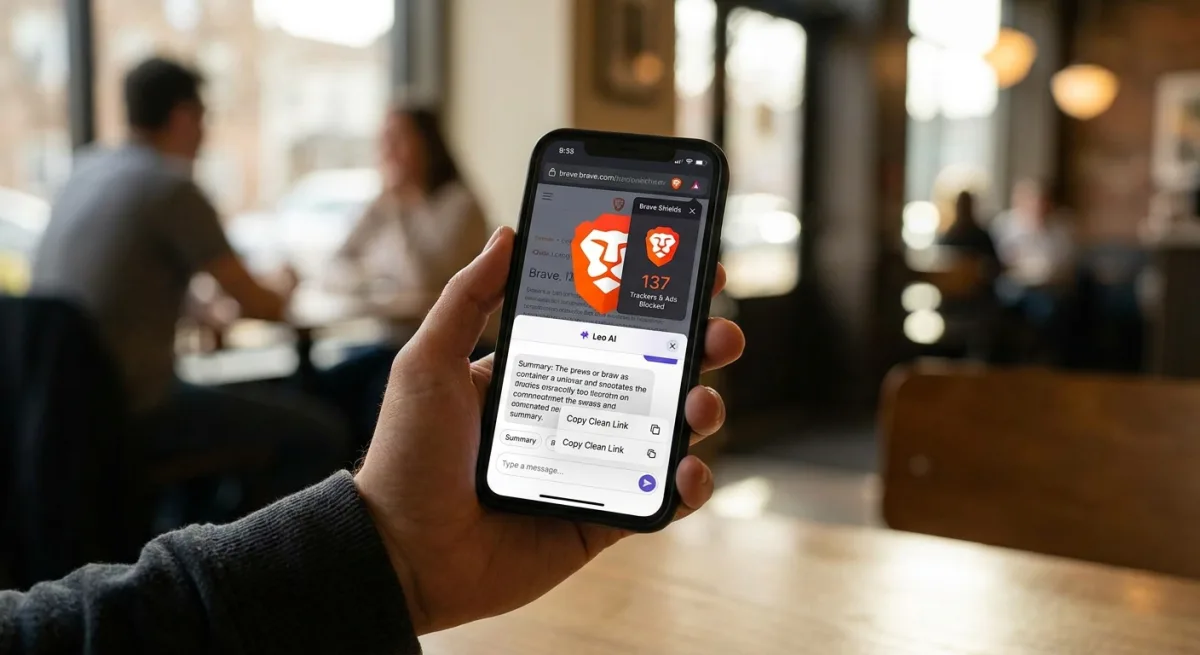
- Tap the Brave Shields icon located in the address bar on any website. This enables you to view exactly how many trackers, ads, and scripts were stopped in real-time.
- Enable the background play feature while watching media. This allows you to lock your screen and keep the audio running, effectively replacing expensive streaming subscriptions for podcasts.
- Select the Copy Clean Link option when sharing URLs with contacts. This strips away hidden tracking parameters attached to the end of web addresses, protecting both you and the recipient.
- Access the built-in Leo AI assistant for quick webpage summaries. This ensures your queries are processed securely, as all chat history is stored locally on your device rather than on a distant cloud server.
Replacing YouTube Premium and Third-Party Extensions
One of the most compelling reasons to switch is the browser's ability to replicate premium video features for free. Brave automatically strips away unskippable video ads and sponsored banners without requiring complex configurations. It also supports picture-in-picture mode, allowing you to keep a floating video window open while scrolling through social media or replying to messages.
Users also gain granular control over their media consumption. The browser allows you to hide distracting elements like members-only videos, block content recommendations, and completely remove the Shorts tab. Additionally, features like Force Dark Mode are built natively into the interface, alongside an optional paid firewall and VPN service.
The company maintains strict transparency regarding user data. According to its official website, the browser does not collect any personal information. While it lacks support for traditional Android extensions, the native integration of these tools provides a safer and more streamlined experience.
The Shift Toward Native Browser Utilities
The mobile browser market is clearly pivoting away from modular extension ecosystems in favor of all-in-one privacy solutions. By baking ad-blocking and AI tools directly into the core architecture, developers can achieve significantly better optimization. According to internal testing, this approach allows pages to load up to three times faster than popular competitors.
However, this all-in-one strategy does come with minor drawbacks. The inclusion of native crypto-related features can feel like unnecessary bloat for users who simply want a clean web experience. Despite this, the open-source nature of the project and its aggressive stance on data protection make it the most compelling daily driver for Android users today.