Upgrading the memory in Valve’s new Steam Machine requires navigating a grueling 39-step disassembly process that buries the RAM beneath layers of tightly packed components. While the SteamOS mini-PC takes inspiration from lounge-friendly consoles, a recent teardown reveals that tinkering inside this compact chassis is vastly different from a traditional desktop tower.
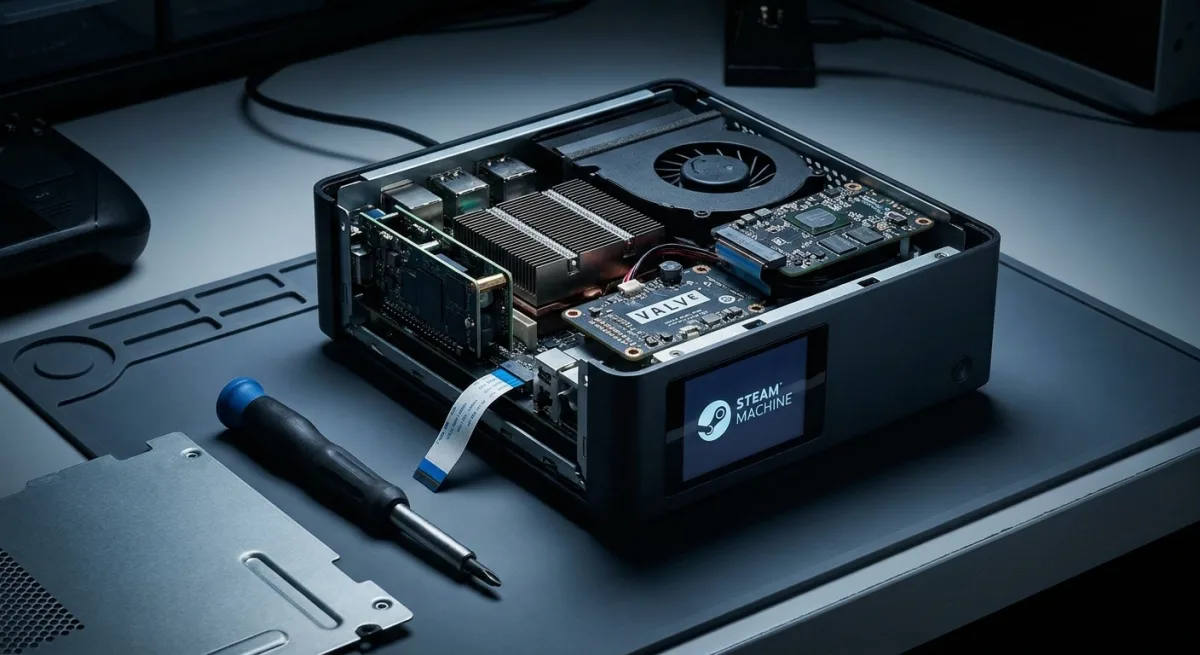
According to a comprehensive teardown by Rock Paper Shotgun, the device features a highly modular but deeply entwined internal structure. Opening the shell is straightforward, requiring just a T8 or T9 Torx screwdriver to remove two rear screws and four hidden in the feet. However, accessing core components demands removing parts in a strict, Russian-doll sequence.
The Easy Path: Upgrading the SSD
Fortunately for storage-hungry gamers, replacing the stock SSD is the most accessible upgrade on the device. The M.2 slot is immediately reachable once the main assembly slides out of the case.
- The slot natively accepts a Steam Deck-sized 2230 drive.
- By moving the screw stud to the second hole, it can accommodate a full-size 2280 SSD.
- The interface is limited to PCIe 4.0, meaning pricier PCIe 5.0 drives will not reach their maximum speeds.
The 39-Step RAM Excavation
The RAM upgrade path is where the Steam Machine's compact design becomes a liability for novice builders. The device features two DDR5 SO-DIMM slots, with Valve currently populating only one with a 16GB stick. While this leaves room for an easy drop-in upgrade in theory, the physical reality is daunting.
The memory slots are located at the very bottom of the main assembly. Reaching them requires dismantling the rear video output ports, removing the heatsink, and handling delicate ribbon cables.
As if Valve were so traumatised by the experience of sourcing said memory that they swore to seal it away, like the cursed tome of some vanquished skeleton mage.
- Rock Paper Shotgun
Given the minimal framerate gains expected in CPU-heavy games from adding a second stick of expensive DDR5 laptop memory, most users are advised to leave the factory RAM untouched.
Modular Design and the Right to Repair
Despite the grueling upgrade path for memory, the Steam Machine is surprisingly repairable. Unlike many modern laptops, it breaks down into discrete, unscrewable sub-components rather than relying on glue or soldered parts.
- The front I/O ports and Wi-Fi/Bluetooth chip sit on a removable panel.
- The microSD card slot, DisplayPort/HDMI ports, and rear USB cluster all feature independent daughterboards.
- The fan shroud, heatsink, and custom power supply can be fully separated.
Valve has confirmed that iFixit will eventually stock replacement parts, mirroring their strategy for Steam Deck components. However, due to ongoing hardware shortages and the recent rollout of initial reservations, these parts are not yet available to the public.
The Compact PC Trade-Off
The Steam Machine’s internal architecture highlights the inevitable compromise of shrinking PC gaming into a console form factor. By utilizing independent daughterboards instead of a monolithic motherboard, Valve has future-proofed the device against single-point failures. If an HDMI port breaks, you replace a small board, not a £879 machine.
However, burying the RAM indicates Valve views this device more like a fixed-spec console than a traditional tinkerer's PC. For the target audience playing in the living room, the accessible SSD slot is the only upgrade that truly matters, making the complex RAM excavation a non-issue for all but the most hardcore enthusiasts.