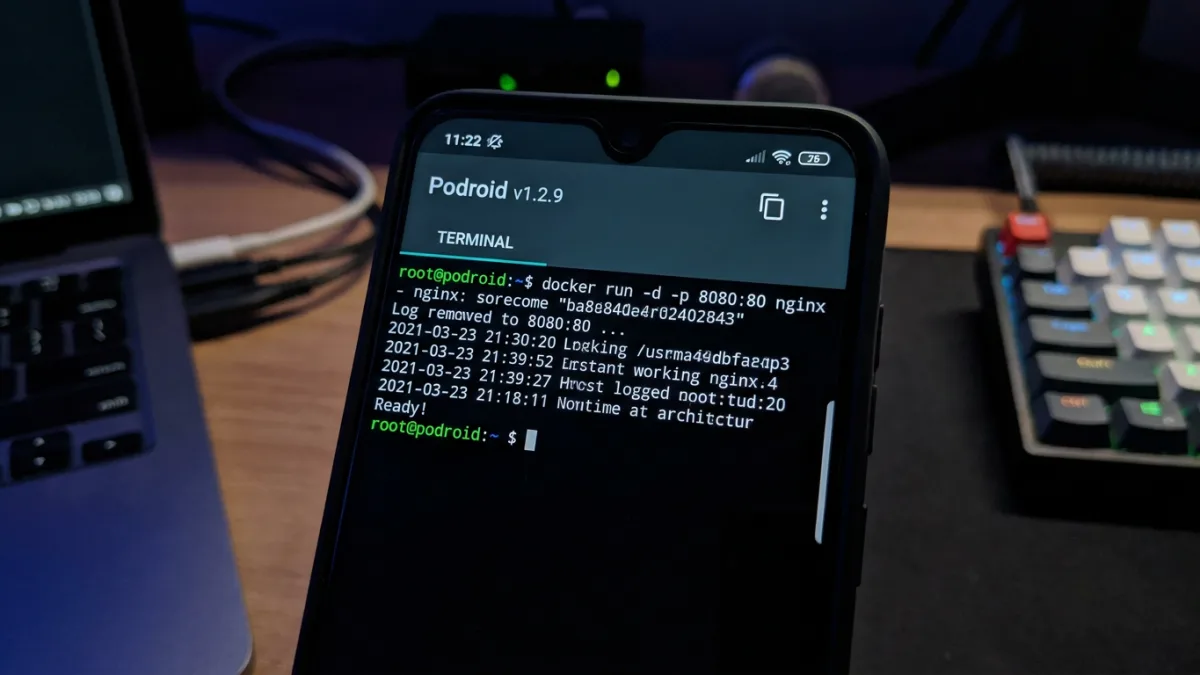
Developers and IT professionals who need to run server-grade containers on their mobile devices often hit a wall with the strict restrictions of the Android operating system. Historically, achieving this required complex rooting procedures or settling for limited emulation environments that compromised performance. The release of Podroid v1.2.9 changes this dynamic by bringing a full, rootless Alpine Linux virtual machine directly to Android smartphones.
Unlike traditional chroot or proot workarounds, Podroid operates as a genuine virtual machine with its own custom kernel. It utilizes QEMU or hardware-accelerated AVF (Android Virtualization Framework) on supported pKVM devices to deliver near-native performance. Because it runs a real kernel, enterprise container tools like Podman, Docker, and LXC behave exactly as they would on a dedicated Linux server.
The application is designed for any arm64 device running Android 8 or higher, and it comes with a robust set of built-in developer tools. Users gain access to an in-app terminal featuring full xterm-256color support, 122 color themes, 13 fonts, and live resizing capabilities. Furthermore, the app supports an X11 desktop environment, allowing users to run graphical Linux applications with touch, keyboard, mouse, and audio integration.
Comprehensive Developer Features
Podroid v1.2.9 is packed with utilities designed to bridge the gap between the mobile host and the Linux guest environment. Features include, but are not limited to:
- Pre-installed Containers: Podman, Docker, and LXC are ready the moment the VM boots.
- Advanced Networking: Built-in SSH, port forwarding, and a dedicated guest-to-Android bridge.
- Hardware Integration: USB passthrough for connecting external devices directly to the VM.
- Data Management: Container backup functionality, live VM status views, and seamless sharing of the Android Downloads folder with the guest OS.
How to Run Containers on Podroid
Setting up a local server environment on your phone is straightforward and requires no system-level modifications. Follow these steps to deploy your first container:
- Download the APK from the official repository and install it on your device.
- Open the app and tap Start VM (Start VM), wait for the Ready (Ready!) prompt, and open the terminal.
- Execute the following commands to run rootless containers immediately:
# rootless containers, straight away
podman run --rm alpine echo "hello from a container"
docker run -d -p 8080:80 nginx
To expose your running container to your phone's browser and your local network, you can use the built-in port forwarding utility directly from the VM shell:
# expose that container to your phone and LAN
podroid-forward add 8080 8080 tcp
curl http://:8080
podroid-forward clean
If you prefer to manage the VM from a desktop computer, you can easily SSH into the environment. Ensure SSH is enabled in the setup wizard or the Settings (Settings) menu:
# SSH in from your laptop
ssh root@ -p 9922
How to Build Podroid from Source
For developers looking to audit the code or contribute to the project, compiling the application requires Docker and the Android SDK/NDK. The build script handles the kernel, rootfs, QEMU, and the final APK generation.
git clone https://github.com/ExTV/Podroid.git
cd Podroid
./build-all.sh all
The development team welcomes bug reports, kernel-config tweaks, and UI improvements. Contributors are advised to read the CONTRIBUTING.md file, run tests before pushing, and include a diagnostic log by navigating to Settings (Settings) and selecting Export Diagnostic Log (Export Diagnostic Log) when reporting issues.
The Shift Toward Mobile Edge Computing
The introduction of hardware-accelerated AVF support in Podroid v1.2.9 highlights a massive shift in how we view mobile hardware. Modern smartphone chips, like the Snapdragon 8 Gen series, possess more than enough compute power to handle server workloads, but software locks have historically kept that power inaccessible. By bypassing the need for root access and utilizing pKVM, Podroid turns a standard phone into a legitimate, secure edge-computing node.
This development is particularly significant for DevOps engineers and field technicians. The ability to spin up a Docker container, test a deployment, or run a full X11 graphical application on a phone during an emergency outage eliminates the absolute necessity of carrying a laptop. As Android continues to refine its Virtualization Framework, tools like Podroid will likely transition from niche enthusiast projects to standard utilities in the mobile IT toolkit.
This article was written by AI from reporting by kitploit.com.